
Most fraud detection tools answer one question: Is this traffic suspicious?
That's not enough. Knowing that a flag was raised doesn't tell you whether to block a placement, contact a publisher, or do nothing. It doesn't tell you whether that spike in proxy traffic is a botnet or just a VPN-heavy mobile audience. It doesn't tell you if those phantom clicks are concentrated in one banner or spread across the entire campaign.
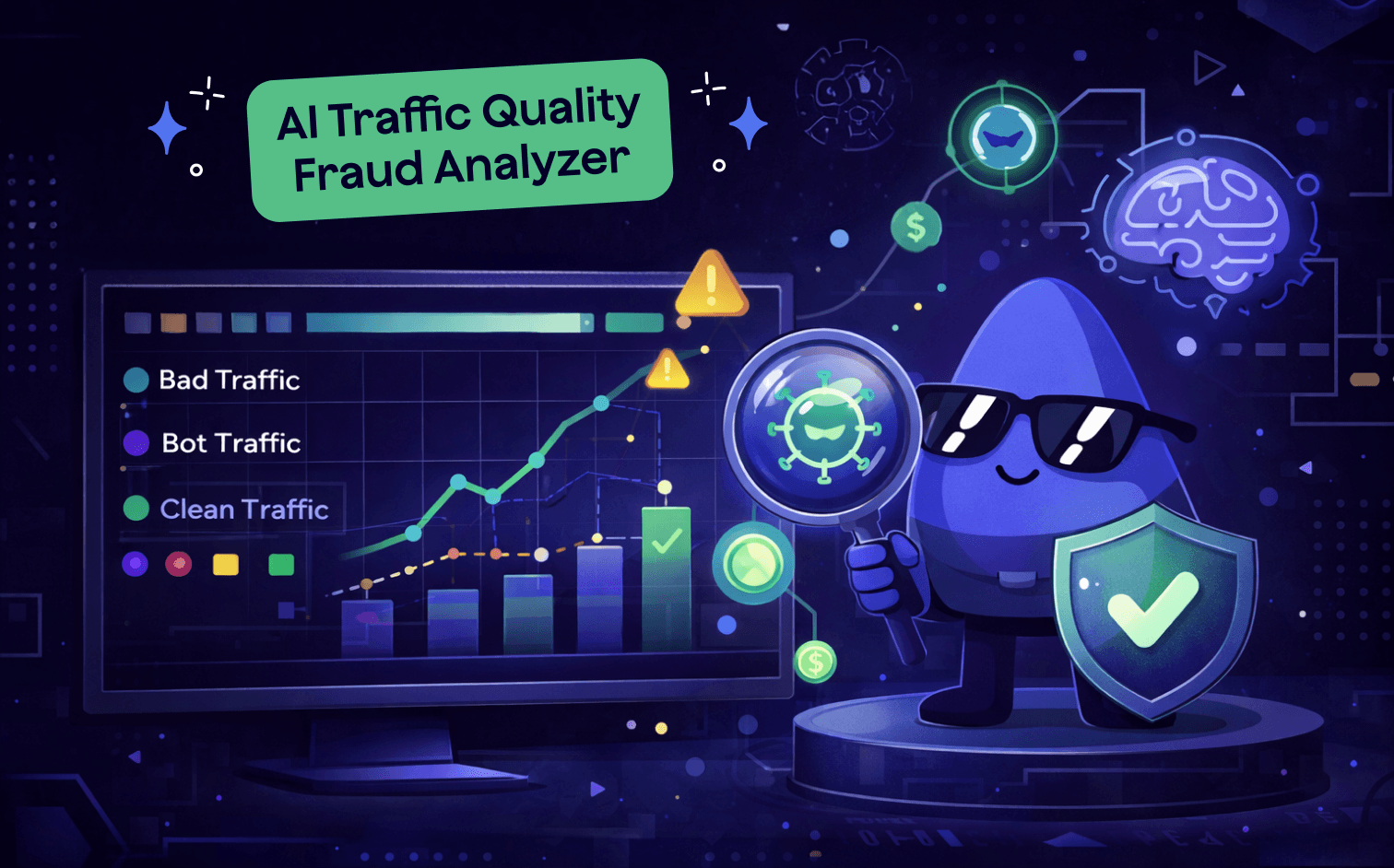
That’s why we're releasing Traffic Quality Fraud Analyzer – an AI-powered system built into Epom Ad Server that goes beyond detection. It investigates.
The problem with rule-based fraud tools
Traditional fraud detection works on thresholds. Set a limit, flag what crosses it, block it.
The flaw is that context makes all the difference. A high IP-to-UUID ratio can mean bot traffic, or it can be completely normal for mobile users on carrier-grade NAT (CGNAT) networks, where dozens of devices share a single IP. A missing screen resolution looks suspicious until you realize it's the expected behavior for VAST video placements, where the ad runs inside a player with no DOM context. Flagging "Generic Android" as device spoofing sounds reasonable until you learn that Chrome's UA Reduction feature strips device model information from all Android user agents by design.
Rule-based tools can't reason about this. They flag it all, you investigate it all, and most of it turns out to be noise.
Traffic Quality Fraud Analyzer is built differently. It uses AI to analyze signals in context, combining traffic structure, infrastructure data, behavioral patterns, and format-specific norms into a single, coherent investigation.
How it works
The system runs as a four-stage automated pipeline every night, across every placement.
Batch scoring runs first. Every placement is evaluated across 15+ fraud metrics – traffic volume, IP diversity, emulator usage, datacenter and proxy share, subnet concentration, duplicate impressions, and more. Each placement receives a score and a classification:
- GREEN (85–100): Clean traffic. No action needed.
- YELLOW (60–84): Minor anomalies worth monitoring.
- RED (30–59): Significant fraud indicators. Investigate.
- BLOCKED (0–29): Severe risk. Act immediately.
RED and BLOCKED placements automatically move to deep-dive analysis, where 16 additional queries run against the full impression, click, and action logs. This is where the detail emerges: which subnets are concentrating traffic, which specific banners are generating phantom clicks, what the 24-hour traffic distribution looks like, and whether video completions are arriving too fast to be real.
All of that data then goes to Claude Opus, Anthropic's most capable model, for analysis. The AI reads every metric, cross-references signals, accounts for format-specific context, and produces a full written investigation: what's happening, how confident we are, and what to do about it.
The output is a branded PDF report, generated automatically for high-risk placements and available on demand for any placement in your inventory.
What the AI actually understands
The quality of fraud detection comes down to what the system knows that a simple threshold doesn't.
Traffic Quality Fraud Analyzer understands that the circadian rhythm is a fraud signal. Human traffic has a natural shape: a night dip, a morning ramp, a daytime peak. Bot traffic is flat across all 24 hours. The system analyzes the hourly distribution for every placement and adjusts for local timezone based on the dominant traffic geography – so a traffic pattern from Uzbekistan is evaluated against UTC+5, not UTC.
It understands click fraud at the banner level. Phantom clicks – clicks with no matching impression – are tracked per banner, not just per placement. If banners 24851 and 24564 are generating phantom clicks but the rest of the placement is clean, that's what the report says. You know exactly where to look.
It understands video-specific fraud. For VAST placements, the system analyzes the completion funnel: if 100% of viewers reach the final quartile with no drop-off, that's suspicious. If completion events arrive within two seconds of the start event, that's impossible for real playback. These signals are meaningless for display – the AI only applies them to video placements.
It understands infrastructure over time. When a subnet is identified as suspicious, a datacenter hosting block, a known VPN provider, a residential proxy farm, it's recorded in a cumulative database with the ASN, provider name, risk level, and evidence. Future analyses for any placement on any date can reference that history. The system learns as it runs.
What you get in each report
Every investigation report contains four sections:
- Executive summary. A plain-language paragraph covering traffic volume and geography, the key findings, estimated fraud exposure across all vectors (impressions, clicks, and actions), and an infrastructure verdict: LEGITIMATE, MIXED, SUSPICIOUS, or FRAUDULENT.
- Findings. Each issue is a structured card with a severity label (HIGH / MEDIUM / LOW / INFO), a descriptive title, an AI-written explanation with context-aware reasoning, and a data table. Critically, the AI will not flag expected behavior as suspicious. A report for a VAST placement in a developing mobile market looks different from one for a desktop display placement in North America – because the benchmarks are different.
- Recommendations. Numbered, prioritized action items. Not "review your traffic" – specific steps like "investigate phantom clicks (~393) against server-side impression logs" or "apply click deduplication at the banner level for banners 24851 and 24564."
- Data appendix. The full underlying metrics for any team that wants to validate the findings or run their own analysis.
Real-world use cases
- Resolving publisher disputes. A publisher claims their traffic is clean. An advertiser is seeing low conversions. Pull the Traffic Quality report for that publisher's placements and share it with both parties. If the traffic is clean, that's documented evidence. If there's a specific issue, the report pinpoints it – rather than a blanket accusation that goes nowhere.
- Vetting new traffic sources. Before scaling spend on a new publisher, let traffic run for two to three days and generate reports. The infrastructure assessment – is this traffic coming from legitimate ISPs and mobile carriers, or from datacenter blocks and proxy networks? – gives you a fast, documented basis for the decision.
- Diagnosing performance drops. When an advertiser's conversion rate falls overnight, the first question is whether traffic quality changed. Compare the PDF from the good period to the bad period. New subnet clusters, a spike in phantom clicks, new high-frequency UUIDs – that's where the investigation starts.
- Daily monitoring. Filter the Traffic Quality grid by RED and BLOCKED, review new entries, act. The daily pipeline means you're not waiting for something to become a crisis before you know it exists.
A note on false positives
Any fraud tool that flags too aggressively becomes useless. If every mobile carrier looks like a botnet, you stop looking at the reports.
We've invested significant effort in making sure the system understands what normal looks like, because "normal" varies by format, geography, and network type. Safari 26 on iOS 18.7 is not a spoofed user agent; it's what Apple's frozen UA string looks like on devices updated since September 2025. Old Chrome versions (80–100) on smart TVs aren't outdated bots; they're embedded Chromium builds that don't auto-update.
The goal is a system you can trust. One that escalates real problems clearly, and doesn't cry wolf on the things that aren't problems.
Traffic Quality Fraud Analyzer is available now in Epom Ad Server. Reports generate in 30 seconds to a few minutes, depending on placement volume, are cached for instant re-download, and can be generated on demand for any placement from the admin panel. Access requires the Traffic Quality permissions to be enabled for your role – contact your account administrator if you don't see the tab.
Run an ad server that gives you full visibility into your traffic.
Start your free trial and see exactly what’s happening behind every impression.