
TL;DR:
- Standard ad tracking reports clicks and conversions, but strips away vital first-party business context (e.g., whether the user searched a specific flight route or had a “trial” account status).
- By passing key-value pairs (Custom Parameters) via the ad request, publishers and advertisers can map their own first-party data directly into the ad server’s delivery rules and tracking URLs.
- GA4 records what happens on the site. The Ad Server records the campaign context before the impression is served. To achieve deterministic attribution, these dimensions must be mapped consistently across both via Server-to-Server (S2S) postbacks and macros.
- Centralizing custom parameters cuts manual “Excel-hell” reporting time by up to 70% and exposes exactly which supply paths are draining your margins.
For over 15 years, Epom has built the underlying ad serving infrastructure for global ad networks and high-volume publishers. This guide details the architecture we use to help our clients pass proprietary first-party data via macros and S2S postbacks. Want to test custom parameter tracking on your own traffic? [Start your 14-day free trial of Epom Ad Server today.]
What Custom Dimensions Add to Standard Ad Tracking
So, what is a dimension in Google Analytics? It is the characteristic by which you break down the numbers in a report. For example, you can view clicks by device category, conversions by campaign, or revenue by country. The numbers are metrics, while the fields used to group them are dimensions.
Google Analytics provides many standard dimensions, but it cannot capture data specific to every business. A travel platform, for instance, may know that a customer booked a flight after clicking an ad but still be unable to see which route the person had searched before the ad was served. By adding the searched route as a custom dimension, the company can compare bookings and revenue across routes instead of relying on an aggregated campaign total. Publishers and agencies can apply the same approach to their own data, including article categories, reader interests, placements, supply partners, or deals.
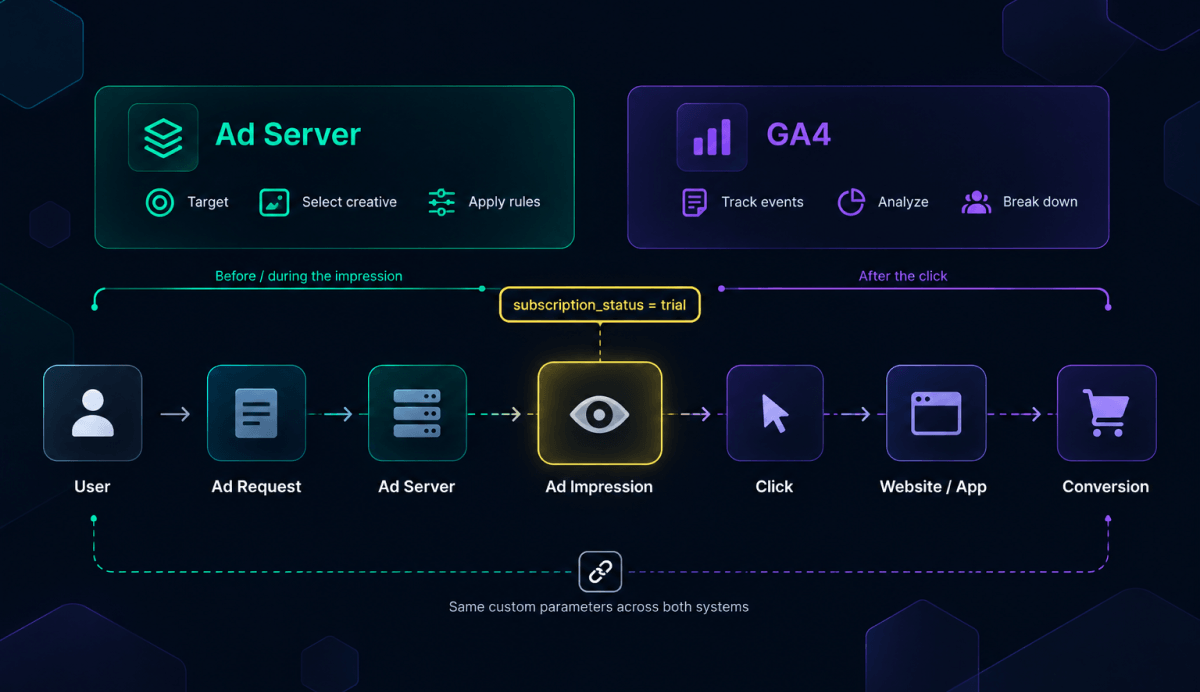
But custom dimensions can be used as what, exactly? Reporting is only one option. Some parameters can also influence how a campaign is delivered. Consider a subscription service that passes subscription_status=trial to its ad server. An analytics team can use the value to compare trial and paid users. At the same time, the ad server can exclude existing subscribers from an acquisition campaign or choose a creative for trial users. If the parameter is included in the tracking URL and linked to a conversion postback, the growth team can also determine which placements and creatives convert trial users into paying customers.
As a result, a custom dimension can affect campaign delivery. Its exact role depends on where it is collected and how it moves between systems.
Custom Dimensions in GA4 vs. Custom Parameters in Ad Servers
To understand how data flows, you must understand where each platform operates in the pipeline:
| Feature | Google Analytics 4 (GA4) | Epom Ad Server |
|---|---|---|
| Data Scope | Records user behavior after they land on the site/app. | Processes campaign context before/during the ad impression. |
| Actionable Logic | Used strictly for post-campaign analysis and reporting. | Can actively change delivery rules (e.g., excluding "trial" users from an ad). |
| Data Ingestion | Collected via event parameters or user properties. | Passed via the supp_custom_params line in the invocation code. |
| Tracking Handoff | Relies on UTMs or Google Click IDs (gclid). | Inserts the data into tracking URLs via the $$CUSTOM_PARAM(paramName)$$ macro. |
GA4 custom dimensions and ad-server custom parameters work with business-specific data, but they operate at different stages of the tracking process.
In Google Analytics 4, a custom dimension makes a collected event parameter, user property, or item parameter available for analysis. For example, a website may send subscription_status with an event and register it as a custom definition. The marketing team can then use this field in GA4 reports.
An ad-server custom parameter can enter the process before the impression is served. Data from a publisher page, app, CMS, CRM, or another first-party source is passed as a key-value pair. The ad server reads the value in real time and may use it to qualify the request, apply a targeting rule, or select the appropriate creative. The value can then be inserted into a click URL through a macro and passed to an analytics or attribution system.
For example, in Epom Ad Server, these fields are called Custom Parameters. To make them available in Advanced Analytics, their exact names must first be added to the Acceptable parameters tab under System Configuration. The values can then be passed from a publisher’s page through the supp_custom_params line in an invocation code.
Once Epom receives the value, it can check it against the campaign’s delivery rules. The same value can be carried further in a Banner URL or Action Tracking URL using the $$CUSTOM_PARAM(paramName)$$ macro. Later, the team can use it to break down campaign results in Advanced Analytics.
The important point is that a GA4 custom dimension and an Epom Custom Parameter are not automatically synchronized. Registering a parameter in GA4 does not send it to the ad server, and collecting it in an ad request does not make it appear automatically in Google Analytics. The same field must be deliberately mapped between the source system, ad server, tracking URL, analytics platform, and, where applicable, CRM.
GA4 and the ad server therefore capture different parts of the same journey. GA4 records what happens on the website or in the app, whereas the ad server retains information about the campaign context and may use it before serving the impression. To determine whether that impression eventually resulted in a valuable customer, the team still needs to match the data using macros, click IDs, postbacks, or raw logs.
How to Set Up Custom Parameters for Campaign Tracking
Ad servers use different names for the additional data attached to an ad request. In Epom, these fields are called Custom Parameters. To start working with one, you need to register its name, pass a value from the publisher’s page, and specify where that value should appear or how it should affect delivery.
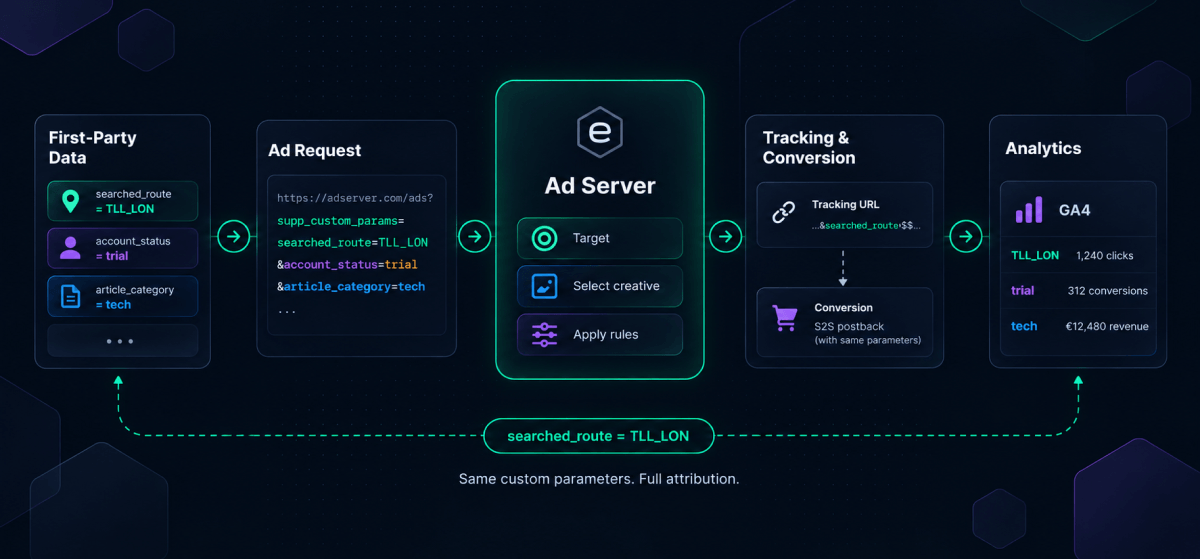
For example, a travel platform wants to track the routes its visitors search. Its website could pass the route as a key-value pair: searched_route=TLL_LON. Once the parameter reaches the ad server, it can be checked against the campaign’s delivery rules and carried into another tracking system. Later, the team can compare impressions, clicks, and conversions across different routes. For this flow to work, the parameter must have the same name throughout the setup.
Register Custom Parameters
Before a Custom Parameter can appear in Epom Advanced Analytics, its exact name must be registered in the
Network Supervisor account. Open System Configuration, go to the Acceptable Parameters tab, and add the
parameter name. In this example, the name would be: searched_route. Only the key is registered at this stage,
not each possible value. The same parameter may later receive TLL_LON, TLL_BER, or
any other route code passed by the website.
Naming requires some care because the value may eventually move through several systems. If the website sends
searched_route but the ad server or tracker expects search_route, they will be
treated as different fields. It is therefore useful to agree on one naming convention before adding parameters
to live tags.
Pass Values Through the Invocation Code
After the parameter has been registered, the publisher’s page needs to send its current value to Epom. This is
done through the supp_custom_params line in the invocation code. For example:
supp_custom_params = {
  searched_route: 'TLL_LON',
  travel_window: '30_60'
}
The parameter name stays fixed, but its value changes with each request. For instance, article_category may return “technology” on one page and “finance” on another. A subscription platform could pass account_status=trial for one user and account_status=paid for another.
The website may take these values from its CMS, app, account data, or internal analytics system. However, only data approved for advertising should be passed to the ad server. Invocation codes and tracking URLs must not contain names, email addresses, phone numbers, medical information, or other data that directly identifies a person.
Apply Custom Parameters to Delivery Rules
Epom Ad Server reads the incoming values while processing the ad request and can compare them with the conditions configured for a campaign. This allows a parameter to affect delivery rather than remain only a reporting field.
For example, a campaign promoting flights to London could be limited to requests associated with relevant searched routes. A subscription service could use account status to avoid showing an acquisition offer to customers who already pay for the product.
Campaign targeting can also be configured so that requests with different parameter values become eligible for different campaigns or banners. When dynamic creative optimization (DCO) is connected to the campaign, these values can contribute to the logic used to select an appropriate creative.
Epom can compare the value received with an ad request against a condition specified in the campaign settings. If the value meets the condition, the request may become eligible for that campaign. The Ad Ops team should also decide what happens when the parameter is missing or has an unexpected format, since either case can prevent suitable traffic from matching the rule.
Carry the Data Through Tracking URLs
The custom value may still be needed after the ad has been served. Epom Ad Server can insert it into a Banner URL or Action Tracking URL through the following macro: $$CUSTOM_PARAM(paramName)$$. For the travel example, the macro would be $$CUSTOM_PARAM(searched_route)$$.
At the relevant stage of tracking, Epom replaces the macro with the value received in the request. The route can then be passed to a landing page, attribution platform, or another authorized tracking system.
The receiving system must store the macro value under the correct field. For example, if Epom adds searched_route=TLL_LON to the click URL, the tracker needs to recognize searched_route and save its value. This should be checked after every redirect, since URL parameters can be dropped or replaced along the way.
The tracking URL may also contain a click ID. When the traveler completes a booking, a server-to-server postback can send this ID to the tracking or attribution system together with the permitted conversion data. The system can then locate the original click and confirm it was associated with the TLL_LON route.
Parameters included in browser-facing URLs may appear in browser history, server logs, or third-party systems. Sensitive data should therefore never be passed in these URLs.
Analyze Performance by Custom Parameter
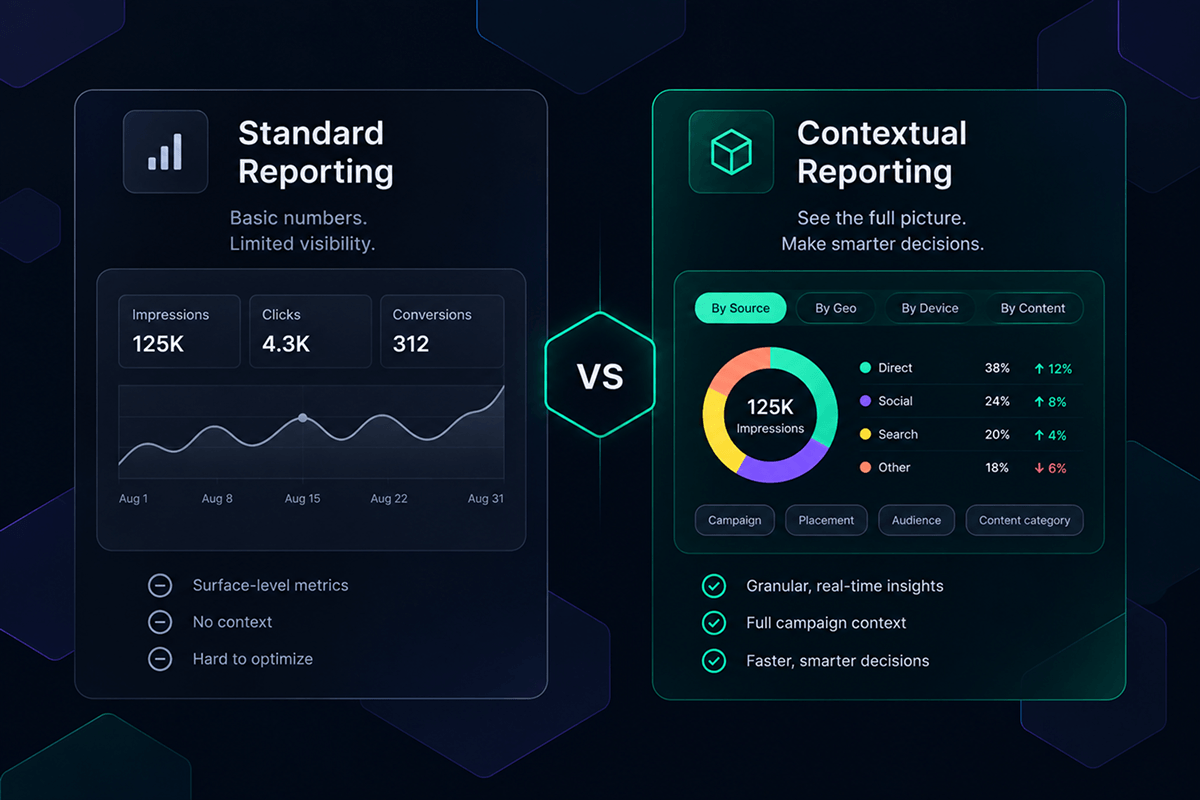
Custom Parameters also appear in reports. Before running a report in the Analytics tab, select Breakdown by Custom Parameter. The report will show the recorded parameters in separate columns, so their values can be compared with the campaign metrics.
For our travel campaign, this means checking clicks, conversions, and other available metrics for each route searched. A publisher can do the same with fields such as article_category, reader_interest, or website_property. The reporting interval can be set to one hour, making it easier to notice changes during the day rather than discovering them in the next manually compiled report.
The resulting data should lead to a campaign decision. A route with a high click-through rate but few completed bookings may require a different offer or landing page. An article category that consistently attracts valuable conversions may deserve more inventory or a higher price in future advertiser packages. This is where Custom Parameters go beyond adding another column to a report: they show which parts of the campaign deserve a closer look or a change in strategy.
The parameter has now passed through the full tracking flow. Epom Ad Server received it with the ad request, used it in delivery where necessary, carried it through the tracking URL, and included it in the report. How the Ad Ops team uses this information depends on the task at hand. An agency may look for points where media spend loses value. A growth marketer can compare first-party signals with revenue, while a publisher can use the same data to cut down on manual report reconciliation.
Three Ways Custom Dimensions Improve Campaign Tracking
Once custom data appears in the campaign report, it can answer questions that standard platform dimensions leave open. The most useful questions depend on who runs the campaign and where the current reporting process breaks down.
Identify Margin Leakage Across the Supply Path
An agency may know how much a client spent and how many conversions were recorded, yet still have little information about what happened between the DSP and the publisher. Fees and markups from exchanges and other intermediaries can be difficult to separate when reporting is aggregated.
The agency can add fields such as supply_partner, publisher_id, placement_id, or deal_id to its campaign data and compare each of them with spend and revenue. A poor result does not prove that an intermediary charged a hidden fee, but it does show which supply path is worth investigating.
Custom parameters provide the first layer of this analysis. They show how costs and results differ across the agency’s own partners, placements, and deals. Finding the reason for those differences may require more granular information from the buying platform. Bidstream logs and impression-level data can reveal what happened within a particular supply path, including the request attributes and inventory involved.
For example, Epom’s White-Label DSP provides access to bidstream logs that include up to 50 user and request attributes, such as carrier, connection type, and geographic signals. If an agency uses both products, it can compare its own campaign fields from the ad server with the DSP's impression-level records. This gives programmatic attribution more context than either an aggregated campaign total or a platform-reported conversion alone.
Client reports often include totals but say little about the underlying inventory. With a breakdown by placement or supply partner, an agency can show where the ads actually ran and which sources were linked to the recorded results. This was one of the main concerns for a Epom’s client named Dave, a media buyer at a sports agency: “We’ve had a few issues with hacking and attribution, and we're really trying to establish a strong foundation for our performance tracking. We want an ad server that gives us the capability to monitor performance and have trust in that.”
According to Epom’s estimates, reseller fees and undisclosed markups can consume 20% to 40% of the media budget in some setups. The figure will differ from one contract and platform to another. Still, these costs are nearly impossible to assess when all supply sources are combined into a single report. Breaking the results down by partner, placement, and deal gives the agency a concrete starting point.
See how a transparent self-serve DSP gives you placement-level reporting without enterprise minimums.
Connect First-Party Signals to Deep-Funnel ROI
Growth marketers face a different gap. A sign-up recorded by an advertising platform does not necessarily tell them whether the campaign brought in a valuable customer. That becomes clear only later, when the user completes the action that matters to the business, for example, making a first deposit.
Take a travel site where someone searches for a flight from Tallinn to London. The site already has a useful piece of first-party data — searched_route=TLL_LON. Passing it to the campaign system makes it possible to look beyond the initial click and see whether traffic associated with this route ultimately resulted in bookings.
One of Epom’s clients explained what the travel platform wanted to do with its search data: “Can we use our own analytical platform as a targeting. For example, one advertiser looking to target those users who actually searched a particular route and we have those data with us.” The route is a stronger signal than a broad audience category because it comes from a search made on the platform itself.
The booking still has to be matched with the earlier ad interaction. This is usually done with a click ID stored when the person arrives from the ad. Once the booking is confirmed, a server-side postback returns that ID along with the permitted conversion details. The tracking system locates the corresponding click record, including the associated route, and the marketer can see which searches generated revenue.
This deterministic tracking does not automatically solve identity resolution or cross-device measurement. A person who searches on one device and converts on another may still be difficult to match without an authorized identifier and a suitable integration. However, when the records can be linked, the marketer is no longer limited to the conversion count reported by the advertising platform. It becomes possible to see which campaign inputs produced customers with real business value.
Replace Publisher Excel-Hell With Automated Reporting
Publishers often have the required data, but it is scattered across their CMS, ad server, website properties, and third-party advertising platforms. To prepare a client report, the Ad Ops team usually needs to export several CSV files, match line-item or placement IDs, and extract useful information from long naming conventions. This is how a routine report turns into excel-hell.
Some of this work can be avoided if the publisher sends its own content data with the ad request. Fields such as article_category, reader_interest, website_property, or ad_position then appear alongside the campaign results. There is no need to recover them later from page URLs or decipher long placement names. The report can show, for example, how the same campaign performed on the publisher’s technology and lifestyle content.
This also makes advertiser reporting more flexible. A premium advertiser may not care about every technical placement ID, but may want to compare results across topics, reader interests, or content types. If these fields have already been registered as Custom Parameters, the publisher can create the required breakdown without building a new spreadsheet mapping for each report.
For one European publisher, centralizing these fields reduced the time spent on manual reports by 70%. The result will not be the same for every company, but the reason for the savings is straightforward: content data is recorded with the campaign data, so the Ad Ops team does not have to join the two again for each new report.
This is the practical value of reporting automation: recurring joins and mappings are configured once rather than rebuilt for every advertiser report. The team will still need to investigate discrepancies between the ad server, DSP, SSP, and advertiser records. However, using consistently mapped fields across these systems makes cross-channel reconciliation easier and leaves more time to analyze the differences the report reveals.
How to Avoid Common Custom-Dimension Mistakes
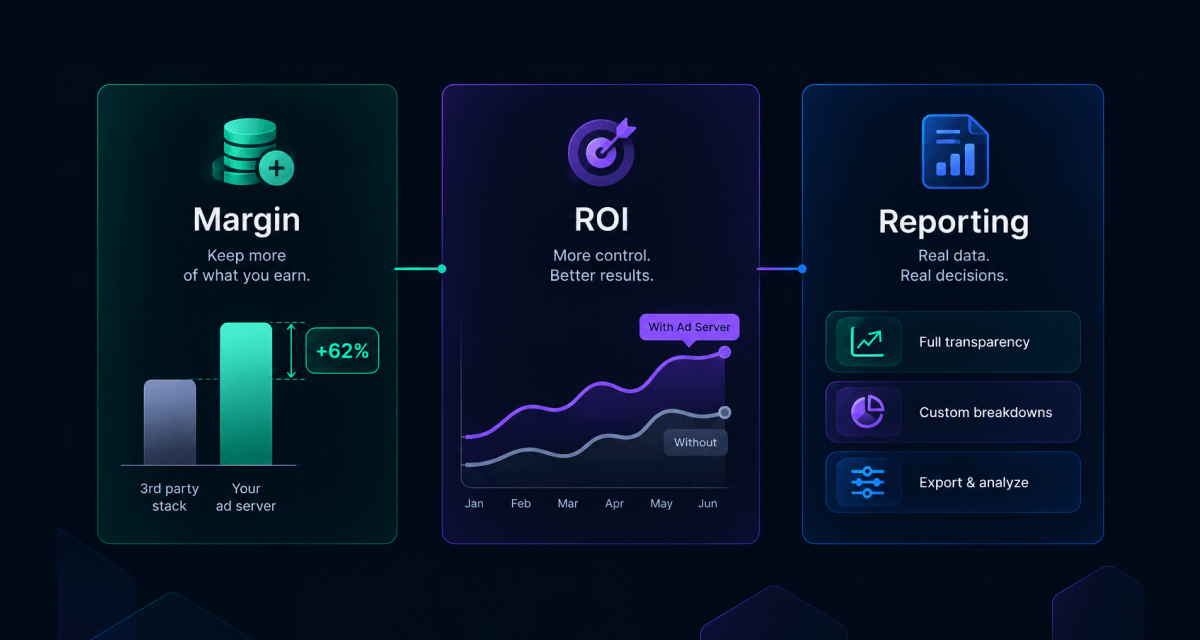
A long list of custom parameters can make reporting harder rather than easier. Problems usually arise when the same field has multiple names, contains thousands of unique values, or contains data that should not have entered the advertising system at all.
Keep Names and Values Consistent Across Systems
Using three names for the same piece of data creates avoidable work. A publisher may call a field reader_interest, while it appears in the ad server as readerInterest and in the CRM as interest_group. The Ad Ops team then has to build and maintain a separate mapping just to join the records.
Create a parameter dictionary with the exact name, purpose, source, format, and allowed values for each field. It should also specify which systems receive the parameter. Seemingly minor differences matter: paid, Paid, and paying_customer will appear as separate values unless they are standardized.
The same applies to URL parameter mapping. A value inserted by an ad-server macro must use the name expected by the tracker, and any data returned through a postback must follow the format accepted by the attribution system.
Keep High-Cardinality Data Out of Aggregated Reports
Fields such as article_category work well in reports because they contain a limited number of values. A click_id, transaction hash, or CRM identifier may be unique to every interaction. When these fields are registered as Google Analytics custom dimensions, GA4 may group less common values into the (other) row, making the report less useful.
This does not mean that click IDs should be discarded. The system needs them to find the ad interaction associated with a backend conversion. They belong in raw logs or the data used for reconciliation, however, rather than in a report that marketers review by hand.
The distinction between storing a value and using it as a reporting dimension also matters in Epom. A Custom Parameter value can contain up to 65,535 characters, which is enough for complex or hashed strings. The platform may accept such a value, but a report containing thousands of long, unique strings will not help a marketer compare campaign performance. These values are better kept in the underlying attribution records, while reports use dimensions with a manageable number of recurring values.
Do Not Pass Sensitive Data
Think about where a parameter might end up before adding it to the tag. A value from an invocation code can be copied into a URL and stored in logs accessible to several companies. An email address or a raw user ID clearly does not belong there. The same applies to health information and to any other field that can identify a particular person.
A hashed ID also needs scrutiny. Hashing changes the value, but it does not necessarily prevent identification. A company that already has the original IDs may be able to produce the same hashes and find a match.
This distinction becomes especially important in regulated industries such as healthcare, where a campaign may work with professional or patient-related identifiers. Custom Parameters and server-side tracking can form part of a HIPAA-compliant marketing architecture, but neither feature guarantees compliance. Moving tracking away from the browser may help when ad blockers or shorter attribution windows affect measurement. However, it doesn’t change the rules governing consent and the permitted use of data.
Test the Full Attribution Path
Let’s imagine that the setup is ready and the publisher sends searched_route=TLL_LON for a test impression. The value should be visible in the request received by the ad server. If the route is part of a delivery rule, it is worth sending a second request without it to see whether the campaign responds as intended.
After the test ad is clicked, TLL_LON should appear in place of the macro in the destination URL. This is also a good moment to check what happens during redirects, since either the route or the click ID may be lost before the visitor reaches the landing page. A completed test booking should later return through the postback with the same click ID.
Once the postback has fired, check whether the tracker has matched it to the original click and retained searched_route=TLL_LON. Then compare this record with the booking stored in the CRM, using the booking or transaction ID available in both systems. Do not worry if the overall report totals differ slightly at this stage; time zones and attribution settings often explain that. For the test conversion, you only need to establish that the route, click, campaign, and booking belong to the same chain.
Turn Custom Dimensions Into Campaign Decisions
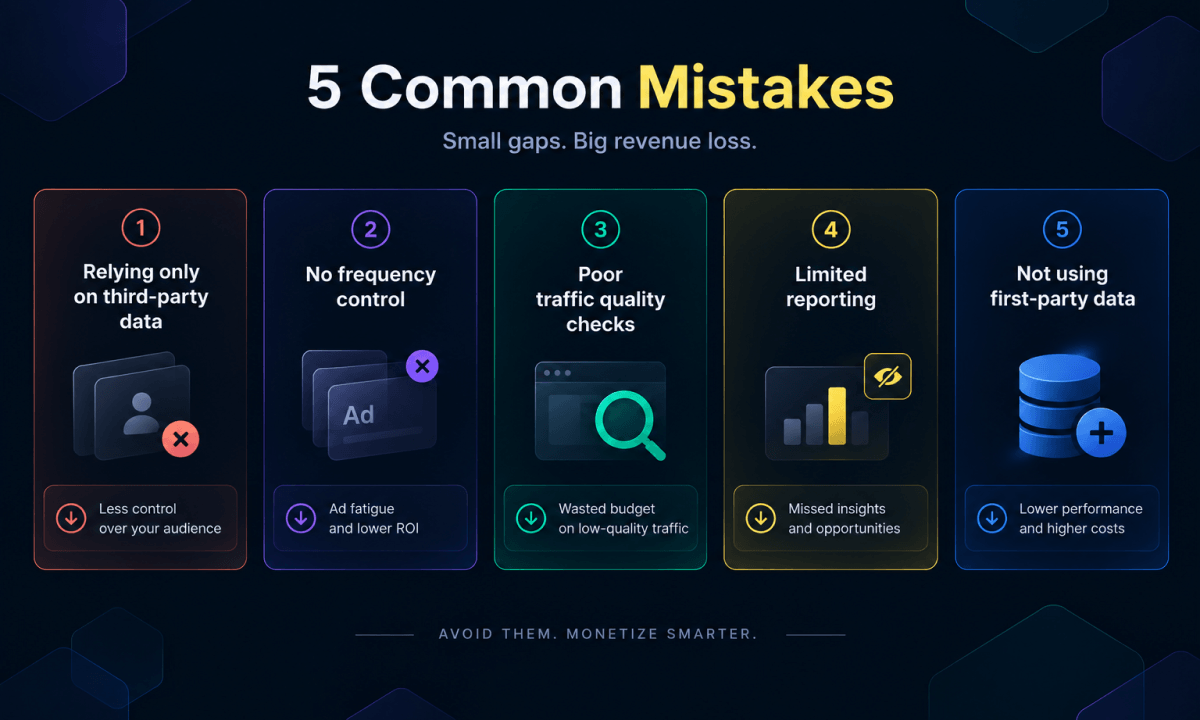
Most teams first encounter Google Analytics 4 custom dimensions as extra fields in a report. But the real benefit is not the extra column itself. It is the ability to keep a useful piece of context — a searched route, reader interest, account status, or placement — connected to the campaign long enough to see what happened afterward.
There is no need to track everything. Choose a question the standard report cannot answer, add the parameter that answers it, and make sure it survives the trip from the ad request to the final report. Epom Ad Server provides the tools for this work: Custom Parameters can be used in delivery rules, passed through tracking URLs, and included in Advanced Analytics. The setup can begin with a single campaign.
Stop guessing what drives your revenue. Map your first-party data, pass custom parameters, and take mechanical control of your attribution today. Start your 14-day free trial of Epom Ad Server.