

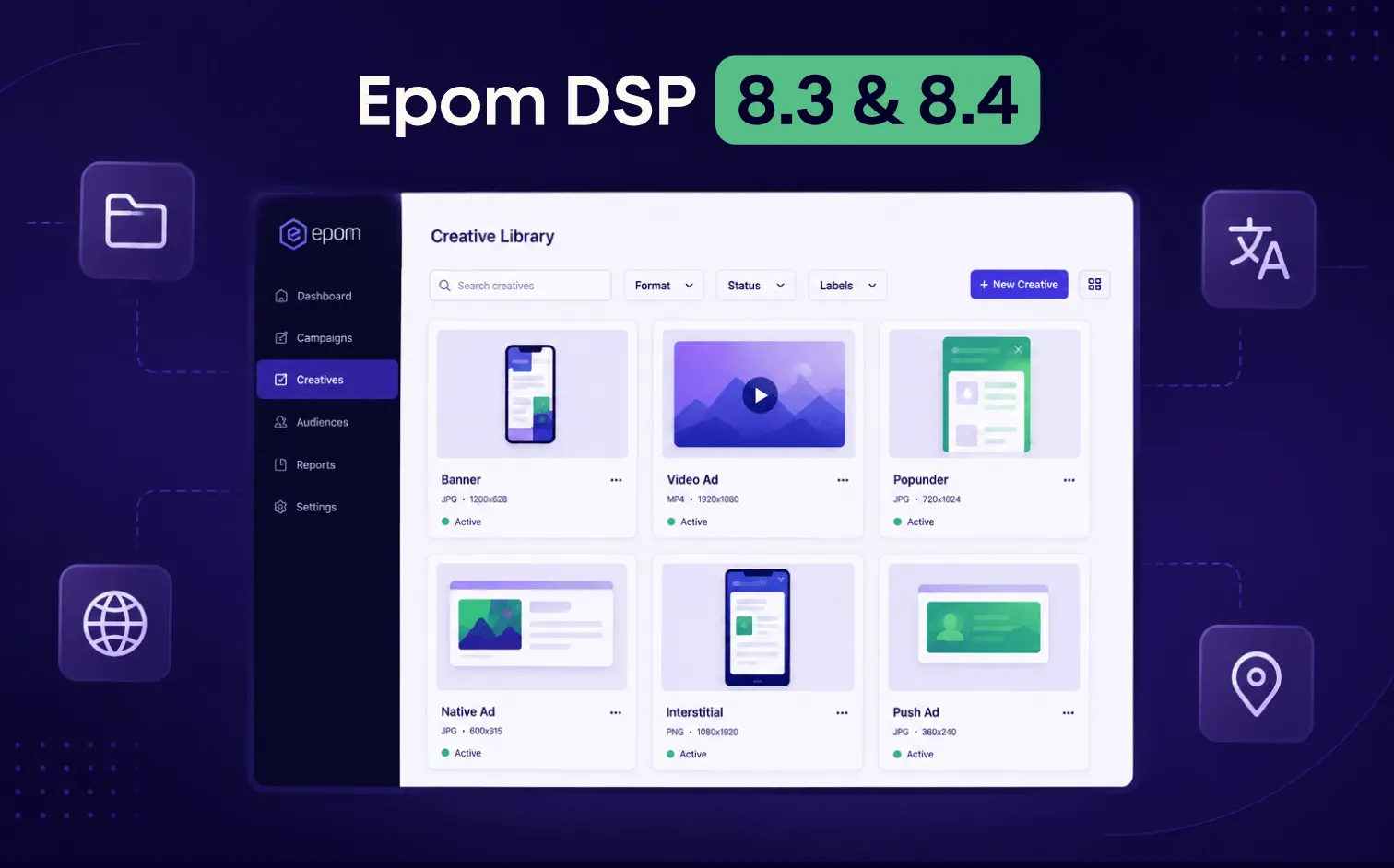
- Filters move to campaign level: Targeting filters are no longer inside Audience. They live in the Optimization tab on the campaign page — audiences stay reusable, filters stay campaign-specific.
- Creative Library with folders: Organize creatives into up to 50 custom folders.
- Bulk creative creation: Select up to 50 assets, create a separate creative for each in one flow. Shared settings apply across all.
- Platform localization: Full interface available in 7 languages: English, Ukrainian, Chinese, French, German, Spanish, and Portuguese.
- Also in 8.3: Crypto payments, Global Timezone, and more accurate unique user counting.
Setting up 30 banner creatives one by one takes the better part of a morning. Upload, fill in the URL, enter the domain, save, repeat. DSP 8.4 replaces that with a single flow: select up to 50 assets, fill shared fields once, and confirm.
Targeting filters have also moved. They no longer live inside Audience; they live at the campaign level, where they can vary per campaign without touching the audience itself.
DSP 8.3 shipped separately: smaller, but worth knowing about if you run accounts in non-English markets or need crypto payment options.
Filters Move to Campaign Level
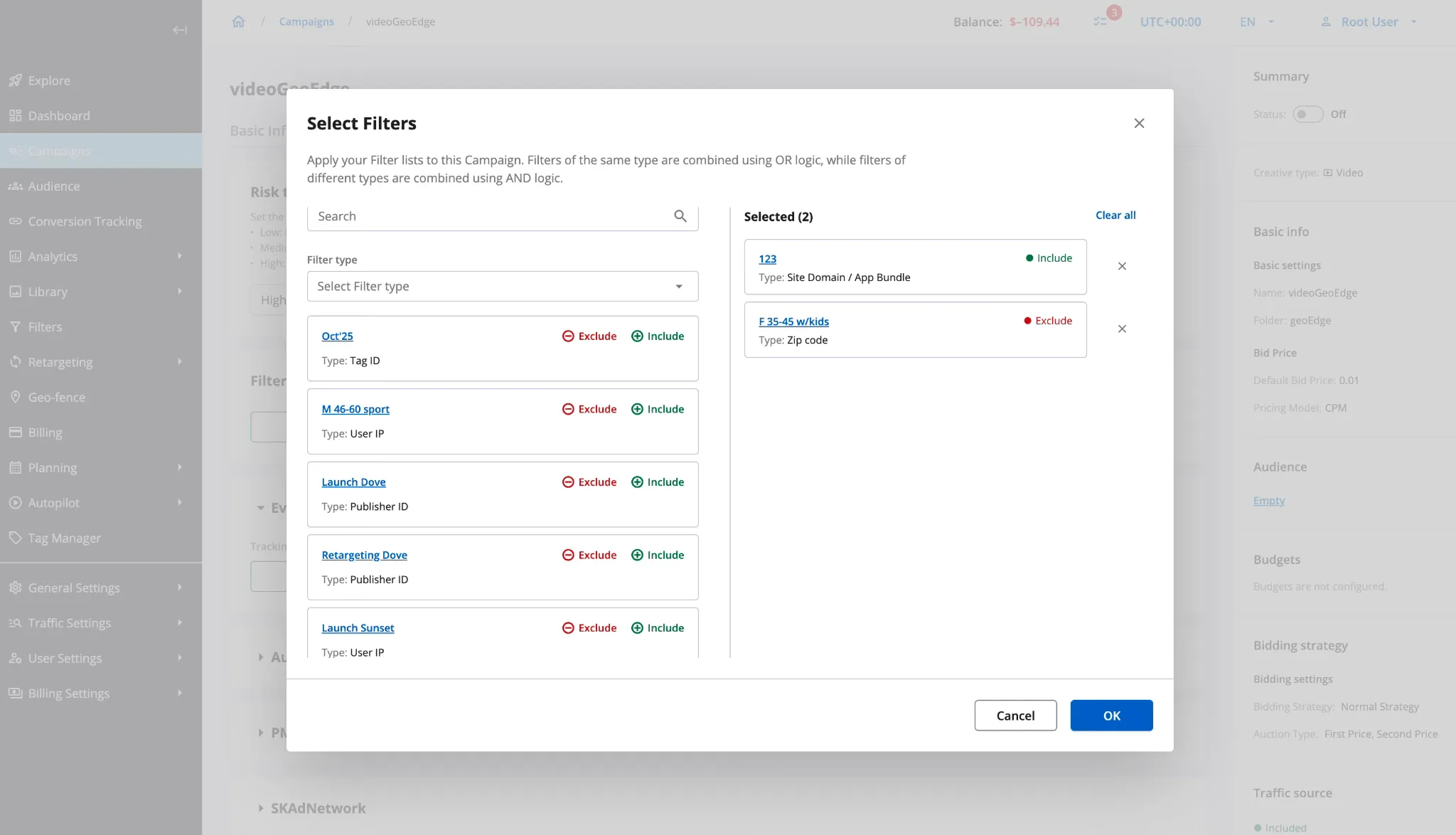
Before 8.4, targeting filters lived inside the Audience entity. The problem: reusing an audience across multiple campaigns meant sharing its filters too. Adjust the filter on one campaign, and you change it on every campaign the audience is linked to.
Filters now live in the Optimization tab on the campaign page. The “Linked Audiences” label on the filter detail page is renamed to “Linked Campaigns”.
Migration
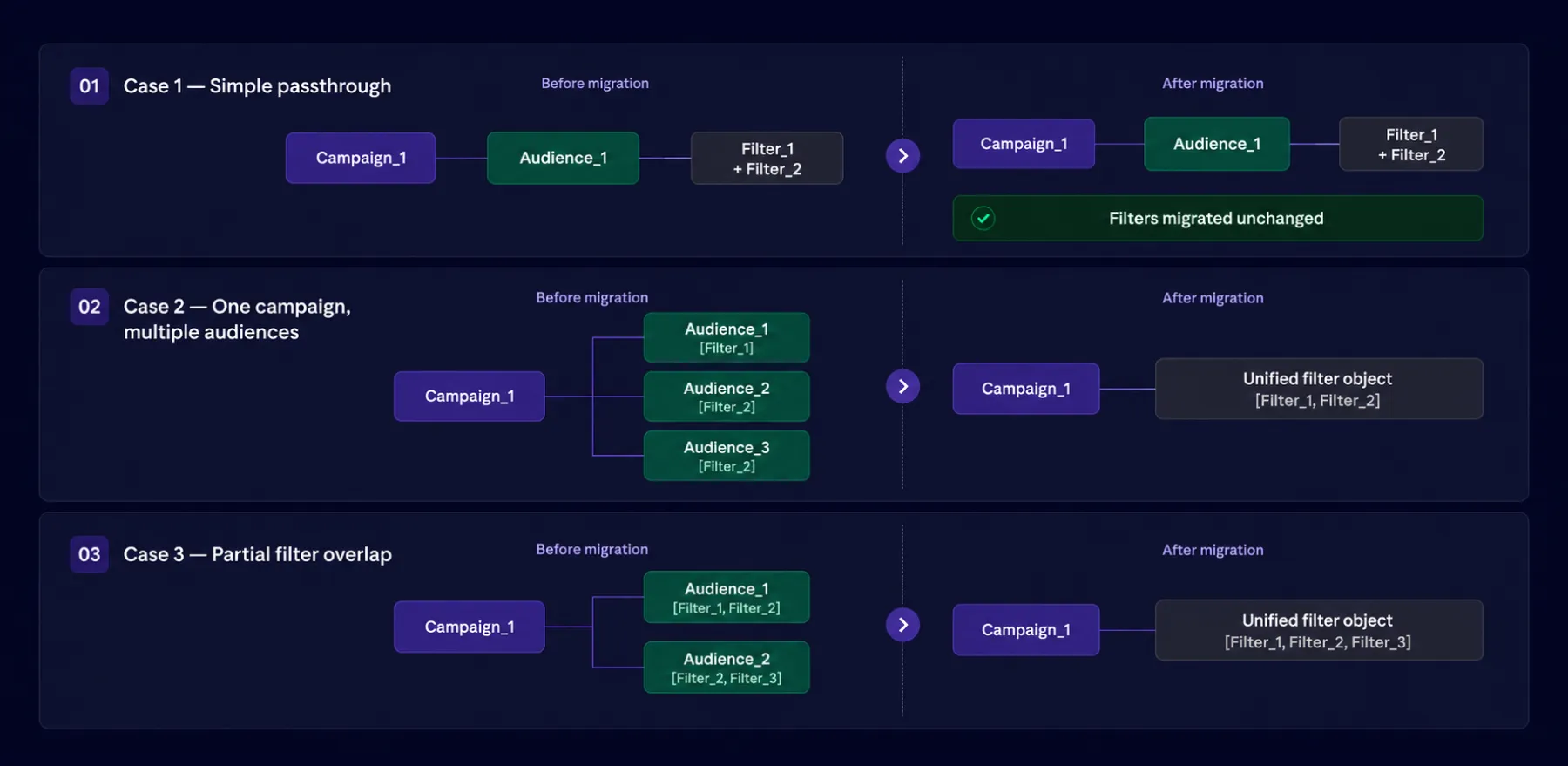
Migration runs automatically. Each campaign gets its own filter object matching its previous setup. When multiple audiences with overlapping filters are linked to the same campaign, those filters are unified into a single object.
⚠️ Heads-up: No action needed, just open your Optimization tab after the update and confirm the filter config looks right.
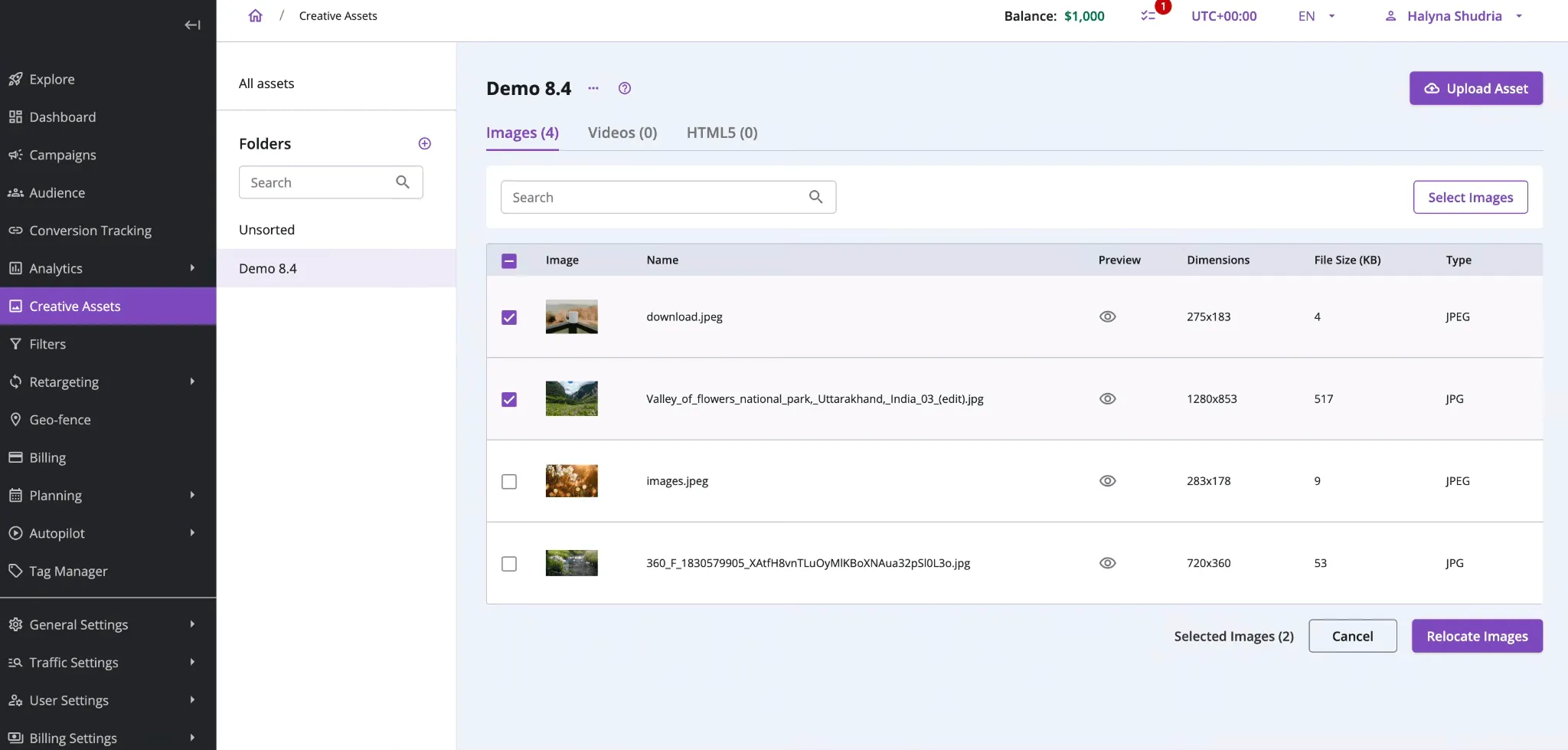
How Folders Work in the Creative Library
Until 8.4, the Creative Library was a flat list. The longer it got, the harder it was to find anything. Folders fix that.
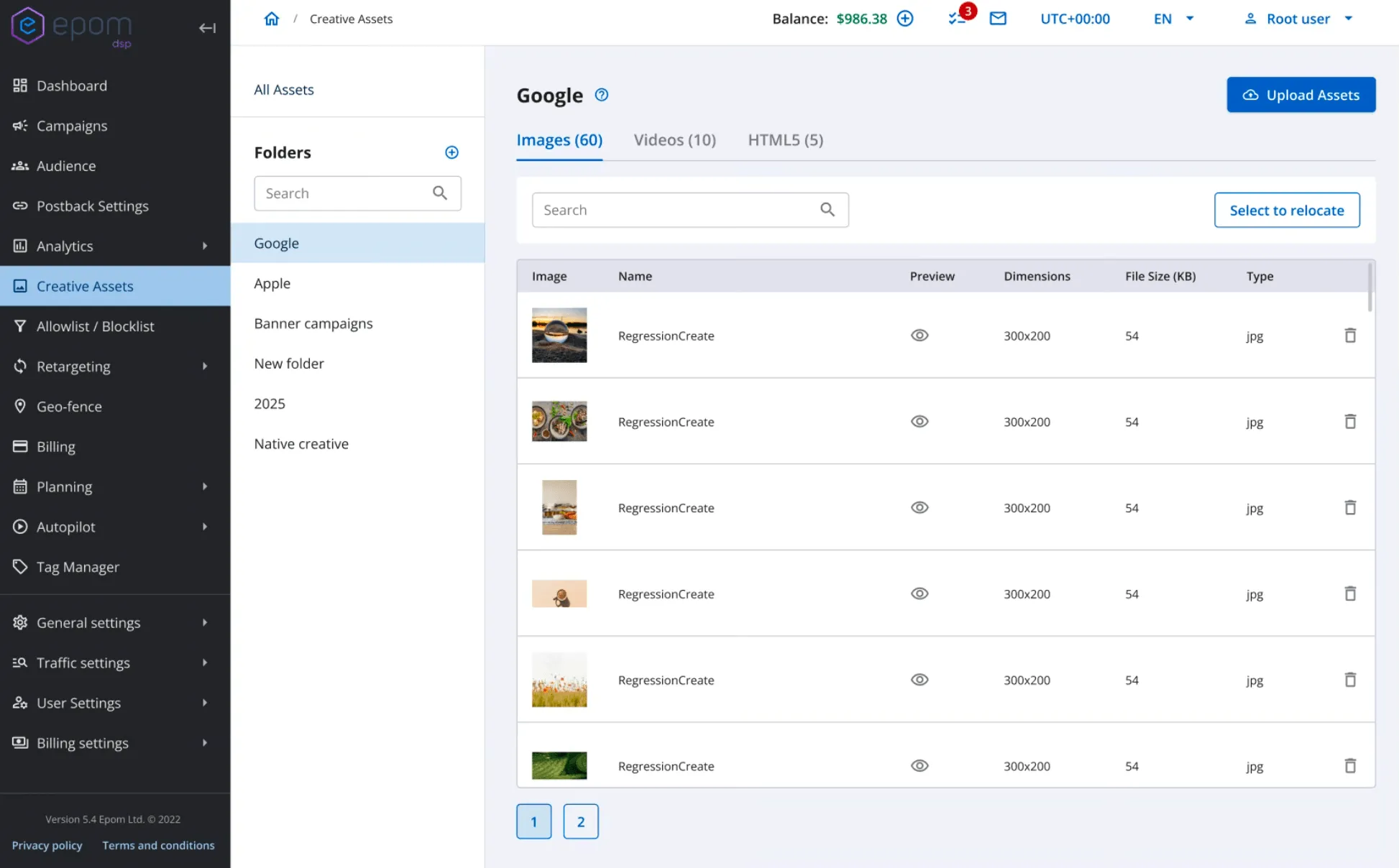
Each account supports up to 50 custom folders. Two views are always available: All Assets and Unsorted — the second one catches anything uploaded without a folder assigned.
What you can do with folders:
- Create from the sidebar or directly from the upload form
- Rename, delete, and reorder via drag and drop
- Delete only after reassigning the assets inside
- Each folder holds Images, Videos, and HTML5 types
- The current folder is pre-selected when you open the upload form
💡 On limits: No cap on how many creatives you can upload. The page displays 50 at a time. Bulk campaign linking goes up to 50 in a single operation.
To move assets between folders: click Relocate, check the assets (selection persists across pages), pick the destination, and confirm.
Bulk Banner Creation
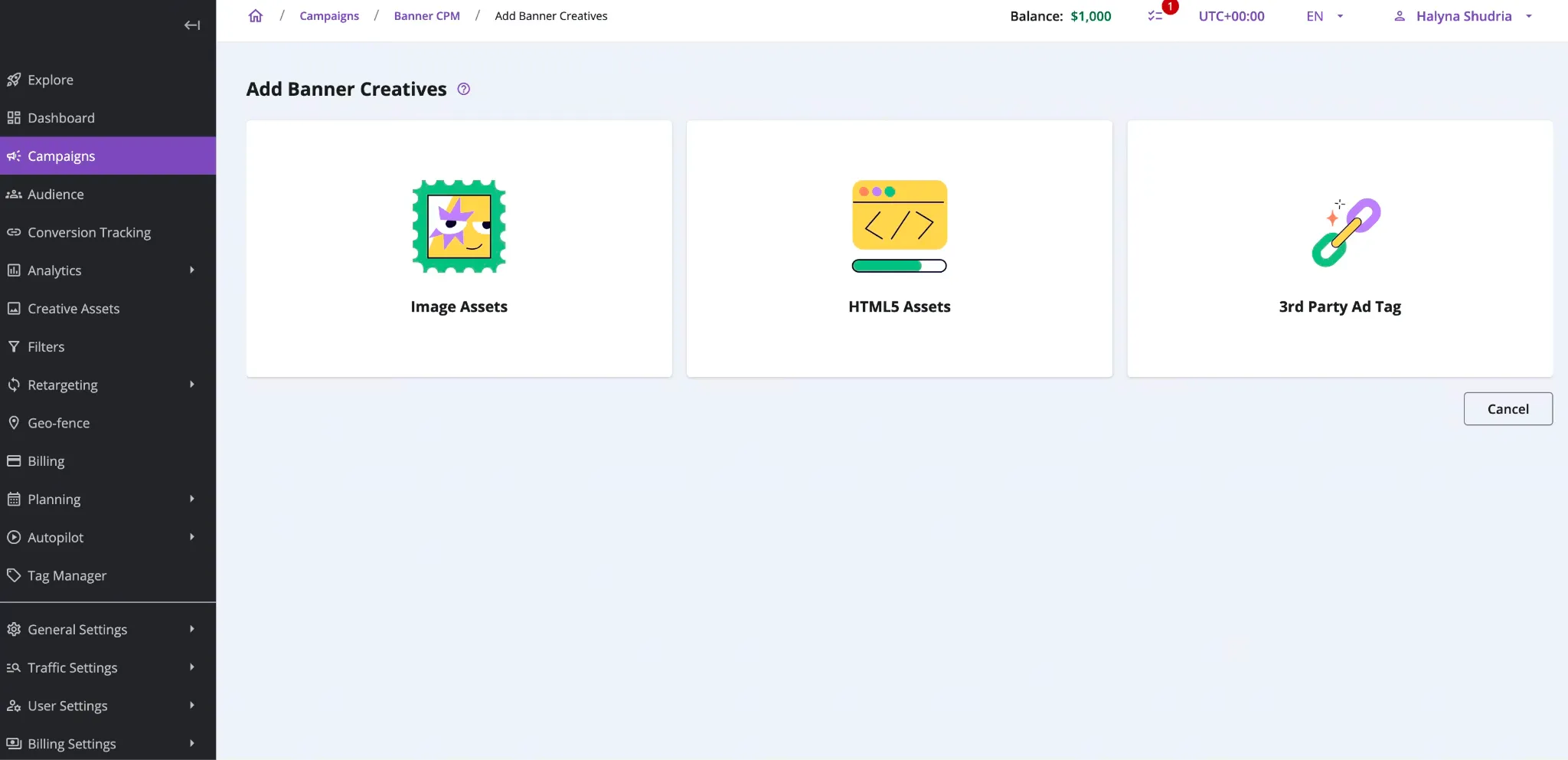
Select up to 50 assets in the Creative Library. The system creates one creative per asset. Target URL and domain apply to all at once. This works for Banner, Video, and Native. Push and Interstitial stay single-creation.
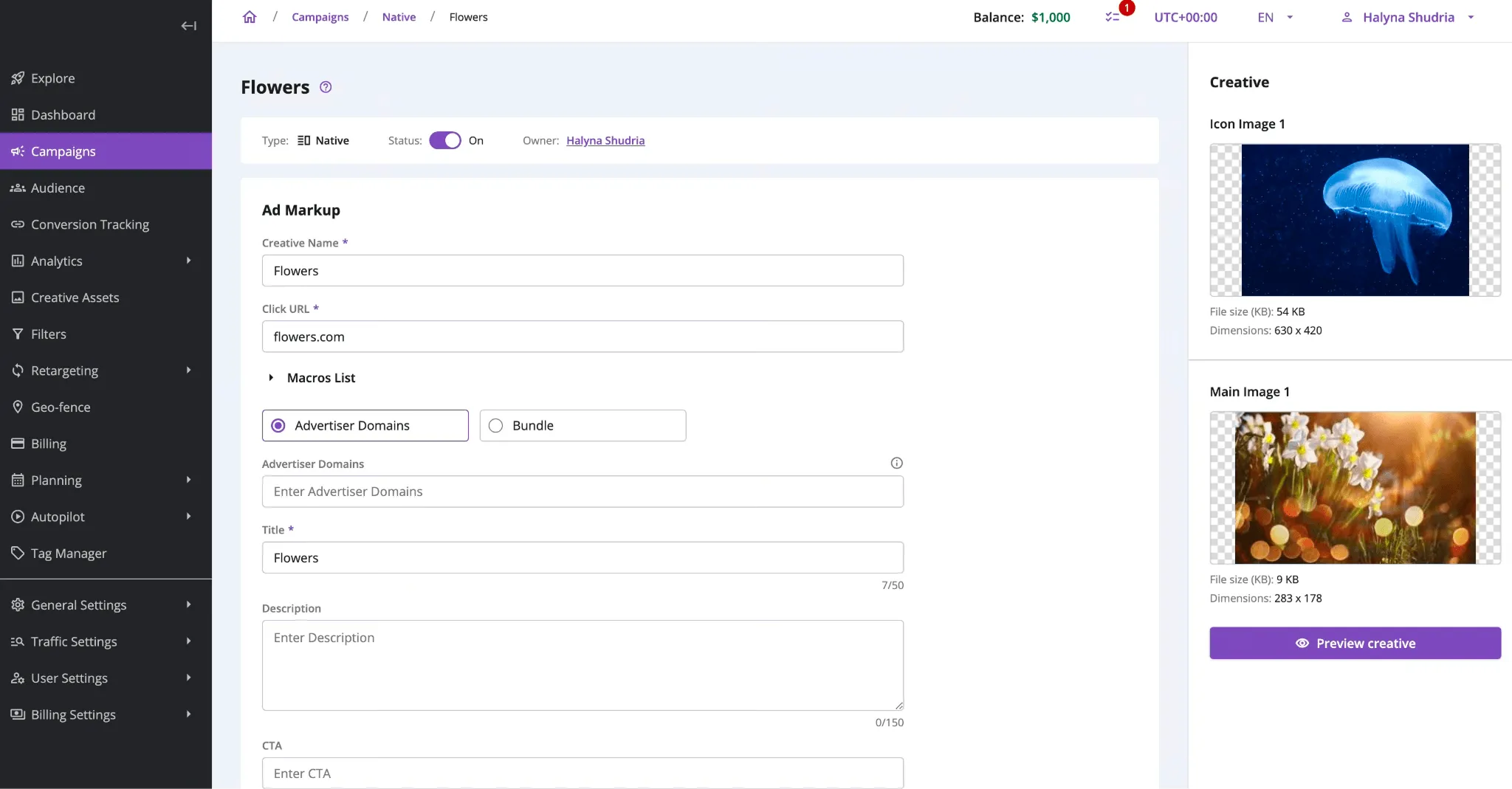
Domain auto-detection is also new. Enter a Target URL, and the system reads it and pre-fills the Advertiser Domain or Bundle. If the URL redirects, it resolves the final destination first. If detection fails, the field highlights and prompts manual entry.
A few navigation improvements came with this:
- Folder state is preserved when you move between creation steps
- Newly uploaded assets are pre-selected for Banner and Video creation automatically
- The header checkbox selects or clears all assets on the current page
- Cancel at any step returns you to where you started
What Changed on the Creative Adding Page
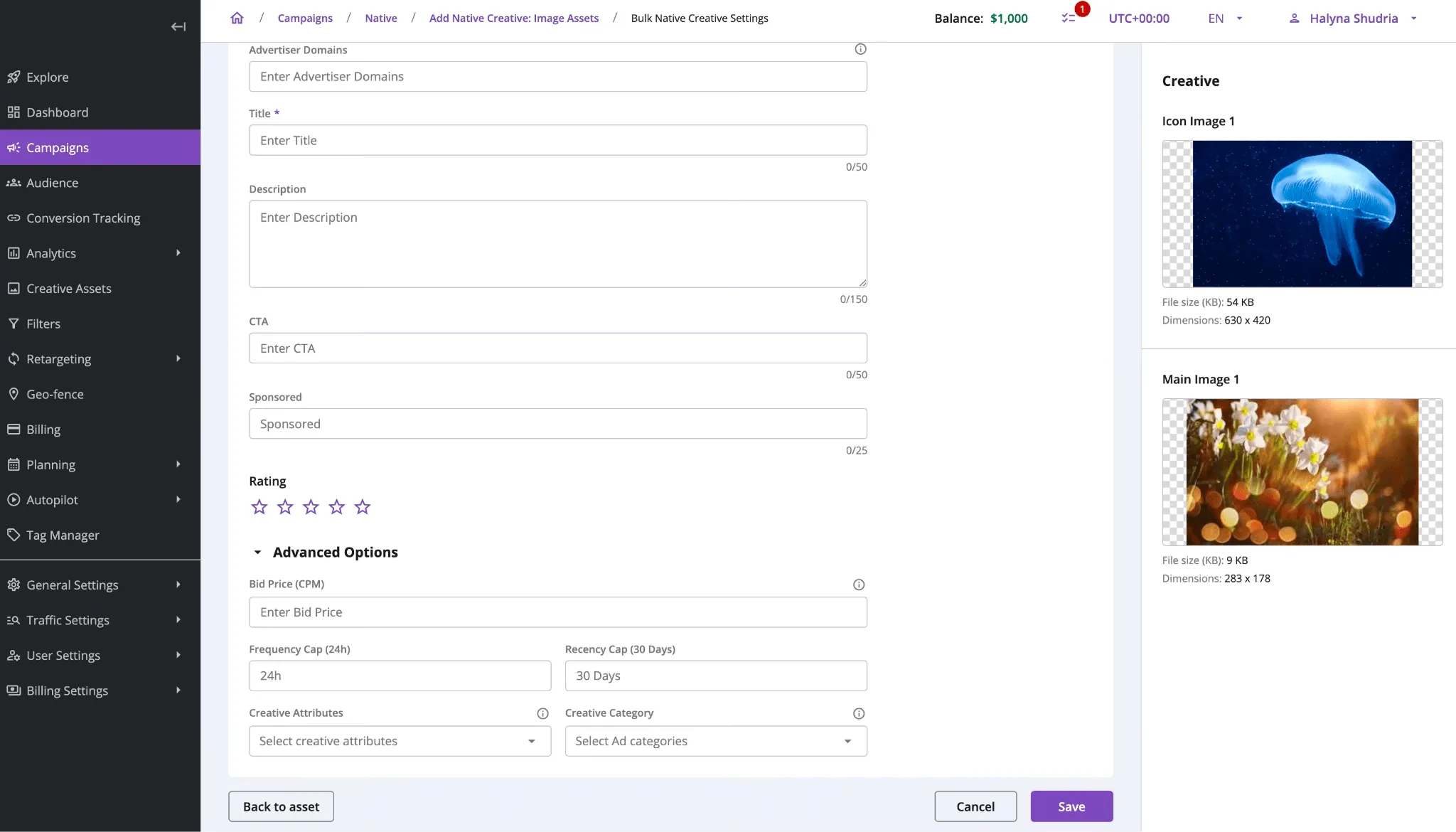
The Creative Adding page used to surface everything at once. Now only the essential fields show by default: creative name, asset, target URL, and domain.
Moved to Advanced Options: Bid Price, Frequency Capping (24h and 30 days), Tracking Pixels, Tracking URLs.
For new tenants, these are disabled by default and need admin activation: Bid Price, Frequency Capping, Main Video for Native Ads, Creative Attributes, API Frameworks, and Creative Category.
What Shipped in DSP 8.3
Four things from the previous release worth knowing about.
Platform Localization. The interface now runs in 7 languages: Chinese (Simplified), Ukrainian, German, French, Spanish, Portuguese, and English. Each user sets their own language in Profile Settings. Dates, numbers, currencies, and analytics metric names all follow the selected locale.
Crypto Payments via CoinGate. Transactions process automatically with real-time status updates. Relevant for accounts in markets where standard payment rails are restricted.
Global Timezone. Set a single account-level time zone in Account Settings instead of relying on device time. Applied across Dashboard, Analytics, Budgets, Traffic Funnel, and Reports. Editor and Viewer roles on self-serve accounts inherit the Manager’s timezone.
More Accurate Unique User Counting. The system uses device.ifa as a fallback when SSPs don’t pass user.id. Reach and Frequency figures get more accurate across supply sources.
What This Release Adds Up To
DSP 8.3 and 8.4 address two separate friction points.
On the creative side: setting up creatives one by one at scale is now optional. Folders bring structure to a library that was previously unsorted. Bulk creation eliminates the per-asset setup loop.
On the targeting side: audiences are now fully reusable without pulling their filter logic into every campaign they touch.
DSP 8.3 adds the localization and payment options that remove access barriers for non-English teams and restricted-market accounts.
![9 Top DSP Platforms on the Market in 2026 [+ How to Choose Yours]](https://cms.epom.com/api/media/file/top-dsp-platforms-preview.webp)