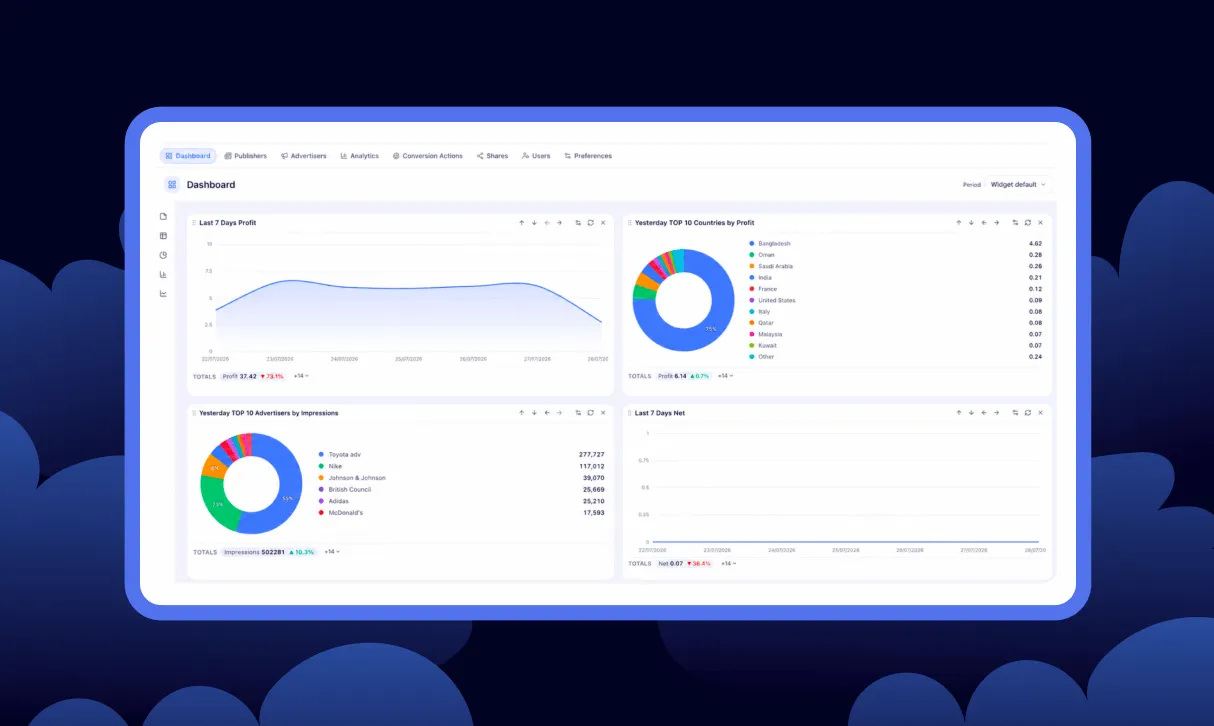
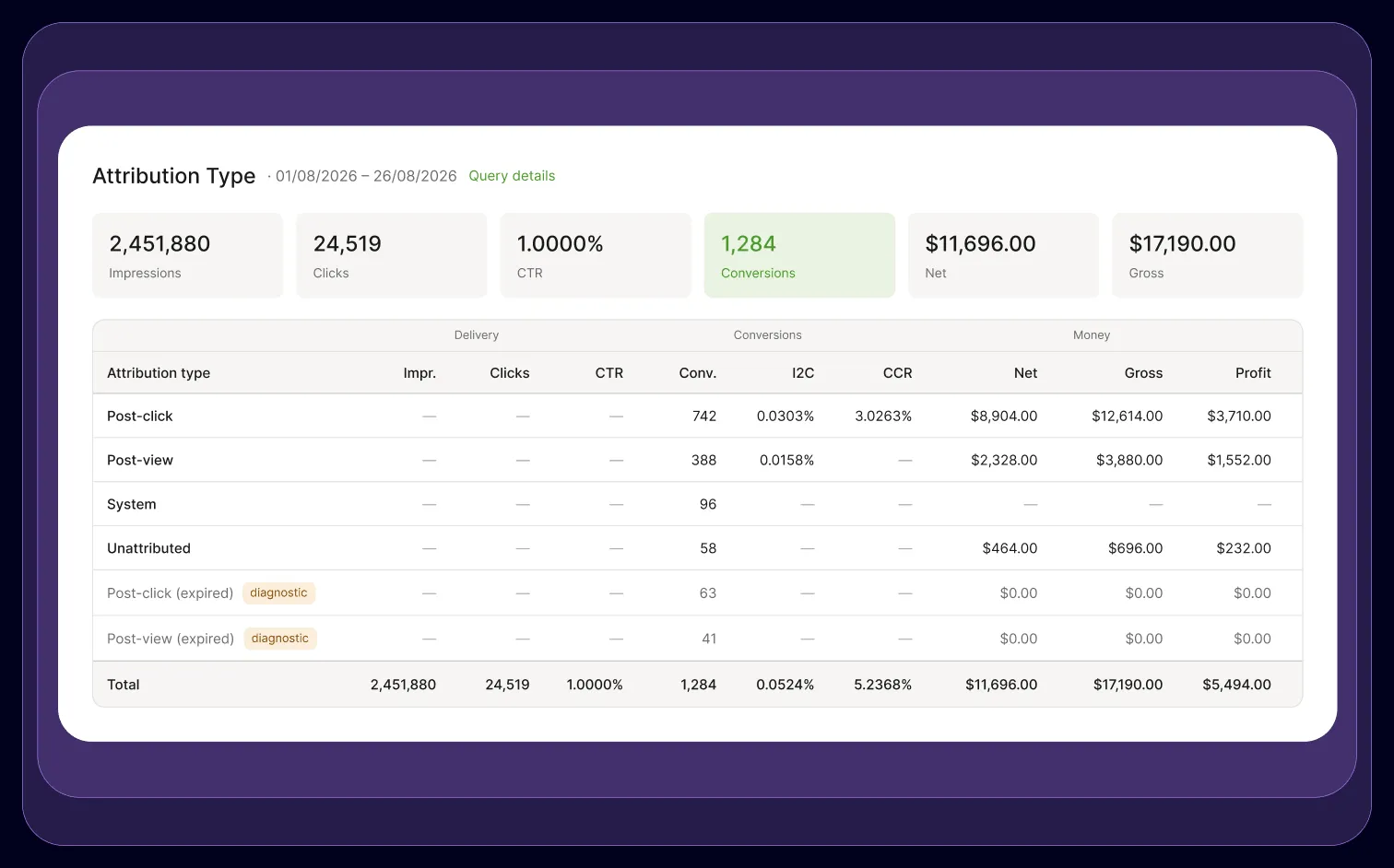
Every conversion in Epom Ad Server now carries an attribution type — post-click, post-view, system or unattributed — and your reports are split by it. You can see which conversions your ads earned by being clicked and which by being seen, and pay partners accordingly. Conversions that arrived after their window closed used to vanish; they are now visible as a diagnostic, so a partner's “missing” conversions can be told apart from conversions that never happened. On the install side, an advertiser can add tracking to their own site by pasting one block, with no backend work.
Until now, a conversion report could tell you one happened, but not what earned it. With the new ad server release, you know exactly what fuels your events.
That matters because a click and a view are not worth the same money. A post-view conversion credits your ad for having been on the page. A post-click conversion credits it for having been acted on. If your report merges them, you are paying one rate for two very different things — and you have no way to check whether a partner's numbers describe work or presence.
Conversion attribution in Epom Ad Server now answers that question on every conversion, and the install path has been rebuilt around it.
To experience the precise conversion attribution in-built for your ad serving workflow, start a free 14-day trial of Epom ad server — no commitment until you decide.
How Epom Decides What Type of Conversion Was Counted
The rule is short: click beats view.
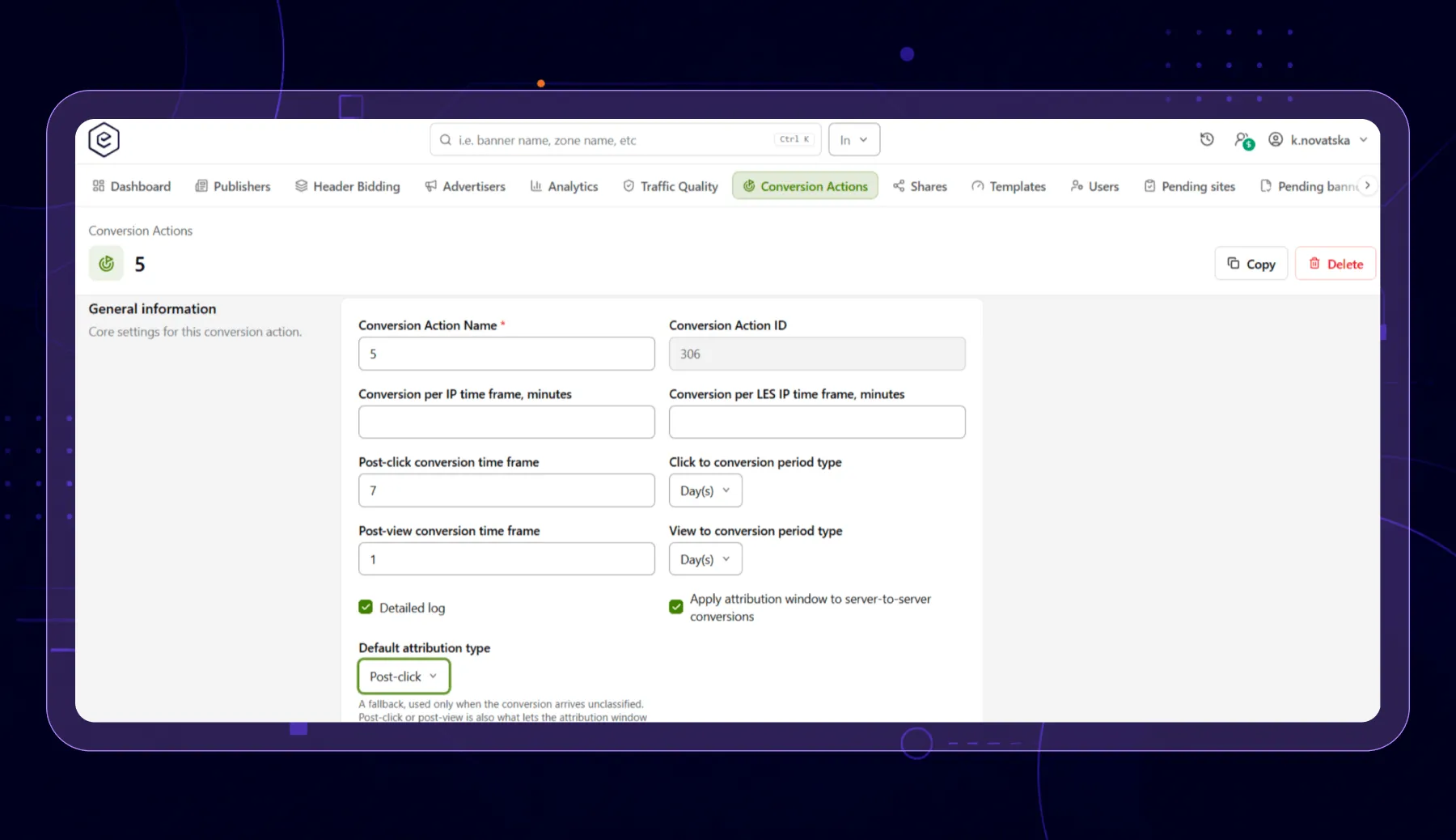
Before any of this works, you create a conversion action — a named event you want to measure, like “signup” or “deposit”. Each action carries two time limits: how long after a click a conversion still counts, and how long after a view.
When someone converts, their browser or the advertiser's server reports it back. The ad server then works backwards. Did this person click the ad inside the click window? That is a post-click conversion. No click, but they saw the ad inside the view window? Post-view. A click always wins over a view.
Two more types exist for completeness. System covers video and viewability tracking events. Unattributed is what you get when nothing declares how the conversion happened — including everything recorded before this feature existed.
| Type | Assigned when |
|---|---|
| Post-click | A click matched inside the post-click window |
| Post-view | A view matched inside the post-view window, and no click did |
| System | The action is a video or viewability tracking event |
| Unattributed | Nothing declared one — including everything recorded before this feature existed |
What You Now See in Reports
The split appears in three places:
- Post-click Conversions and Post-view Conversions columns, with their I2C and CCR rates, and the same split across Net, Revenue, Gross and Charges. They are opt-in through Reports Layout Settings and carry the same permissions as your existing Conversions columns.
- Attribution Type as a group-by in General analytics, beside the Conversion Action dimension.
- Conversions Log gains Attribution Type and Time to Convert columns.
Your totals do not change. Conversions still equals post-click plus post-view plus unattributed plus system, exactly as before. The split is added next to the total, not carved out of it. Everything recorded before the feature reports as Unattributed.
The practical use is renegotiation. When a partner is paid on performance, you can now show which share of their conversions followed a click — and price the two differently, or stop paying view rates for click work.
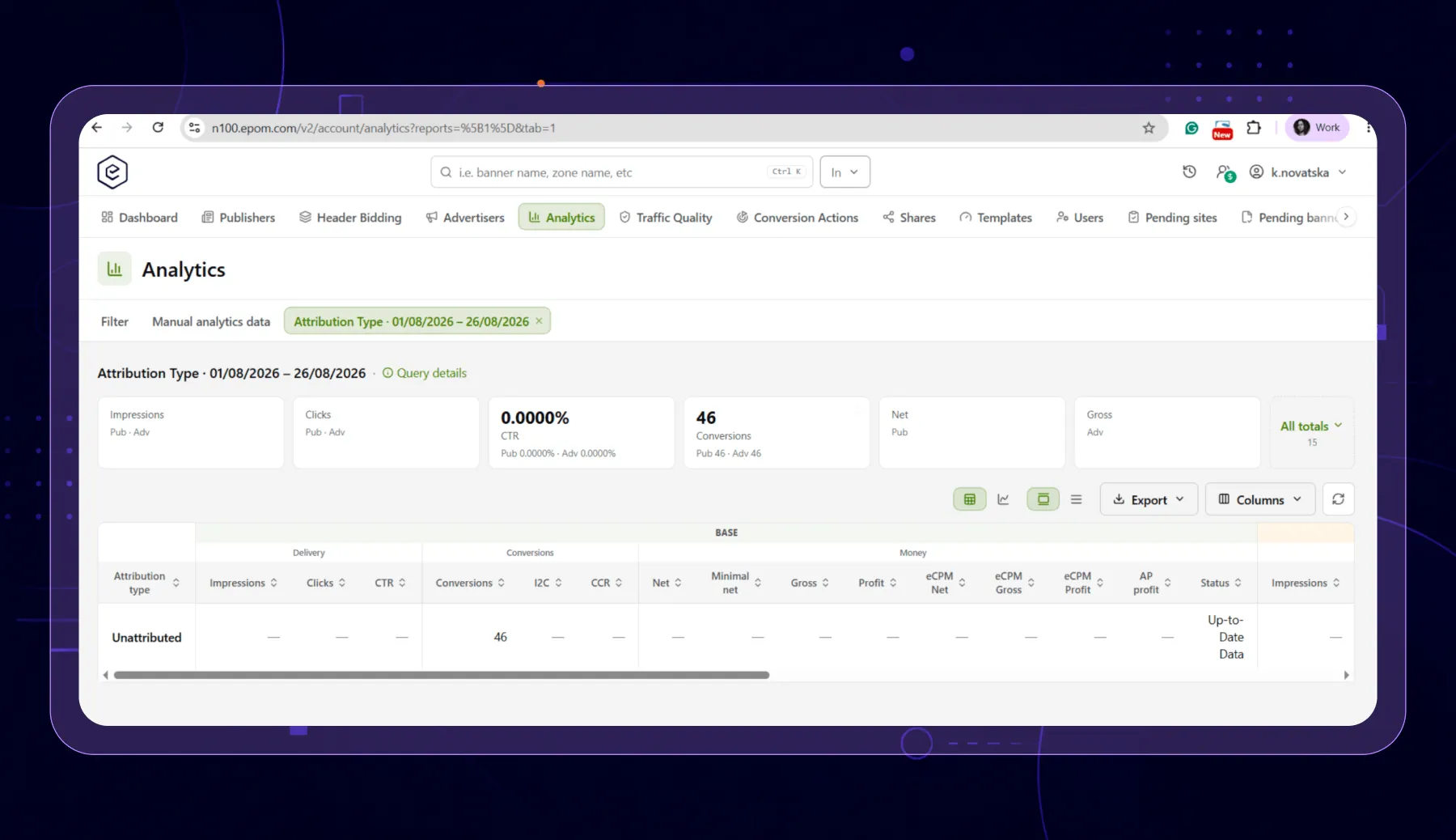
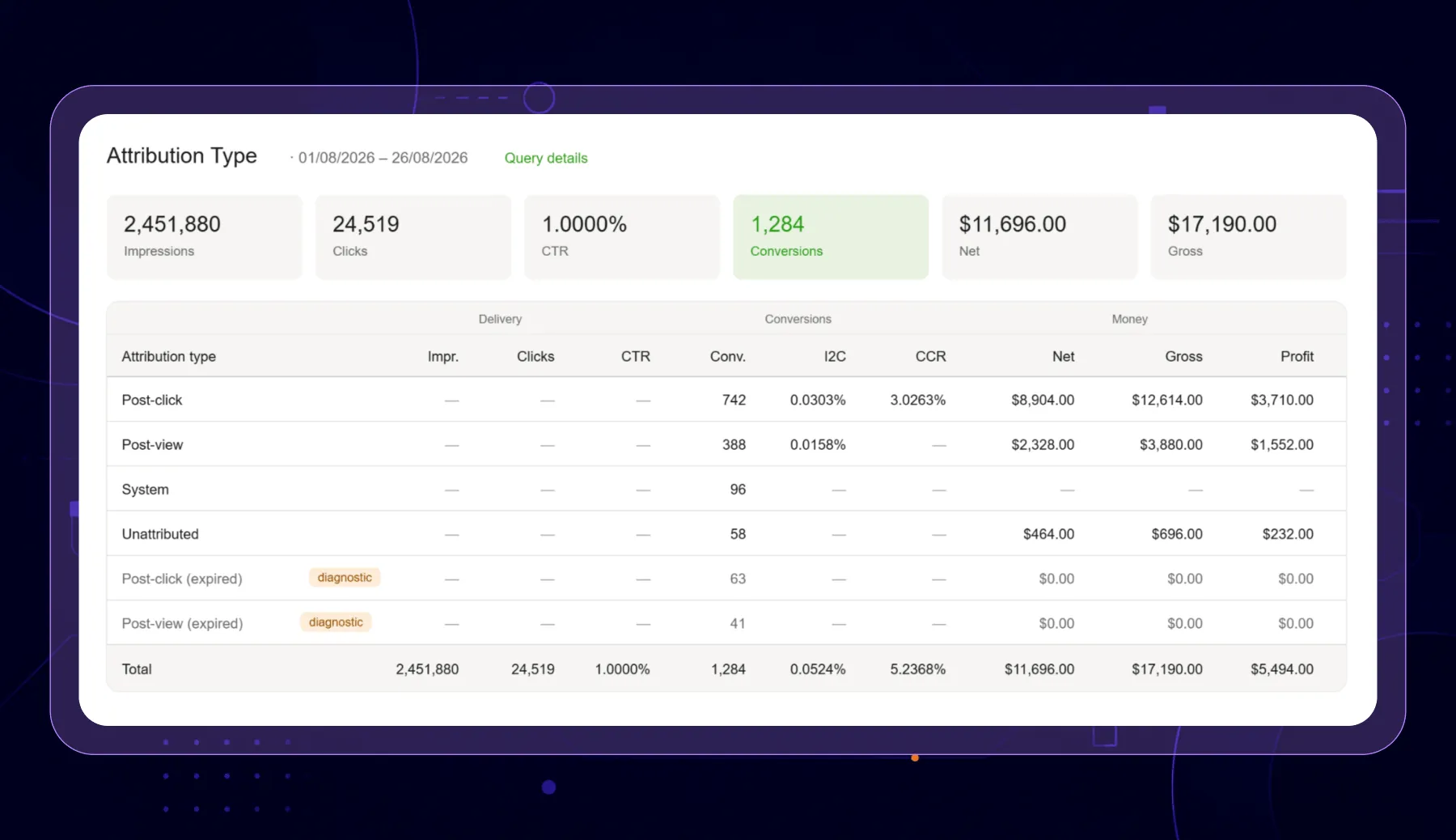
“Missing” Conversions Can Now Be Told Apart From Conversions That Never Arrived
Every network has had this argument. A partner says they sent conversions. Your report shows nothing. Neither side can prove anything.
Usually the window was the cause. If someone clicked eight days ago and your click window is seven days, that conversion did not count — and nothing recorded that it had been turned away. It just vanished.
Those conversions now show up, marked as expired. They still do not count: no revenue, not in any total, and they never trigger CPA pricing, limits or piggybacks. But you can see them.
So the argument ends with a number. And if a lot of conversions are expiring, that tells you your window is too short — which is the only way to know whether seven days is the right setting for your traffic.
This is automatic for pixel conversions. For server-to-server conversions you switch it on per action, with the Apply attribution window to server-to-server conversions setting. Existing actions have it off, so nothing you are running now changes what it counts.
When a Postback Declares Nothing
A pixel knows what it matched, because it reads the click or view cookie. A server-to-server postback carries no cookie, so the type has to come from somewhere else.
Epom reads four sources in order, each only when the one above it is silent:
- System — video and viewability tracking actions are always System.
- What the partner declared — an att=click or att=view parameter on the postback.
- What the ad server observed — a value it handed out while processing a click carries that click, so a postback replaying it is recorded as post-click on its own.
- Your default for that action — Default attribution type, the operator's answer for a partner who declares nothing.
Anything still undeclared stays Unattributed.
Because the default is read last, it fills gaps and overrides nothing. Setting it cannot relabel a conversion that already declared itself. Every action starts at Unattributed, which is the behaviour you have today.
⚠️ One practical note. Action settings reach the ad servers through a cache that reloads on a schedule — every 10 minutes on a standard network. A Default attribution type you have just saved classifies nothing until that reload, so a test conversion fired in the gap is still classified the old way.
Your Advertiser Can Install Tracking Without a Developer
This is the change that removes a person from the process.
Onboarding a direct advertiser used to stall in the same place: their marketing team wants to run, their developer has a backlog, and conversion tracking needs backend work. Weeks pass.
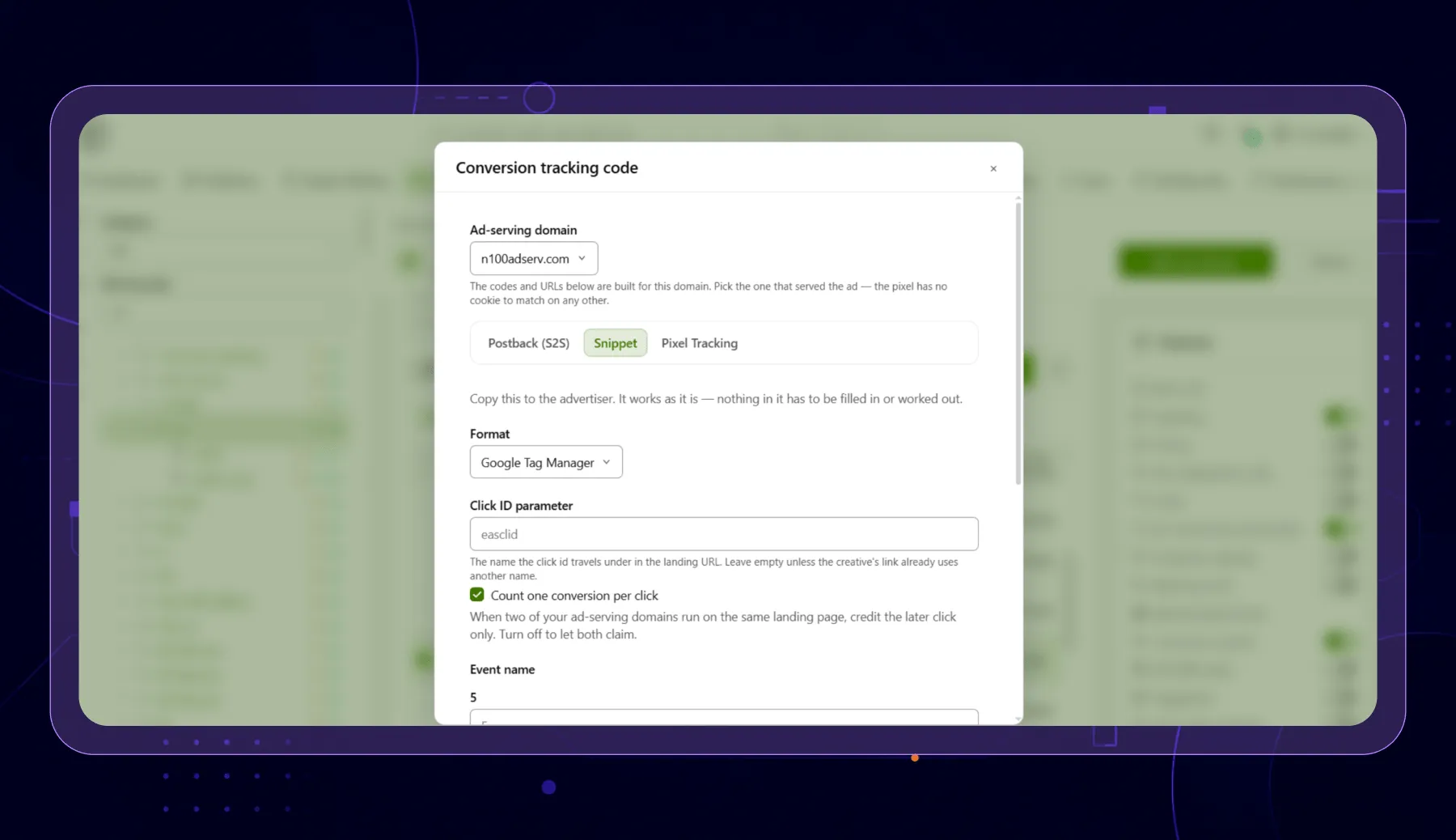
An advertiser can now measure conversions on their own site with no backend code and no dependence on third-party cookies. You generate the block for them — open a campaign's Conversion actions card, pick an action, click Conversion tracking code, open the Snippet tab. It comes out as plain HTML or Google Tag Manager tags, with your ad-serving domain, the event names and any payouts already filled in.
They paste it once, then write one line wherever a visitor converts:
easq('track', 'purchase')The block reads the click id out of the landing URL and keeps it in the advertiser's own first-party storage, so a click landing on lp.shop.example still converts at checkout.shop.example.
Which Method to Give Which Advertiser
| Pixel | Landing-page block | Server-to-server | |
|---|---|---|---|
| Runs where | Their confirmation page | Their own pages | Their server |
| Setup effort | Paste one snippet | Paste one block on every page | Store a parameter, then make a request |
| Needs a developer | No | No | Yes |
| Survives | Same browser, intact cookies | Same browser, no cookie from your domain | App installs and cross-device flows |
| Best for | A simple thank-you page | A marketing team with no dev time | Long conversion lags, high Safari share |
All three are generated from the same place: the campaign's Conversion actions card, or the global Conversion Actions page.
One Block for a Whole Funnel
A funnel fires several named steps in order, which a single-action tracking window could not express.
Save the funnel once — a name and an ordered list of actions — and the Conversion actions card carries Actions | Funnels tabs. Open the tracking code against a funnel and the generated block carries one line per step, in the funnel's order.
A funnel has no tracking key or pixel of its own, so funnel mode shows the Snippet panel alone. Pick your ad-serving domain above the panel before copying — a block built on the wrong domain posts to a host holding none of the stored click ids, and does it silently.
Funnels are not tied to a campaign, so the tab lists every one you can already use elsewhere.
Integrators Do Not Have to Learn Your Vocabulary
An integrator arriving from Everflow, Voluum, RedTrack or Keitaro already has a word for every part of this. They no longer have to learn yours.
| Epom reads | Also accepts |
|---|---|
| clickid= | cid=, txid=, actionData= |
| action= | event=, goal=, event_id=, goal_id=, actionKey= |
| payout= | alongside the existing price parameters |
att=click or att=view is the optional parameter that declares attribution; common aliases are accepted, and a value the ad server cannot read is treated as though absent, so a conversion is never lost to a typo.
Every spelling the platform has ever accepted keeps working, because a postback URL lives in somebody else's configuration. Nothing generates the old vocabulary any more, so no new integration starts on it.
Two related conveniences: the tracking window now labels each method for what it is, with Postback (S2S) leading and the legacy Sub ID method collapsed out of the way. And the tracking key no longer ends in a trailing zero that looked like a campaign id — one URL is now valid from every campaign the action runs in, which stops the “which campaign gets this conversion?” question before it is asked.
Every Endpoint Now Says Why It Did Not Count
An integration that fails quietly costs more than one that fails loudly.
Every /action.gif and /action.js response now carries an XD-reason header naming the outcome — ok, no-cookie, no-match, already-tracked, expired, key-unknown. The advertiser can read it from their own page, and debug=1 returns it as JSON instead of the image. The response is still a 200 with the pixel, so nothing existing changes.
The two commonest wiring mistakes — an empty sub id, and a click too damaged to read — used to end as a bare 404 with no explanation. Both now name the reason.
One consequence to plan for: a browser-side integration only marks a step finished when it was told the outcome, so a garbled click id that used to pass for success is now refused and retried on every page view. A reason code that keeps returning is a fault to fix, not noise.
A Ceiling on What a Tracking URL Can Charge You
Where a campaign lets the tracking URL set its own conversion price, it now has Max payout per conversion, in campaign currency, on its basic information card.
A payout above the ceiling is reduced to it and the conversion still counts — it is never dropped over its price. An empty field means no limit, which is what every existing campaign does.
The reason it exists is worth understanding. That pricing URL used to be called only by the advertiser's own server. The landing-page block makes it callable from a public web page. The permission did not change; the exposure did.
New Actions Start on 7-Day Click, 1-Day View
A newly created conversion action now defaults to a 7-day post-click and 1-day post-view window, rather than 30 days and 7 days.
Meta retired its 7-day and 28-day post-view windows in January 2026, leaving one day as the longest available anywhere, and 7/1 is what the market now treats as the baseline. A seven-day view window quietly credits a lot of conversions to presence rather than performance.
No existing action is changed. This is the starting point for new ones.
Smaller Changes Worth Knowing
- Piggybacks can be limited to one attribution model. A Fire for setting — All conversions, Post-click only, or Post-view only — stops a partner paid on one model receiving the other's conversions. Narrowing sends only conversions positively identified as that type; expired ones never fire a piggyback at all.
- A Piggyback macros button lists only the macros that resolve in a piggyback. A piggyback is substituted at conversion time with no ad request attached, so IP, user agent, referer, device and click URLs resolve to nothing there.
- Duplicate rejection is a per-action choice. Reject duplicate conversions is off by default and appears only where your network runs duplicate detection, so repeats keep counting until you ask them not to. It deduplicates over the action's own window rather than a fixed 24 hours.
- A mistyped conversion key returns the pixel, not a server error. A malformed key used to answer an image tag on somebody's thank-you page with a 500.
- Conversion keys are verified against the action they name. Every URL the platform generated verifies correctly. If a postback stops counting, it was assembled by hand — regenerate it from the action.
- $$ATTRIBUTION_TYPE$$ forwards the type downstream in piggyback and postback URLs.
What Has Not Changed
Your conversion totals. Existing actions and their windows. Every postback URL and tracking key is already sitting in a partner's configuration. Running server-to-server integrations, which keep their attribution window off until you switch it on.
See how conversion attribution would work on your stack. Sign up and we'll contact you ASAP to talk business.