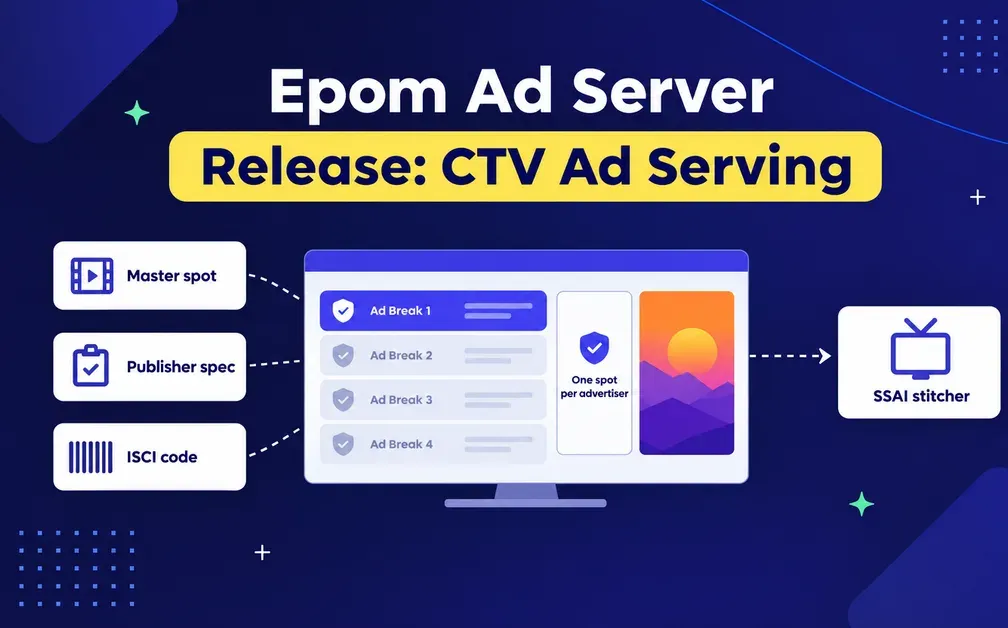
Connected TV asks for things the display never did, and Epom Ad Server now handles them. Your spots carry the industry code buyers use to check them against an invoice. Each site can hold its publisher's technical requirements, so a creative that would have been rejected stops serving there instead. You pick your ad stitcher from a list and the right signals go out on their own. Ad breaks keep competing brands apart. And a new media library means a master spot is uploaded once and used everywhere.
If you sell connected TV, you have probably been working around your ad server. The last two releases of Epom remove the need to do so entirely.
Three things changed for anyone selling connected TV.
The publisher's spots carry the ISCI code buyers check invoices against, so a question about one spot is a filter rather than a spreadsheet. The video is checked against each publisher's requirements before it serves, so a file that would be rejected never gets trafficked. And Epom reads the TV behind the stitcher, so geo targeting lands on the viewer and a frequency cap counts real devices.
See what your video inventory looks like with proper CTV tooling. Test Epom Ad Server with no strings attached for 14 days. Start a free trial
CTV Placements Carry the Code Buyers Check Invoices Against
Every CTV spot has an industry code, an ISCI or an Ad-ID, that publishers use to identify it and match it to an invoice.
A video creative can now carry its code. It travels with every VAST response, and your reports group and filter by it. So when a buyer asks how one particular spot performed, that is a filter, not an afternoon with a spreadsheet.
Creatives Are Checked Against Each Publisher's Spec
Every streaming publisher publishes technical requirements for the video it will take: how big, how long, which format, how loud. Miss one and the spot comes back rejected, usually after it has been trafficked and someone is waiting on it.
A site can now hold its publisher's requirements, and Epom checks your uploaded video against them. A file that does not meet the spec stays linked but will not serve on that site, so the next creative in line wins and the slot does not go dark.
Everywhere that creative appears, Epom tells you why: a warning on the link, a Not served mark in the trees and grids, and a verdict per site under the creative itself.
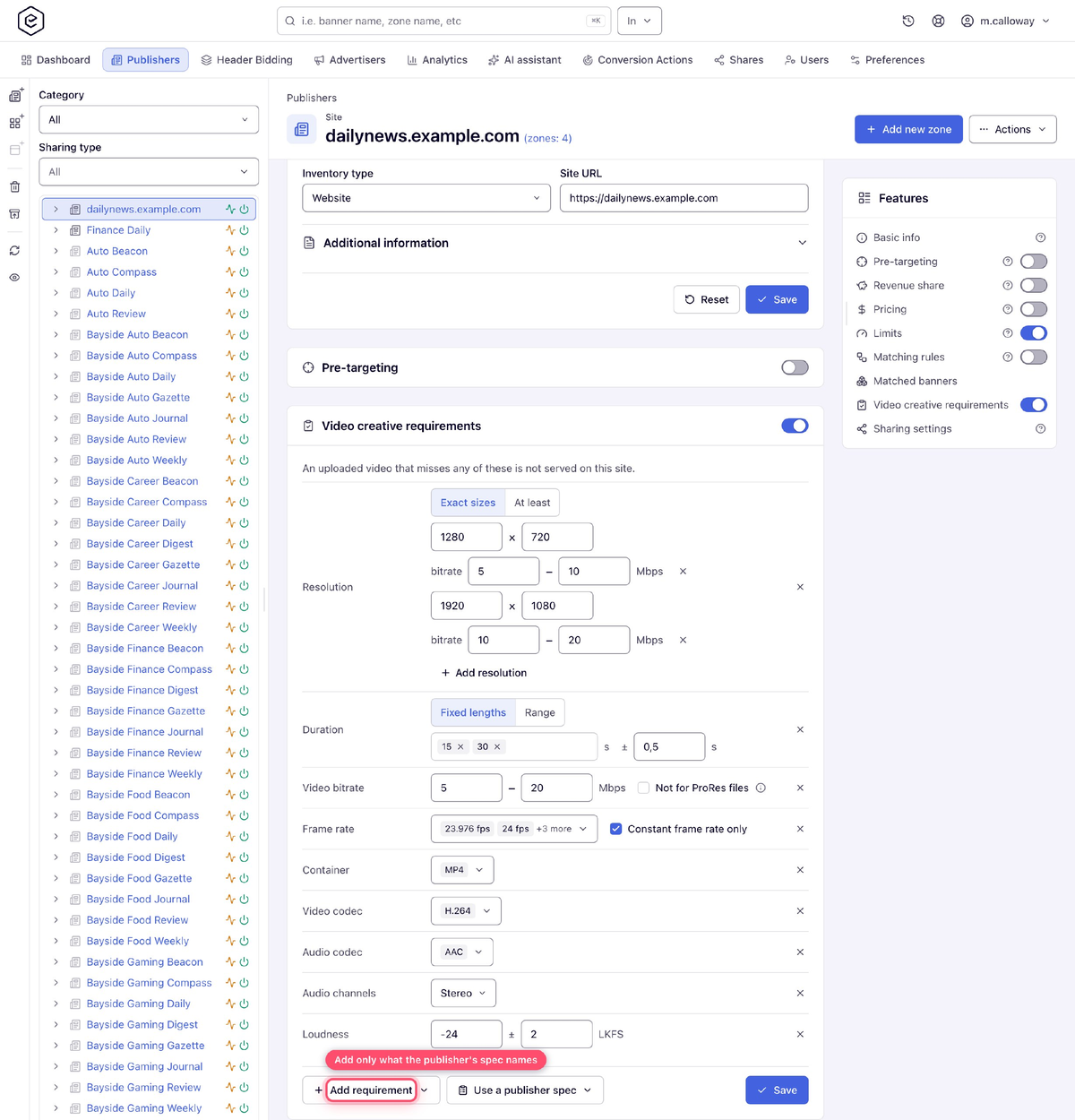
You do not have to type the requirements in. Use a publisher spec that fills them from 15 built-in specifications covering the major streaming services — Netflix, Disney+, Hulu, Amazon Prime Video, Peacock, Roku, Paramount+, HBO Max and others. Several of those run two, because a publisher's programmatic requirements often differ from its direct ones.
Two limits on what gets checked. It covers videos you uploaded — a Local or Advanced Local creative, including one picked from the library.
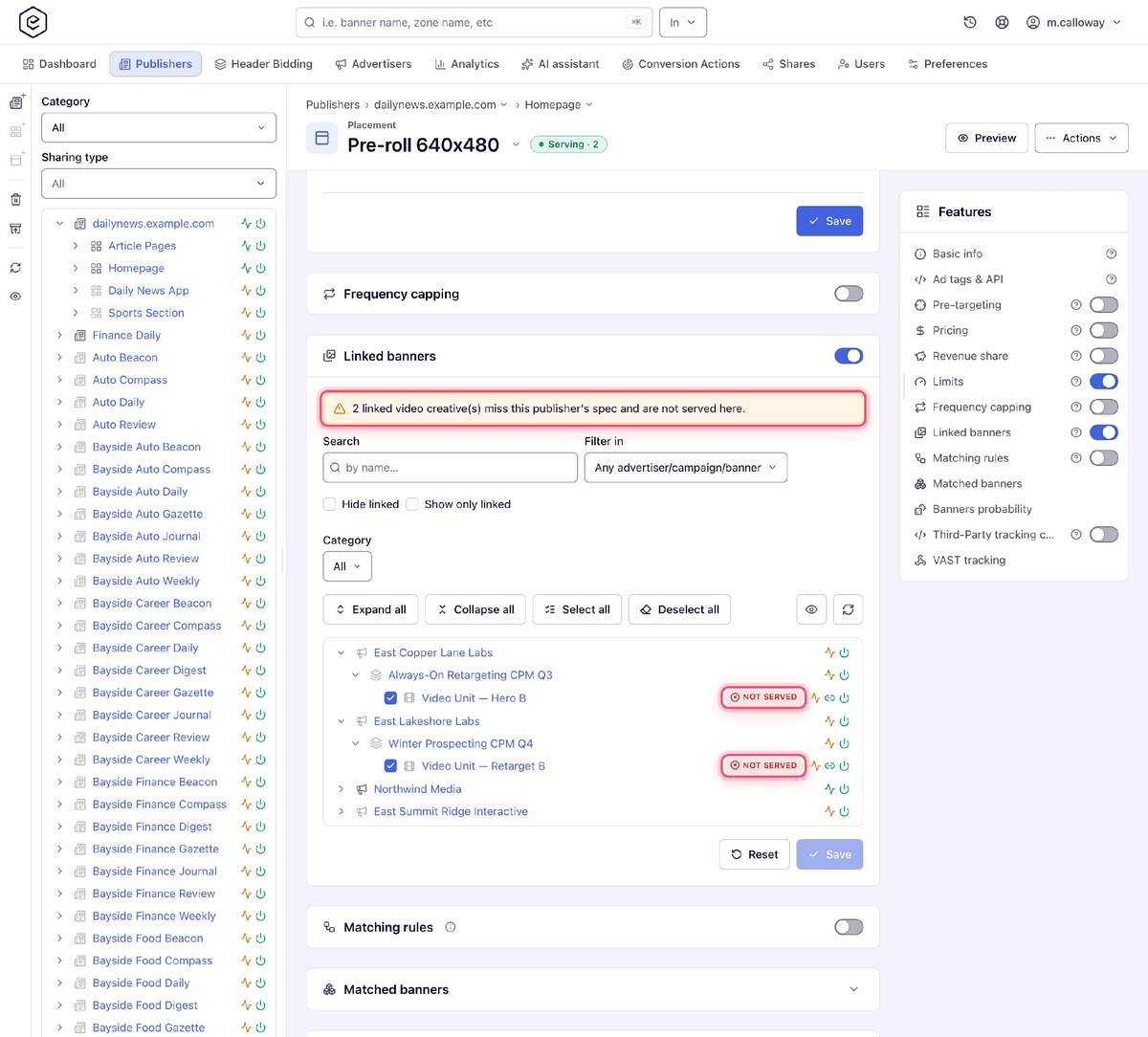
External video, VAST wrappers and creatives bought from a DSP partner are not read, because the file is not yours to inspect. And some files uploaded before this release have not been re-read, so if a creative fails a spec and does not, upload it again.
⚠️ About the presets. They come from publishers' own public spec pages, taken at a point in time, not from any agreement with those publishers. If a publisher has sent you requirements directly, or has changed theirs since, use what they gave you. Treat the presets as a head start, and check them against what your publisher sent you.
SSAI Stitcher Gets the Signals It Expects
In server-side ad insertion, a stitcher builds the viewer's stream and asks an ad server what to put in each break. Epom is the ad server in that arrangement. It decides which ad runs, and your stitcher splices it into the stream, so whichever vendor you use today stays where it is.
Each of those vendors has its own way of passing on who the viewer is. Get it wrong and every impression looks identical.
A video placement now has a picker for exactly this: Google Ad Manager DAI, AWS Elemental MediaTailor, SpringServe and Brightcove, plus plain IAB macros for anything that follows the standard. Choose one and your video tags carry what that vendor expects. Until you choose, nothing changes. Brightcove covers VOD only.
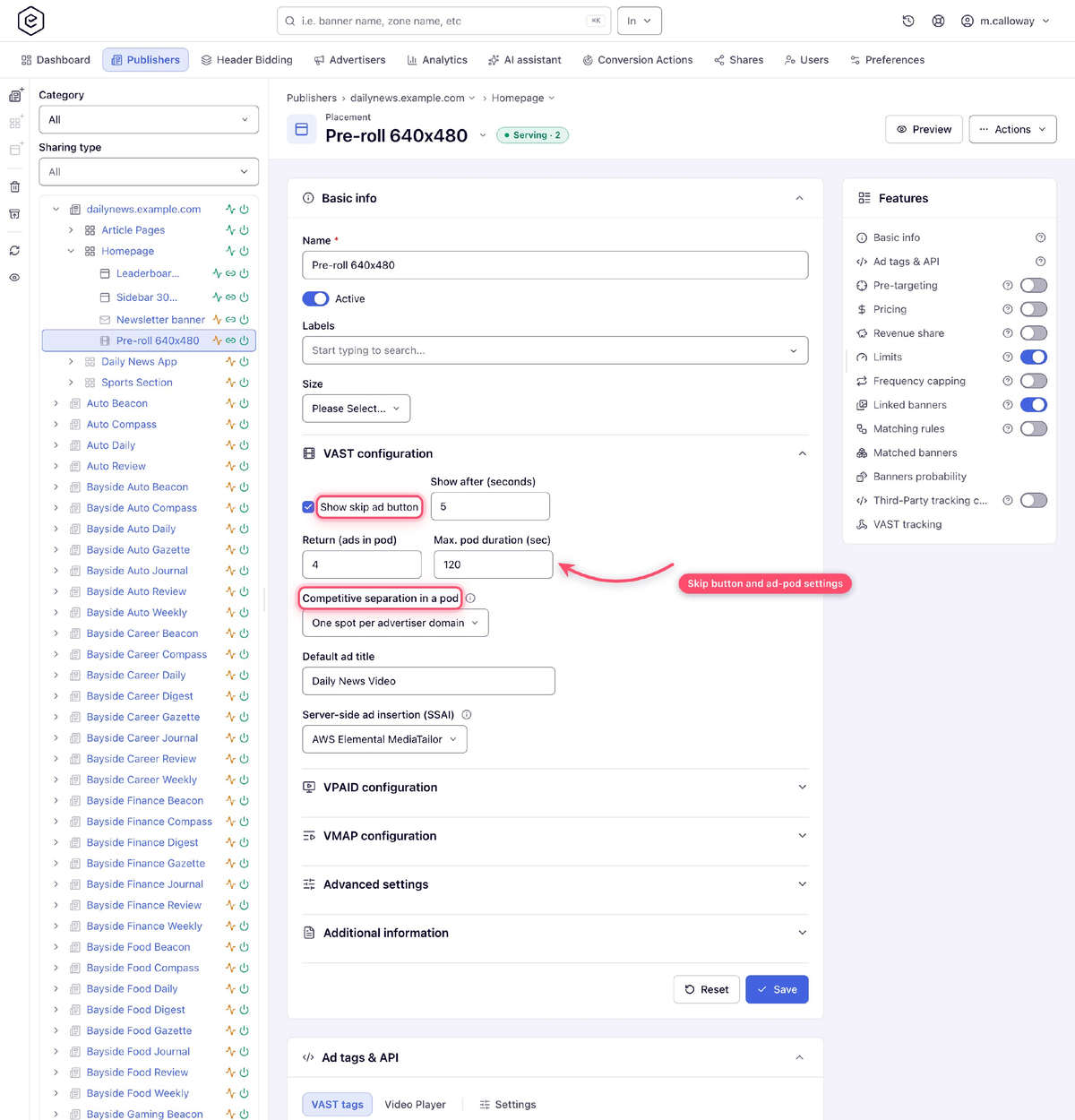
Your programmatic buyers see the difference too. A bid request from an SSAI placement is marked as one, and the device ID and the viewer's limit-ad-tracking flag are passed on, so a DSP knows what it is bidding on instead of guessing.
Your Competitors Stay Out of the Same Ad Break
An ad break holds several spots, and no buyer wants theirs sitting next to a competitor's.
A placement can now allow one spot per advertiser domain, or one per domain and category. Domains are what programmatic bids are compared on, so two car brands cannot share a break. It is off by default, and whatever you choose, the same spot never plays twice in one break.
Live breaks are the hard case, because every viewer reaches the break in the same second and the ad server has to answer all of them at once. Epom now answers a break in milliseconds under that kind of load, so the stitcher does not give up and drops in filler.
Your Targeting Sees the Viewer, Not the Stitcher
This is the change that reaches furthest, and it will move numbers you already report.
When a stitcher stands in front of your ad server, every request arrives from the stitcher's datacenter. One address, one device, standing in for everyone watching. Geo targeting lands on the datacenter. A frequency cap treats the whole audience as a single person. Fraud checks see one machine making thousands of requests.
Epom now reads the TV or the app behind the stitcher instead, as long as your stitcher forwards the viewer's details, which the major ones do. Frequency caps count by the device's own advertising ID, a Roku RIDA or a Samsung TIFA, and fall back to the viewer's address and user agent where there is none. So a cap of three a day means three per TV rather than three for everyone watching. It applies to server-side and mixed caps.
Expect your capping figures to move. Caps that were never really reached, because everyone counted as one device, now apply per TV. Reach goes up, frequency per device comes down, which is what the cap was for. Bear in mind a TV is usually a household, not one person.
Upload a Master Spot Once, Use It for Every Publisher
There is a media library now.
Upload a video, an image or an HTML5 file once and pick it in as many creatives as you like. The creatives point at the file instead of each keeping a copy, so a 200 MB master is stored once however many publishers you run it with.
That matters most in CTV, where the same master usually runs as a separate creative for every publisher — one for Hulu, one for Roku, one for Paramount+. Each of those used to mean uploading the file again.
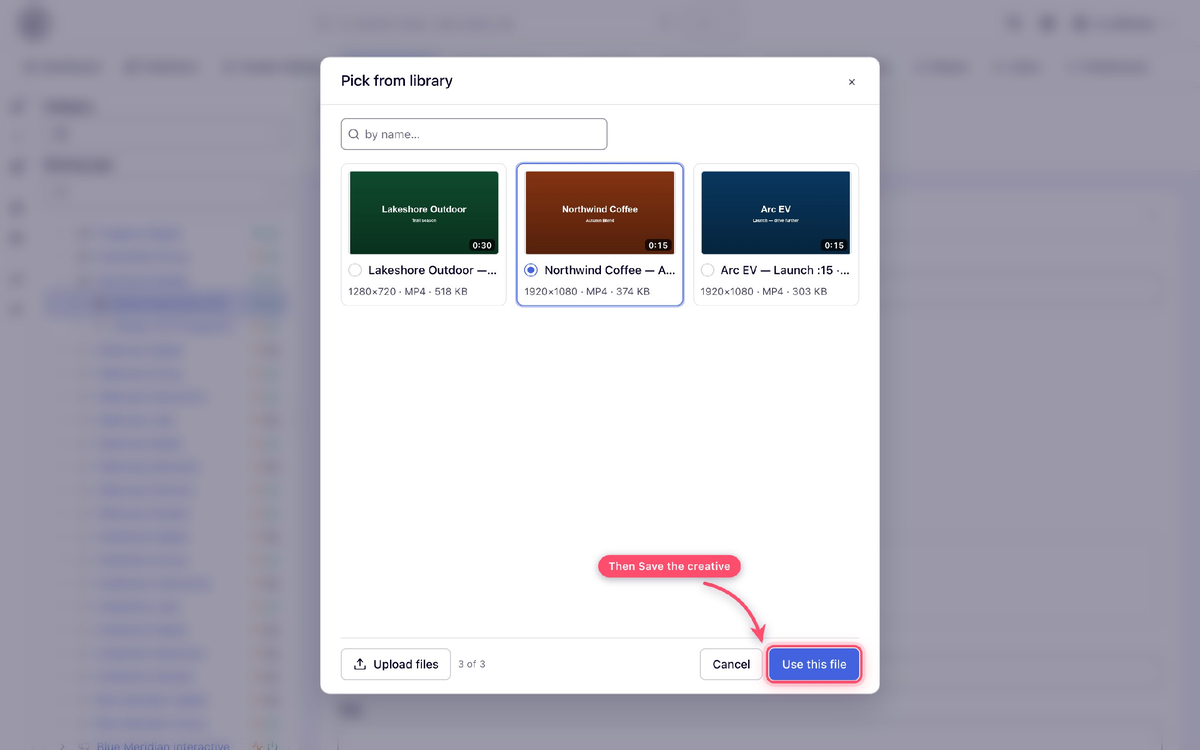
Library files never change. A corrected spot is a new file, so a spot a publisher has already approved cannot be swapped underneath it. Deleting a file never breaks a creative that is running, duplicate uploads are spotted on their own, and video picked from the library goes through the same spec check as anything else. It is all available over the REST API and from an AI assistant too.
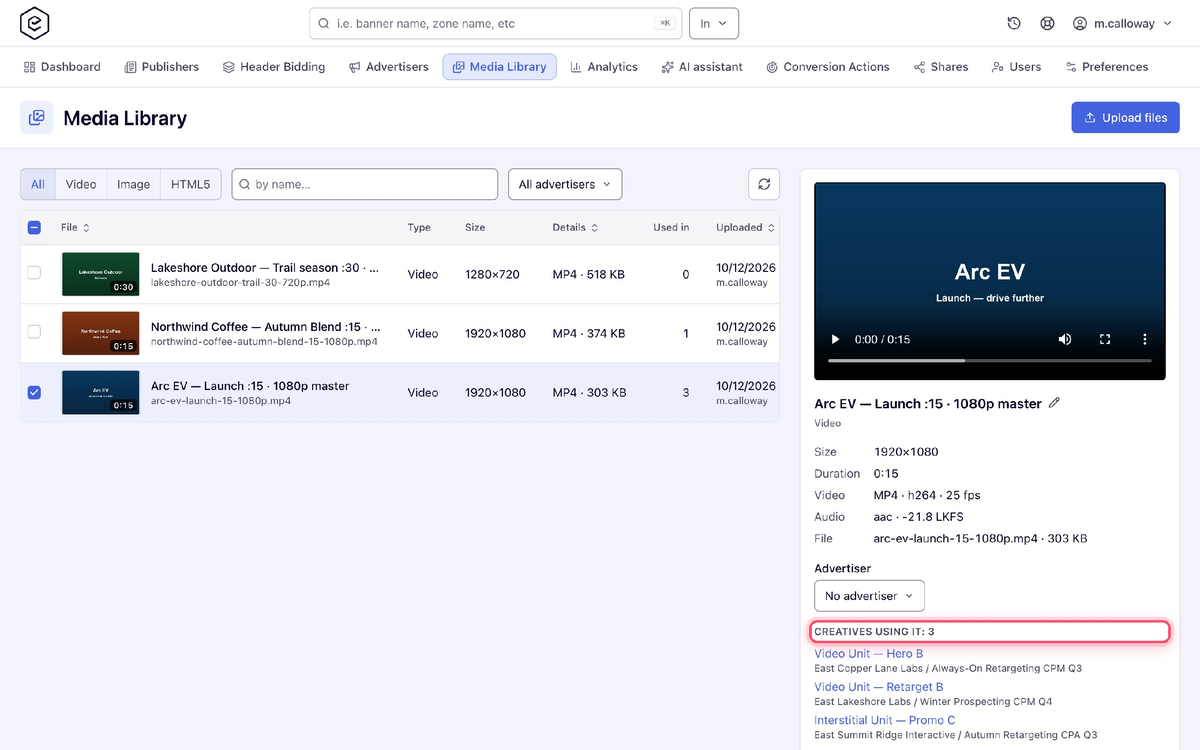
Two things to switch on before it appears: the Media Library permission, and your network's file storage.
Your Playback Events Stop Counting as Conversions
A video starting, reaching a quartile or being seen used to count as a conversion — in your reports, and in the counters behind them: conversion limits on a campaign, banner, advertiser, site or placement, CPA auto-deactivation and action capping.
So a conversion cap on a video campaign filled up on playback instead of conversions, and auto-deactivation could never stop a video campaign that was not converting. Reports and all of those counters now see real conversions only.
The events are still billed and still count toward budget limits, and a limit set on an event itself — ten thousand viewable impressions, say — still counts that event. Counters that playback already inflated are left as they are, so reset one by hand if a campaign stopped early.
Already in Place: VAST 2.0 to 4.3 and Open Measurement
Buyers tend to ask two things before they start: which VAST versions you serve, and how viewability is measured.
Epom serves every version from 2.0 to 4.3, and each response is valid against the IAB schema for the version it declares. Viewability is measured by Epom itself through the IAB's Open Measurement interface, on VAST 4.1 and above, so Google IMA and the other major players report it — with no measurement vendor to sign up with and nothing to install.
With ISCI codes and per-publisher spec checking on top, that covers most of what a CTV buyer asks for.
Three Things to Set Up
Grant three permissions. The ISCI field, the video requirements card and the media library all ship switched off for every role, so none of them appear until an administrator turns them on. Networks that do not sell video see no change at all.
Check your DSP partners if you run header bidding. Partners no longer bid on header-bidding slots by default. If yours were bidding there after release 151, ask Epom support to switch partner demand back on and tick the header bidding box for each partner that should take part. Your own campaigns keep bidding either way.
Generate new placement preview links. Any link you shared before this release stops working.
⚠️ If you run scripts against the REST API, read the release notes before you upgrade. Several responses and endpoints changed in ways that will break an integration that is not expecting them.
Sell CTV Without Working Around Your Ad Server
Everything here exists because a connected TV asks for something the display never did.
- Your stitcher is supported out of the box, and spots carry the code buyers check invoices against.
- Creatives are checked against each publisher's requirements before they fail, not after.
- Your stitcher gets what it expects, whichever of the four major ones you use, or plain IAB macros.
- Competing brands stay out of the same ad break.
- Targeting and capping see the device, not the stitcher.
- A master spot is uploaded once, and cannot be swapped once a publisher has approved it.
None of it changes how your display inventory serves.
Put your video inventory on an ad server that speaks CTV.
Start a free trial, or talk to us about your publishers' requirements.