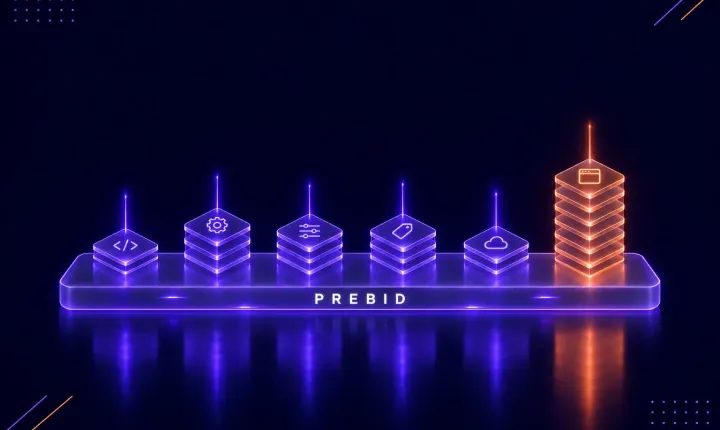
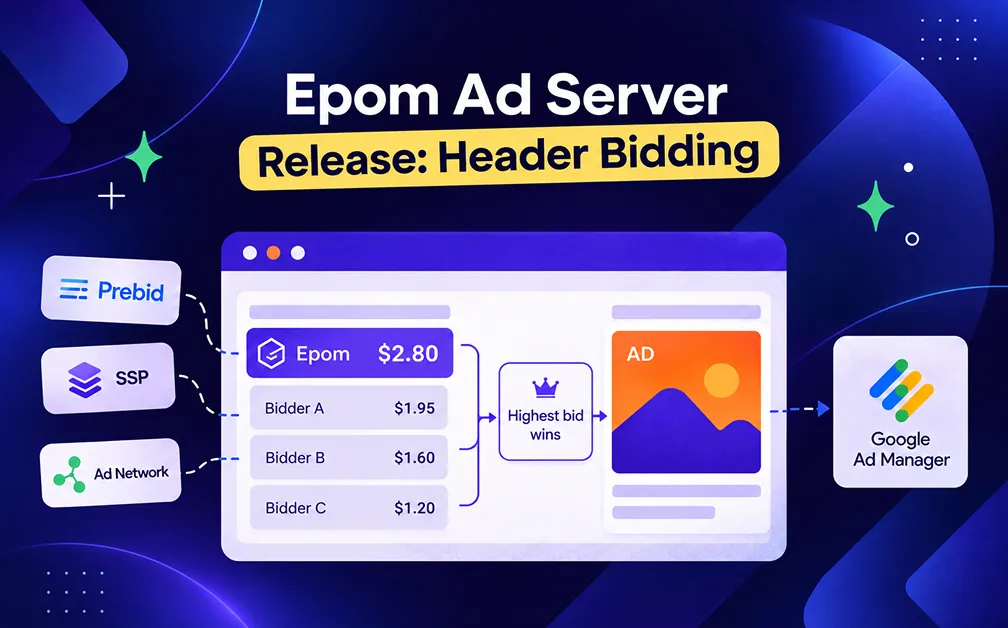
Epom Ad Server now sells inventory through header bidding, on web pages and in apps. Your campaigns bid before the publisher's ad server is asked, so they compete on price instead of taking what Google leaves. The setup is one line item in Google Ad Manager and one script on the page. The Code tab produces five different hand-overs, so publishers keep whatever they already run. Apps are covered too, including rewarded video and playables.
If your publisher runs Google Ad Manager, our campaigns only see what Google does not want, which means an advertiser who would have paid more never gets the chance. Release 151 changes that.
Your campaigns now bid before the ad server is asked, and Google only keeps the slot if it can pay more. What you get:
- Your campaigns bid first, at a price the publisher can see.
- One Sponsorship line item in Google Ad Manager, instead of one per price bucket.
- The publisher adds one script, and you change everything after that from your own account.
- Five hand-overs on the Code tab, so publishers keep the setup they already have.
- Apps as well as pages: display, video, native, interstitial and rewarded.
- Other Prebid partners can bid on your tag, and you decide which ones.
- A report showing who filled each slot: you, Google, a partner, or nobody.
Epom works as a standard Prebid bidder called epom_as.
Your Campaigns Are Priced Before Google Is Asked
Prebid is an open-source script that asks a list of bidders what they will pay, then passes the best price to the ad server as key-values on the ad request. The ad server decides from there whether its own demand beats that price.
Epom is now one of those bidders. On a web page the auction runs in the browser, and in an app it runs on a Prebid Server instead, because there is no browser to run it in.
For the publisher, nothing else changes. What you win, you win at a price they can see. What you do not win, Google fills exactly as before, with no passback and no extra delay in the ad path.
One Tag Per Site, One Slot Per Ad Position
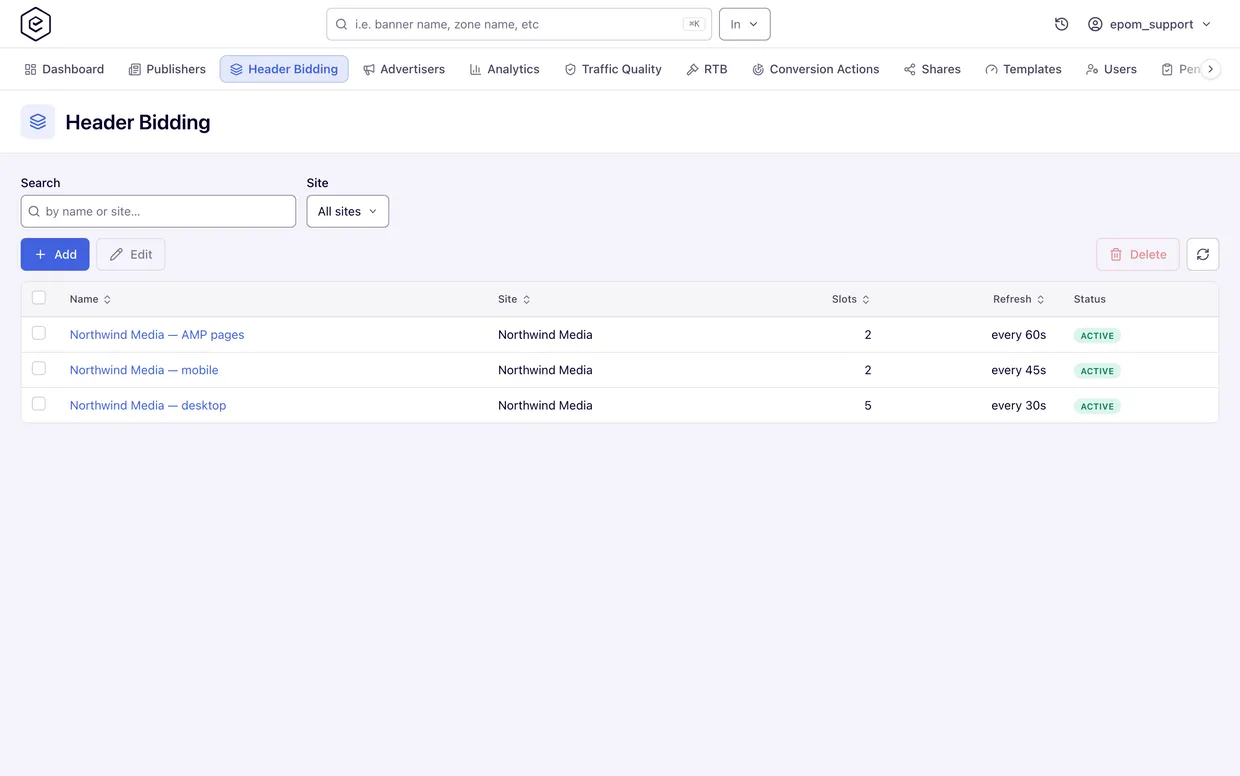
Everything you sell this way lives in an ad tag. A tag belongs to one site, and you can have several per site if the layouts differ, since desktop, mobile and AMP usually want their own.
Inside the tag you add one slot per ad position. Each slot points at a placement, lists the sizes the container accepts, and optionally carries the Google ad unit path if Ad Manager also serves that position.
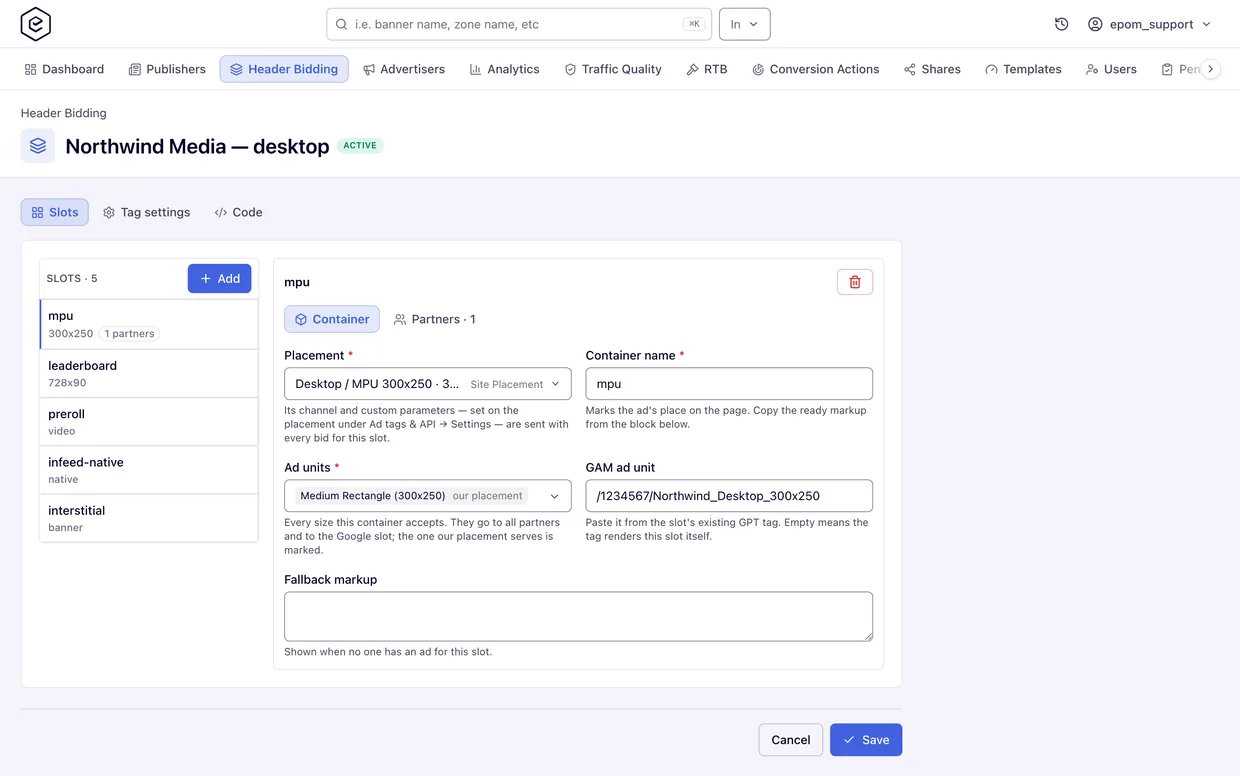
What a slot can sell depends on the placement behind it. A Site placement sells display, a Video placement sells VAST, a Native placement returns assets for the page to draw, and a Non-standard placement covers interstitials, playables and anything else that is not a fixed rectangle. Each slot sells one kind of creative, so a rewarded video and a rewarded playable need two slots.
The Publisher Pastes One Script and Never Touches It Again
One script in the page head, and one attribute on each ad container. That is the entire install.
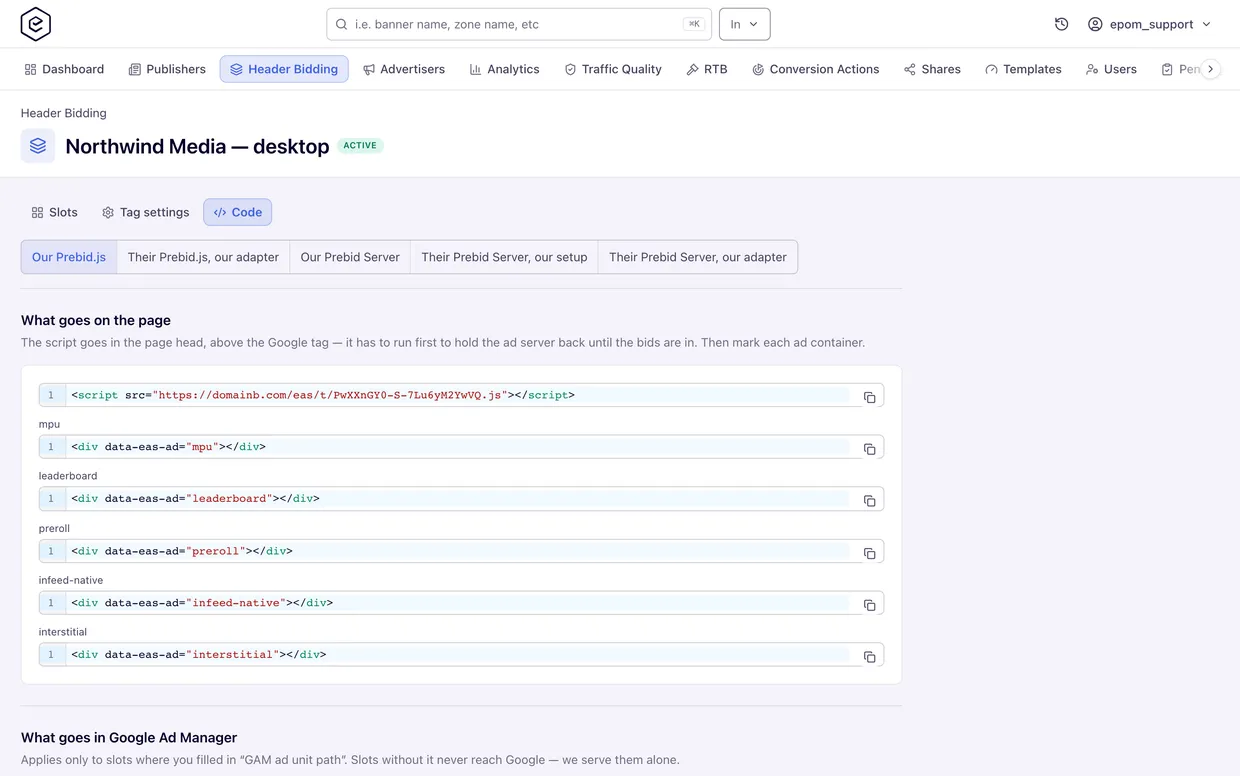
Everything after that happens in the tag on your side: adding a slot, changing a placement, adding another bidder, adjusting the refresh rules. The page picks up changes within about five minutes and the publisher does nothing.
If you manage a lot of publishers, this is the practical difference. Changing what someone sells no longer means asking them to edit their site and waiting for it.
One Sponsorship Line Item Replaces a Line Item Per Price Bucket
Most Prebid setups need a line item in Ad Manager for every price bucket, all of them trafficked and maintained. This one does not.
A bid from a sold campaign carries a deal marker. You create a single Sponsorship line item targeting that marker, and Google steps aside whenever your campaign wins the round.
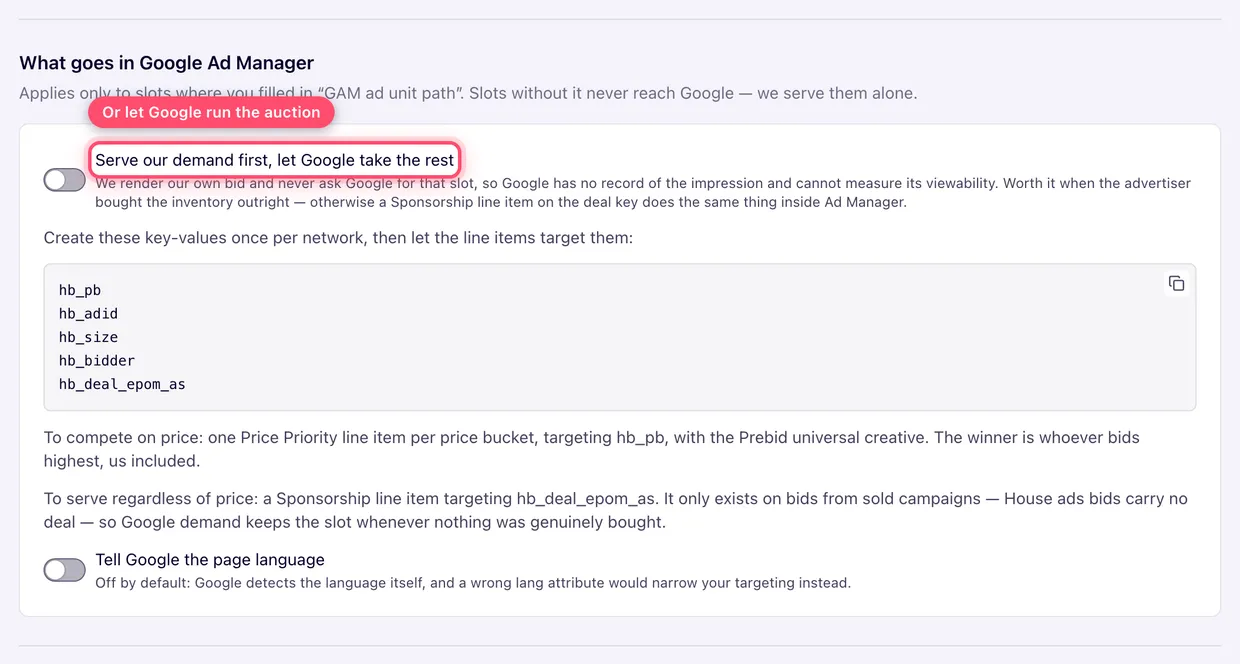
House ads bids carry no deal marker, so on any round where nothing was actually sold the line item does not apply and Ad Manager serves normally: its own campaigns first, then AdX or AdSense. You cannot take fill away from Google by accident, because the marker only exists when you have something sold to serve.
If a publisher would rather you competed on price than took the slot outright, you can use Price Priority line items instead, one per bucket.
Five Hand-Overs Mean No Publisher Rebuilds Their Stack
Publishers will not change their setup to take your demand, so the Code tab generates a different hand-over depending on what they already run.
| Code tab face | When you use it, and what the publisher gets |
|---|---|
| Our Prebid.js | They run Google Ad Manager and no Prebid. You give them one script and one container per position. The same face also covers a page that already defines its own Google slots. |
| Their Prebid.js, our adapter | They already run Prebid on the page. You give them one bids entry per ad unit. |
| Our Prebid Server | They have an app, or want a server-side auction without running a server. You give them the endpoint, the account and the slot ids. |
| Their Prebid Server, our setup | They run their own Prebid Server. You give them an address it reads the slots from. |
| Their Prebid Server, our adapter | Their server already stores these slots. You give them our bidder fragment to merge in. |
The tag itself is built the same way each time. Only the hand-over differs.
Apps Sell the Same Way, Rewarded Formats Included
Prebid Mobile always calls a Prebid Server, so an app uses the same tag and the same slots. Each slot has a fixed id, and the app sends that id as its configId.
The serving host and placement key never appear in the app. They live in a stored request on the server, which is why you can change a slot without anyone republishing the app.
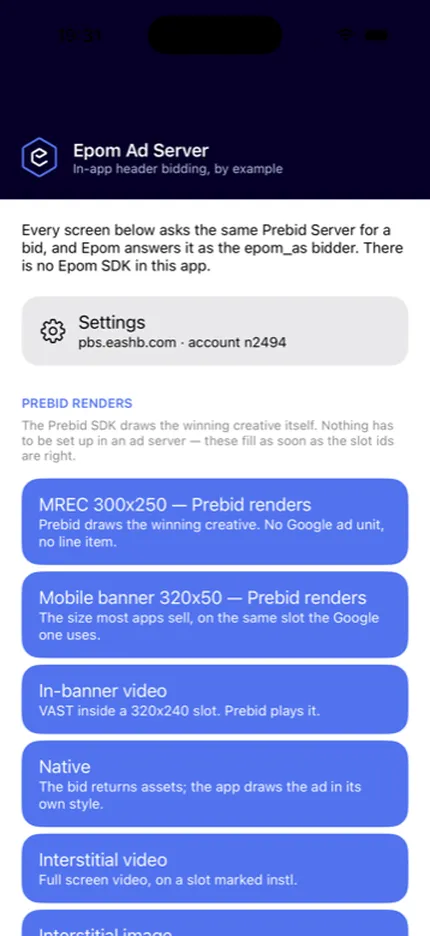
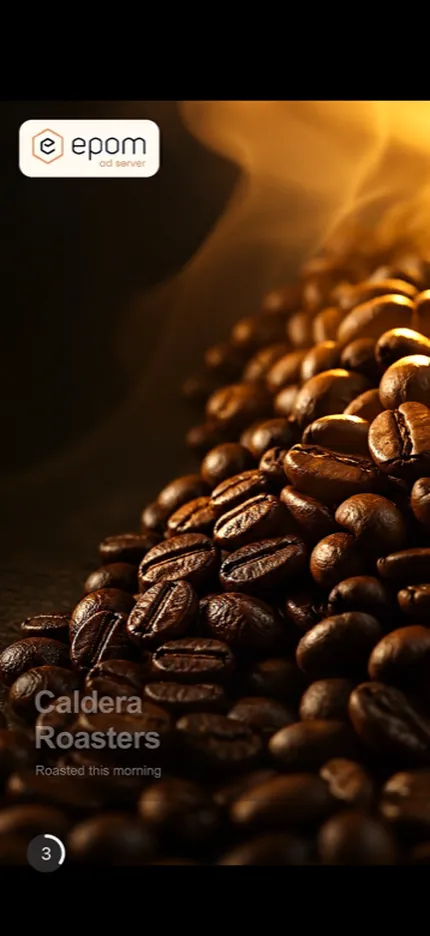
Marking a slot as Rewarded tells the SDK to hold the ad until the reward is earned, so a video plays to the end and a playable runs until the creative says so. Only then does a close button appear. That covers app and gaming inventory a display-first ad server cannot sell properly.
Example apps for iOS and Android ship with the release, pointed at a live server so they fill on first launch. Give them to the publisher's developer along with the slot ids, and each format is one short method to copy.
Other Prebid Partners Run on Your Tag, Chosen by You
A slot can carry other Prebid bidders besides Epom. You pick the partner, paste the parameters they document, and they are offered the slot alongside you.
This is the part that changes your position. Instead of being one entry in a config the publisher maintains, you run the setup and decide who else bids. The same adapter can appear twice under an alias, which is how one page reaches two Epom deployments.
Bidders that no slot uses cost the page nothing, because the tag only loads the adapters it needs.
One Report Splits Every Round Between You, Google and Nobody
Analytics gains a Header Bidding report showing what filled each round, by placement, zone, site and country, down to the hour.
| Fill Source | What it means |
|---|---|
| Direct campaigns | Your own bid won the round |
| Ad server (GAM) | A line item in the publisher's Ad Manager filled it |
| AdX / AdSense | Google's own demand outbid you |
| A partner's name | A bidder you added on the tag won |
| Unfilled | Nobody took it |
It reports Fills, Unfilled, Fill Rate, Gross and eCPM Gross. One thing to know when reading it: a fill Google made never touches placement limits, pacing or publisher payments, because it never went through your ad server.
Separately, a Traffic Source dimension keeps header bidding impressions and clicks apart from the same placement's ordinary tag traffic, in the Advanced report and the raw logs. You can target it as well, so a campaign can run only on this traffic or a placement can keep it out.
Three Things to Set Up Before the First Auction
- Tag any publisher already running Prebid, before you upgrade. A placement is only bid on if an active tag lists it, so without a tag those publishers get a no-fill, which looks the same as an auction nobody bid in.
- Grant five permissions. Set Advertiser Domain, the Header Bidding report type, the Traffic Source report grant and both Traffic Source targeting grants all ships switched off. The Header Bidding tab itself is granted automatically to roles that already manage all inventory.
- Fill in each advertiser's domain. Every bid now names the advertiser to the buyer in the OpenRTB domain field, which is what buyers match against their block lists. A bid that names nobody gets discounted or refused, so use the brand's own site rather than a click tracker.
Four Things to Check Before You Promise It
- Publishers already running Prebid need a build that carries our adapter. The epom_as module is not in the upstream Prebid.js release, and the Prebid Server adapter is still an open pull request, so ask your Epom contact for it.
- Instream video does not reach Ad Manager yet. A video win goes to the publisher's own player, and a Google ad unit on a video slot is ignored for now.
- Prices are handled in US dollars. A floor sent in another currency is read as dollars.
- Epom bids the net price the publisher earns, after site and placement pricing and revenue sharing, so it compares fairly with every other bidder.
Put Your Demand in Front of Google
For every publisher you run on Epom Ad Server, this changes who prices their inventory first, without the setup work header bidding usually involves.
- Your campaigns bid first and win at a price the publisher can see.
- One Sponsorship line item covers the Ad Manager side, and it cannot take fill Google should have had.
- The publisher pastes one script, and you handle everything after that.
- Five hand-overs mean their existing setup stays as it is.
- Apps, video, native and rewarded sell the same way display does.
- You run the auction, so you choose the other partners in it.
- One report shows what you won and what Google kept.
Epom still does not supply demand. This sells what is already in your account, your own campaigns and your own partners, earlier in the chain.