TL;DR: What's new in Epom DSP 8.9?
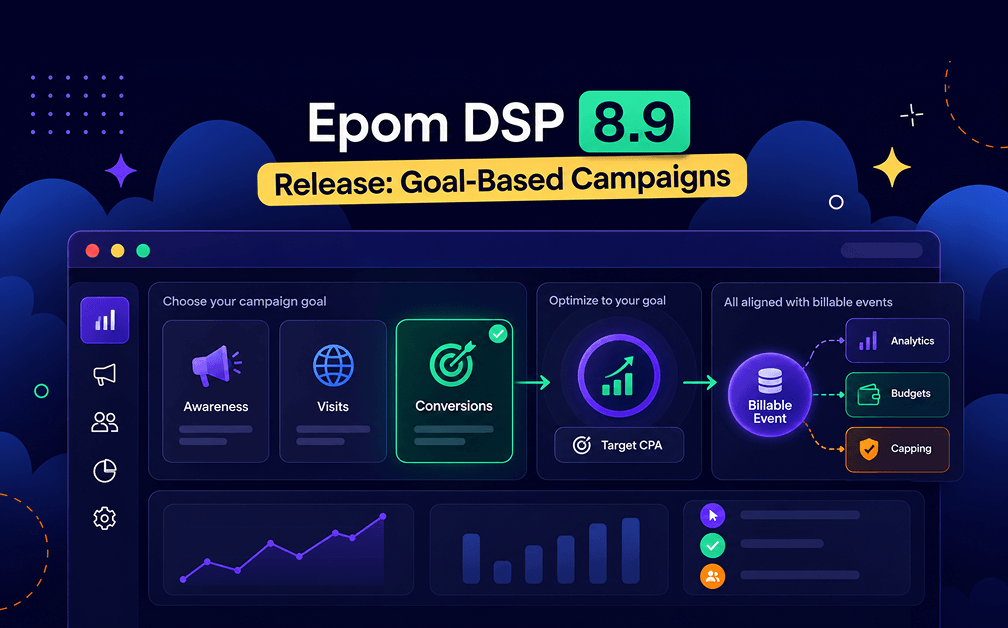
- Campaign Goal: Start a campaign by choosing an objective — Awareness, Website Visits, or Conversions — and the system optimizes delivery toward it.
- Target CPA for conversions: Pick a conversion event and a target cost per action, and Epom optimizes to hit it.
- Metrics unified on billable events: Analytics, budgets, and frequency capping now measure what you're actually billed for — no more overruns from a pixel-vs-billing mismatch.
- Clearer reporting: Renamed metric labels (API IDs unchanged), a new Billable Win Rate, and a new Advanced Metrics section.
- Quality-of-life fixes: Real postback action names in analytics and rules, a smoother audience-creation form, split geo-fence/polygon permissions, and a friendly maintenance page.
In 8.8, we rebuilt campaign setup into a single guided flow. Version 8.9 adds the piece that ties it all together — and makes Epom feel even more like the platforms you already know.
Now a campaign starts with a Goal: tell Epom the outcome you want, and the system optimizes toward it. Under the hood, we've also unified how success is measured — analytics, budgets, and capping all now count the events you're actually billed for — alongside a handful of quality-of-life improvements.
Here's everything new in 8.9.
Epom white-label DSP gives you objective-based campaign setup, reporting that matches your spend, and a quick-setup wizard that gets you live in minutes. Launch your first campaign.
Campaign Goal: Tell Epom The Outcome You Want
Campaign setup now opens with a single, important choice: your Goal. Instead of wiring up targeting and bids and hoping they add up to a result, you tell Epom the business outcome you're after, and its optimization works toward it. If you've run Google Ads or Meta, this is the objective-based setup you already think of.
| Goal | What the system does | Best for |
|---|---|---|
| Awareness | Maximizes how many unique users see your ad | Brand visibility, reaching a new audience |
| Website Visits | Prioritizes the traffic sources that generate the most clicks at the best cost | Traffic campaigns, landing pages |
| Conversions | You pick a Conversion Event and a Target CPA; the system optimizes toward that CPA | Performance goals, measurable actions |
The Goal is required when you create a campaign, and it locks once the campaign starts delivering — it can't be changed after the budget reaches Delivering status.
💡 Key point: Set the goal once, up front. The rest of the flow — audience, budgets, traffic — then works in service of it.
Metrics Are Now Unified On Billable Events
The old Win Rate relied on nurl callbacks, which not every SSP sends — so wins could be underreported. And while billing happened on Billable Events, budget limits and frequency capping were counted on Impressions (the pixel) — a mismatch that could cause budget overruns and inaccurate capping.
Version 8.9 unifies everything around the Billable Event — the signal you're actually charged on. Analytics, budgets, and capping now all speak the same language, so your reports and your spend finally line up.
What Changed In Your Reports
Because measurement moved to billable events, a few things in your analytics and rules changed. Nothing breaks — API request IDs are unchanged, so existing integrations keep working — but here's what you'll notice:
| What changed | Detail |
|---|---|
| Renamed metric labels | Some metrics have new display names. The underlying request ID is the same, so API integrations are unaffected. |
| New Billable Win Rate | A single unified rule metric (Billable Events ÷ Bid Responses) that replaces Click-to-Bid, Imp-to-Bid, and Win Notification-to-Bid. |
| Impressions Limit counts billable events | Budgets no longer overrun from the old pixel-vs-billing gap. |
| Frequency capping by billable event | Unique users are now counted on billable events, so capping is more accurate. |
| New Advanced Metrics section | Optional metrics in analytics table settings: Win Notifications, Win Notification-to-Bid, Pixel, Pixel-to-Bid, and BURL. |
| Bid Price visible by default | Now available to all users without extra setup. |
| Bid Requests & Bid Rate removed | These have left the client analytics table. |
The switch itself was seamless. A cutover timestamp marked the exact moment processing moved from pixel-based to billable-event-based: everything before it is counted the old way, everything after by billable events, and the two are merged with no gap and no double-counting.
Action Names You'll Actually Recognize
Metric filters in Analytics and Bidding Rule conditions used to show generic action names — Conversion, CPA — so you had to guess which postback each one referred to. Now they show the actual postback action names you configured. Rename a postback parameter in your User Profile settings, and the names update everywhere — Analytics and Bidding Rules — in real time. The name you set is the name you see.
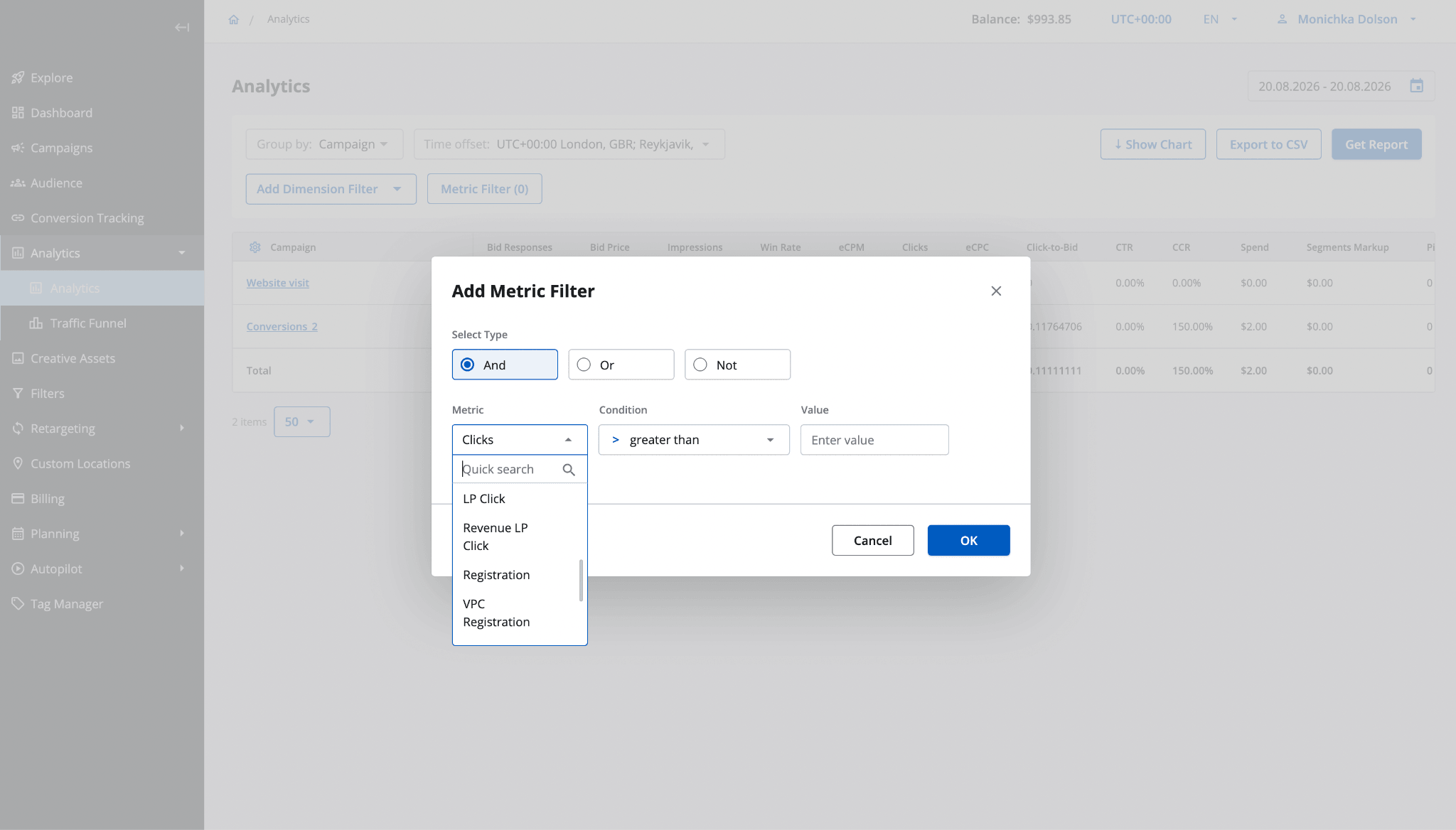
Analytics and Bidding Rules now show your real postback action names.
A Smoother Audience Creation Form
Creating a reusable audience used to break your flow: you'd configure it, then a separate modal popped up just to name it. Now the name field lives in the main creation form — you name and configure in one continuous pass. The name is required and unique within your account, and once saved the audience appears in your library and is selectable for campaigns.
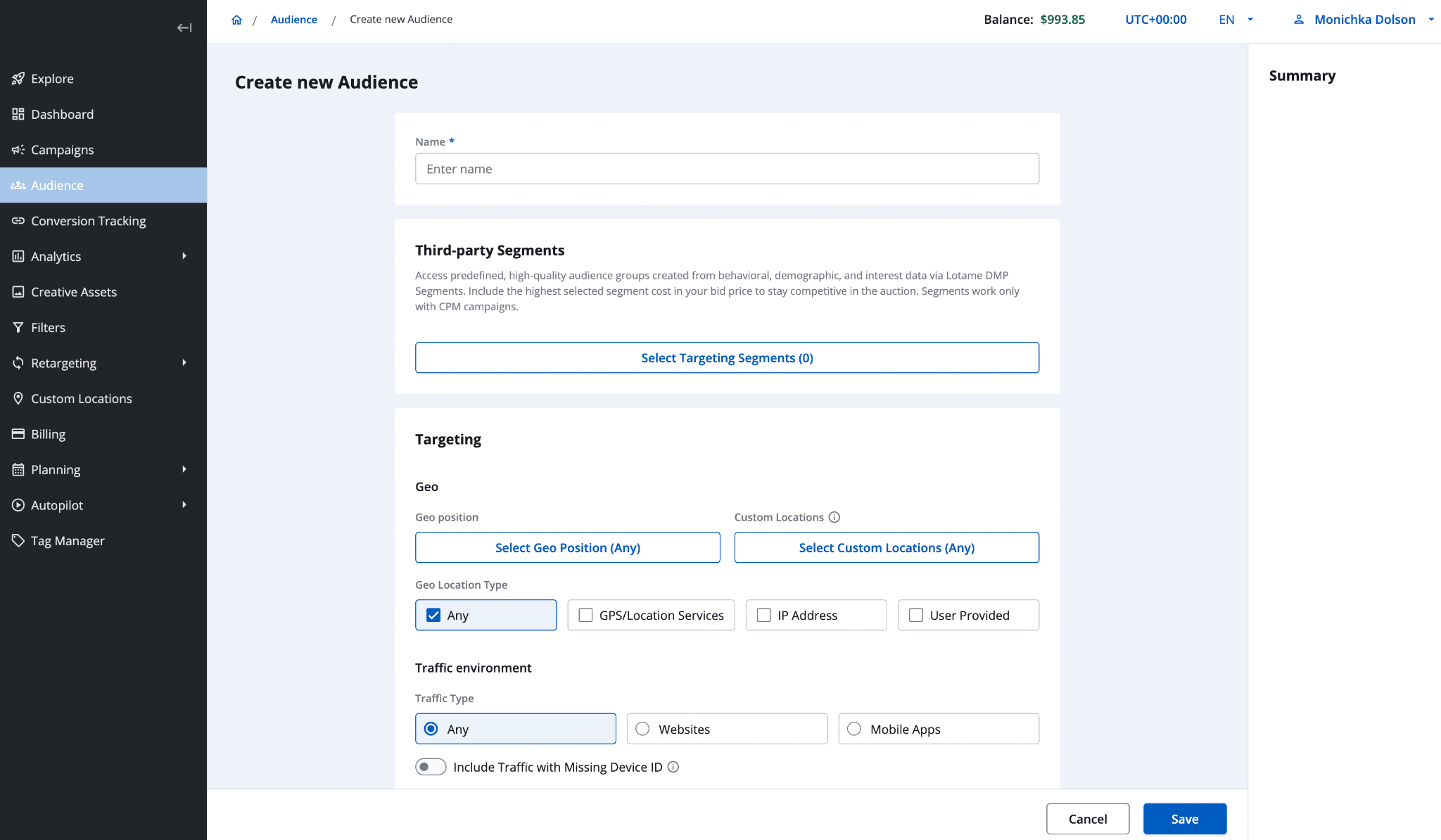
Naming and configuring an audience now happen in one uninterrupted form.
Separate Geo-Fence And Polygon Permissions
A single “Geo-fence targeting” permission used to control both radius geo-fences and polygon areas — you couldn't enable one without the other. In 8.9 it's split into two independent toggles under User Permissions → Audience: Geo-fence targeting and Polygon Area targeting. Admins can now grant geo-fence only, polygon only, or both — no workarounds.
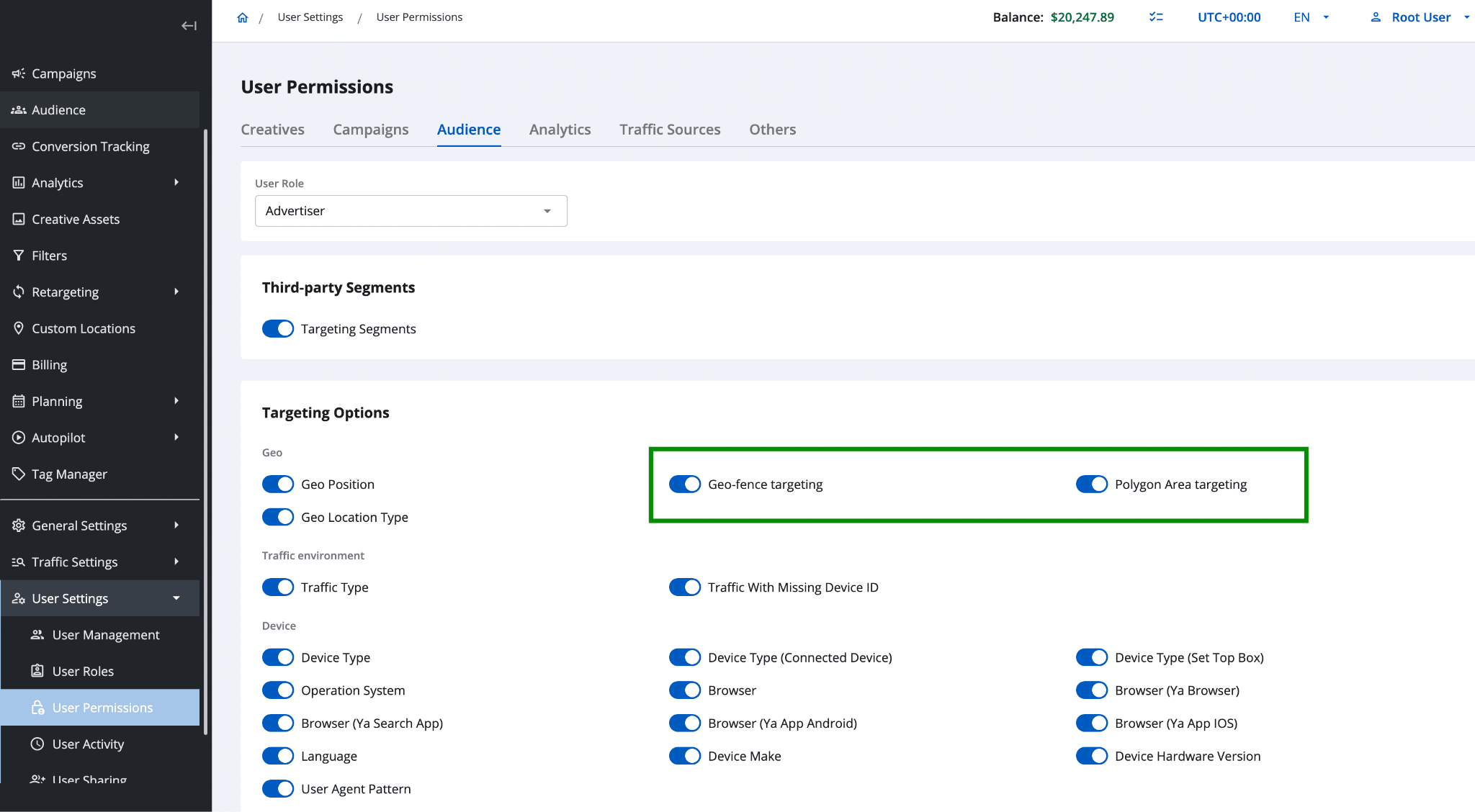
Geo-fence and Polygon Area are now separate permission toggles.
A Friendlier Maintenance Page
During deployments or infrastructure restarts, users used to hit a blank page or an error with no explanation — and then a support ticket. Now a clear maintenance page appears automatically: a simple “We'll be back shortly,” three reassurances (your campaigns and data are safe, everything resumes automatically, no settings or reports change), and a Refresh now button. It shows up on its own and clears itself once the deployment finishes.
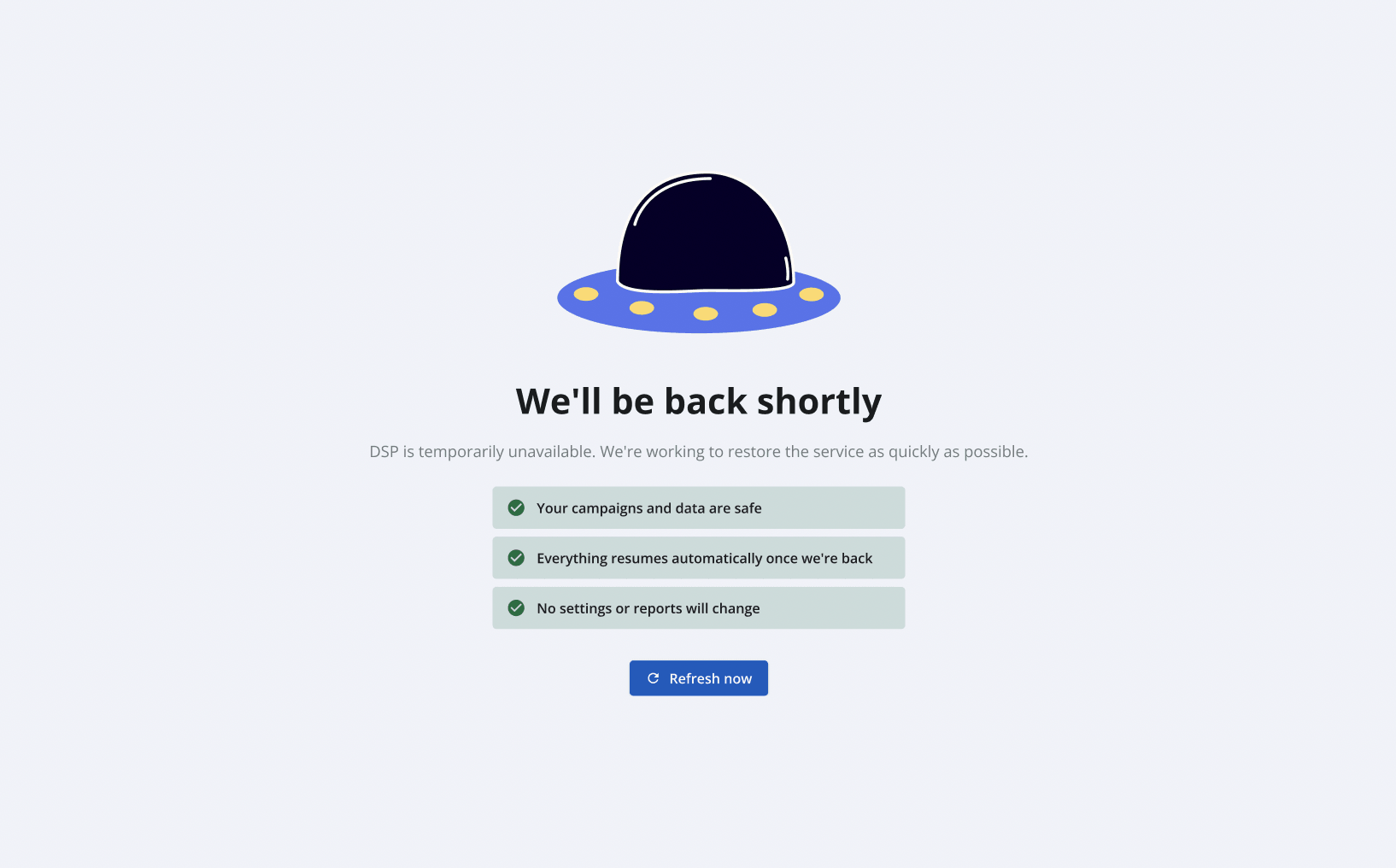
The new maintenance page shown during deployments and restarts.
One Heads-Up For Analysts
One infrastructure change is worth knowing if you query older data. To cut storage costs and speed up analytics, historical data older than 14 days is compacted: 14 granular dimensions — device model, OS version, carrier, geo zip, bid-price bucket, and others — are dropped at that age, and no-bid events are no longer stored at all.
Recent data is unaffected, only rows tied to a campaign are kept, and the change is applied per tenant rather than globally.
Put Epom DSP 8.9 To Work
Version 8.9 makes Epom both simpler to steer and more honest to measure: tell it the outcome you want, and trust that the numbers in your reports match the spend on your invoice.
Set a goal on your next campaign and see the difference in your traffic performance. Launch your campaign