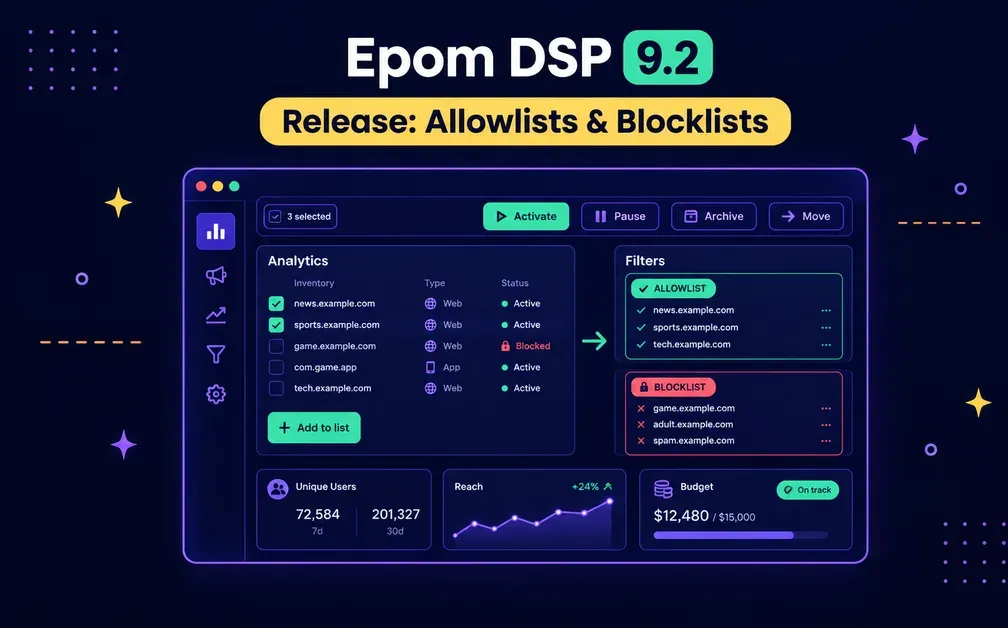
Epom DSP 9.2 is a big one. It sharpens three things at once: how you target, how you measure reach, and how you manage campaigns at scale.
The headline is filters you build straight from your analytics — turn an insight in a report into a targeting change without leaving the page. Around it: truer unique-user reach, bulk actions on the campaign table, live pacing status, and smarter VAST handling for video. One integration also retires in this release — more on that near the end. Here's everything new.
Epom DSP gives you allowlists and blocklists built straight from your analytics, true unique-user reach, and bulk campaign management. Launch your first campaign.
- Allowlists & blocklists from Analytics: Add site URLs and app bundles to a typed list straight from your reports — no copy-paste, no per-campaign include/exclude.
- True Reach: Unique Users now counts people reached for the first time over any period, with rolling 7-day and 30-day windows.
- Bulk campaign actions: Activate, pause, archive, or move many campaigns at once, with a confirmation and partial-result reporting.
- Live pacing status: See "On track" or "Under pacing" on the budget while a campaign runs — not only at the end of the flight.
- Smart VAST: Serve the highest VAST version each request actually supports (2.0–4.2), with error tracking and a health dashboard.
H2: Allowlists & Blocklists: Block Bad Inventory Straight From a Report
Filters got a ground-up rework around one idea: the insight and the action should live in the same place. Before, pulling site URLs or app bundles from a report into a filter meant copy-pasting between pages — and the per-campaign Include / Exclude choice let one list behave differently in every campaign.
Now every list has one fixed type — Allowlist or Blocklist — that applies everywhere it's used. And you build it right where you spot the problem:
- Add straight from Analytics. Select rows in a Site URL or App Bundle report and add them to a new or existing list — optionally linked to a campaign right there.
- See what's already filtered. A lock icon marks rows that are Blocked or Not in Allowlist, so you don't re-add inventory you've already handled.
- Simpler linking. No more Include / Exclude choice per campaign — direction comes from the list's type.
The Filters section itself is renamed to Allowlist / Blocklist, with clear type badges on every list.
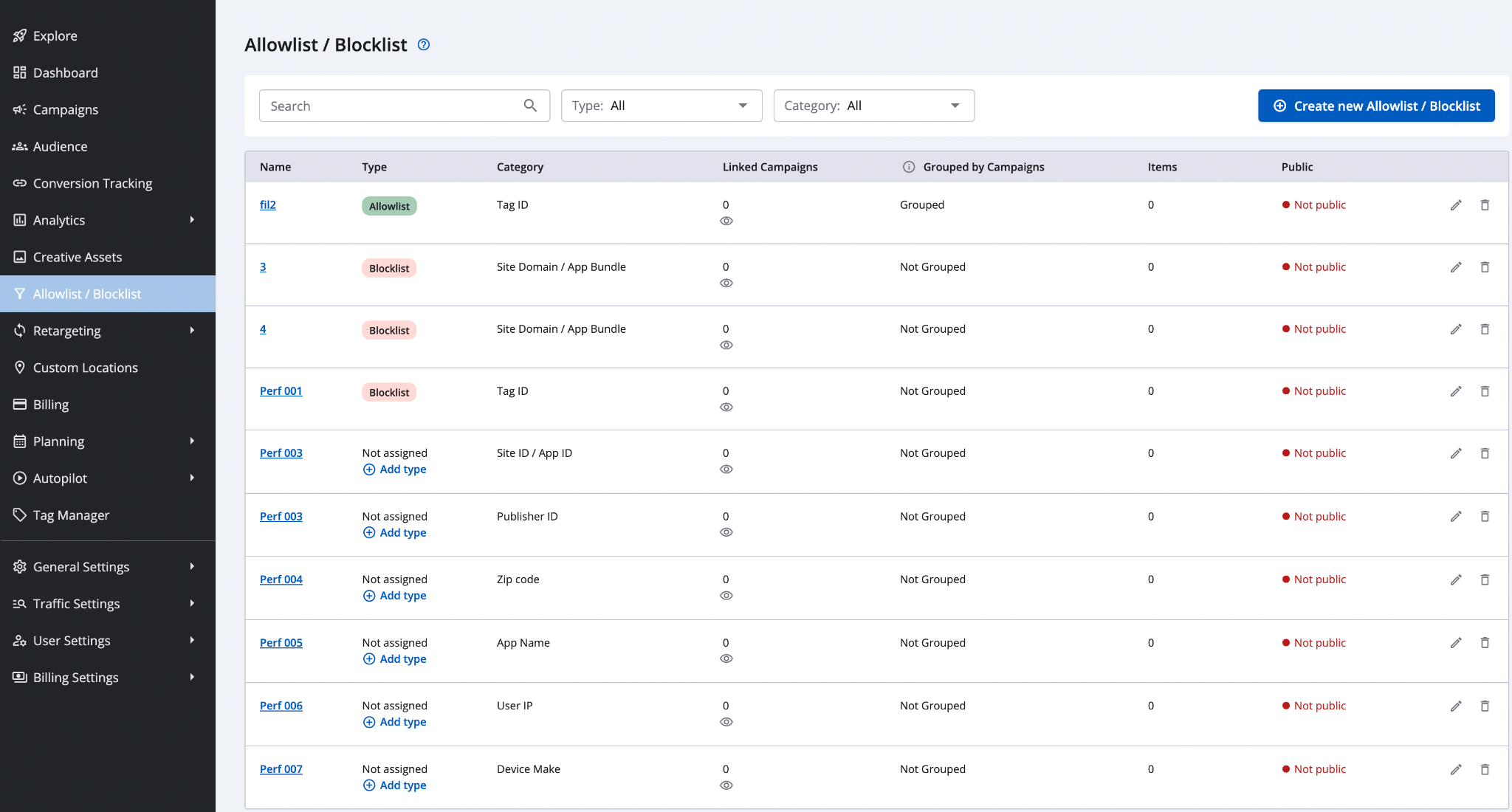
💡 Key point: A list's type is fixed when it's created and applies to every campaign it's linked to — so the same list behaves the same way everywhere, predictably.
Your existing filters are migrated for you, automatically and once per tenant, based on how they're linked today:
| How a filter was used before | What it becomes in 9.2 |
|---|---|
| Linked as Include | An Allowlist. |
| Linked as Exclude | A Blocklist. |
| Include in some campaigns, Exclude in others | Split into "Name - Allowlist" and "Name - Blocklist." Campaign targeting stays exactly the same. |
| Not linked to any campaign | Stays "Not assigned" until you give it a type with "Add type" or link it to a campaign. |
H2: Bulk Actions: Manage Dozens of Campaigns at Once
Managing campaigns one at a time is gone. Tick the checkboxes (or Select all) on the campaign table and a bulk actions bar appears with a live "N selected" counter, offering Activate, Pause, Archive, and Move to folder — including moving to a new folder you create in the same step.
It's built to be safe: every action asks for confirmation, campaigns already in the target status are skipped, and you get a partial-results report ("Campaigns updated: X of Y"). Bulk actions apply to up to 100 campaigns on the current page, and Move to folder works within a single advertiser.
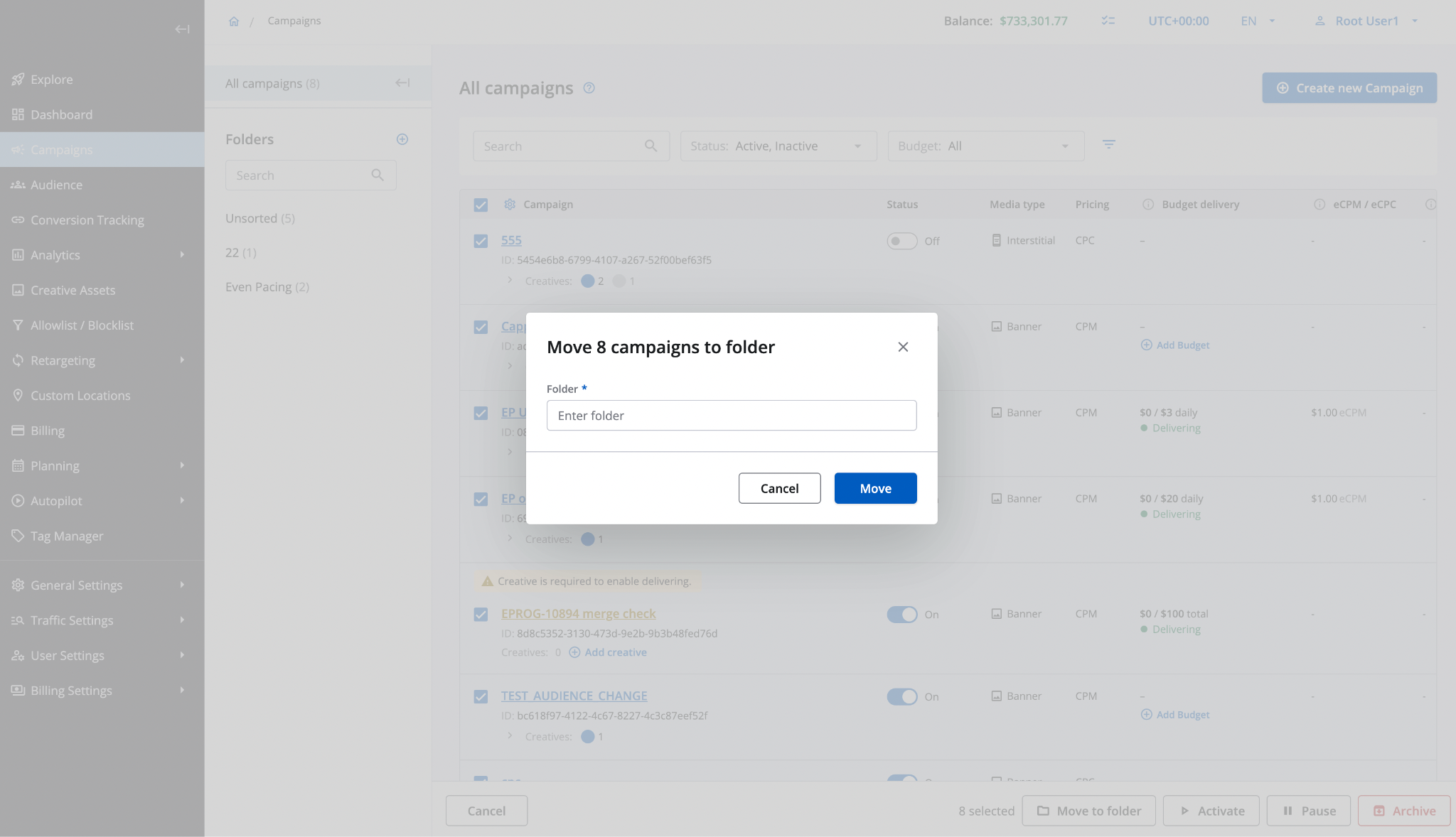
The campaign table picked up smaller upgrades too: the Campaign ID now shows under the campaign name, the default page size is 25 (up to 100), and campaigns with no creatives get an "Add creative" shortcut.
H2: Unique Users: Count Real Reach, Not Repeat Visits
Reach reporting is now honest about repeat visitors. Before, Unique Users was accurate only for a single day — longer periods simply added up daily counts, so a returning user was counted again and again, inflating the number.
In 9.2, Unique Users counts people reached for the first time in the selected period, so consecutive periods add up to real total reach. Two rolling columns join it — Unique Users 7d and 30d (distinct users over a rolling 7- or 30-day window, UTC) — and Reach campaigns show Reach, 7d in the Campaigns table KPI column.
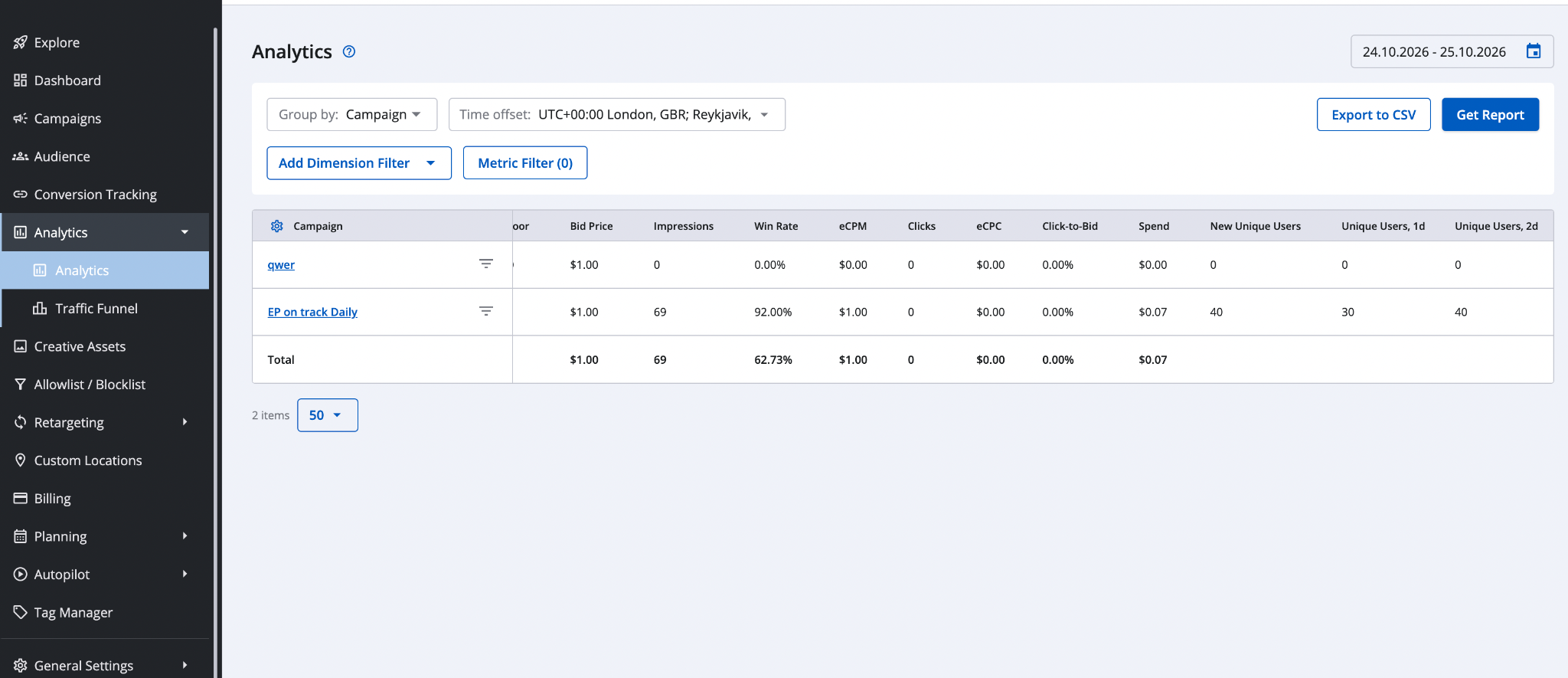
A few things to know:
- Counting starts the day the feature goes live — there's no backfill, so earlier periods show "-".
- The rolling 7-day and 30-day columns appear when you group by campaign for a period ending today.
- Windows merge rather than sum, so a returning user is counted once.
- Reach uses the same user identity as frequency capping, so it doubles as a check that your caps are working.
- The 7d and 30d columns each have their own role permission.
H2: Even Pacing: Catch Under-Delivery While There's Still Time
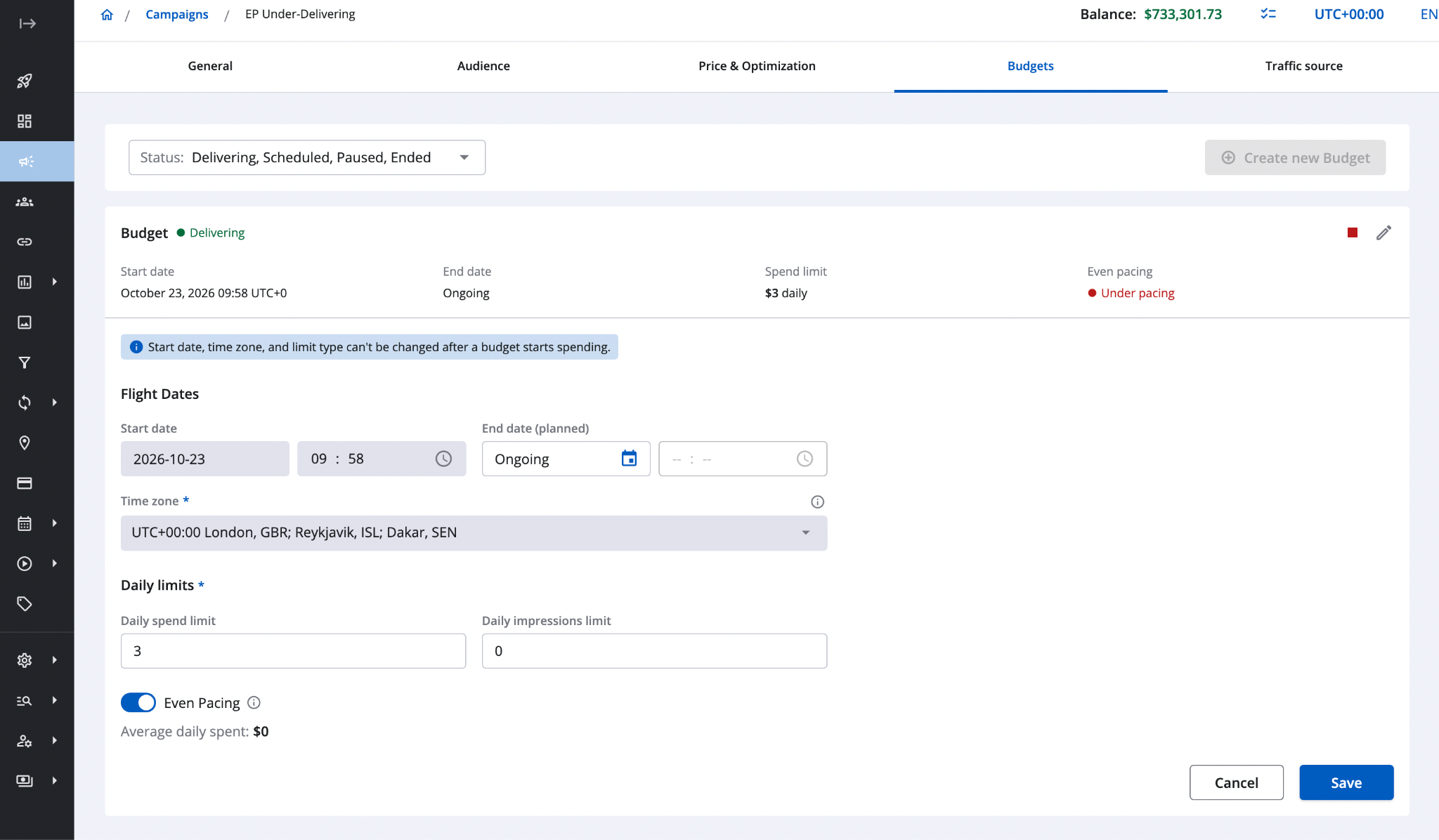
Even Pacing now shows, in real time, whether a budget is keeping up — a simple "On track" or "Under pacing" status on the budget card, campaign preview, and Wizard summary (for Daily and Total budgets alike). It updates on its own and flips back to "On track" once delivery recovers. Before, the budget always read "On track," so under-delivery only surfaced at the end of the flight.
It works by comparing your actual spend with where even pacing expects you to be. To avoid false alarms, it flags "Under pacing" only when a budget is more than 20% behind and at least 30 minutes late — so launch spikes and brief dips don't trigger it. It counts confirmed delivery (a campaign that bids but never wins shows up here) and follows your dayparting schedule.
H2: VAST: Keep the Video Traffic You'd Otherwise Lose
For video, 9.2 takes a "negotiate, don't force" approach. Serving VAST 4.2 to everyone sounds modern, but most video and premium CTV traffic still runs on VAST 2.0 or 3.0, and exchanges reject a version higher than the request declares — so forcing 4.2 would simply lose traffic.
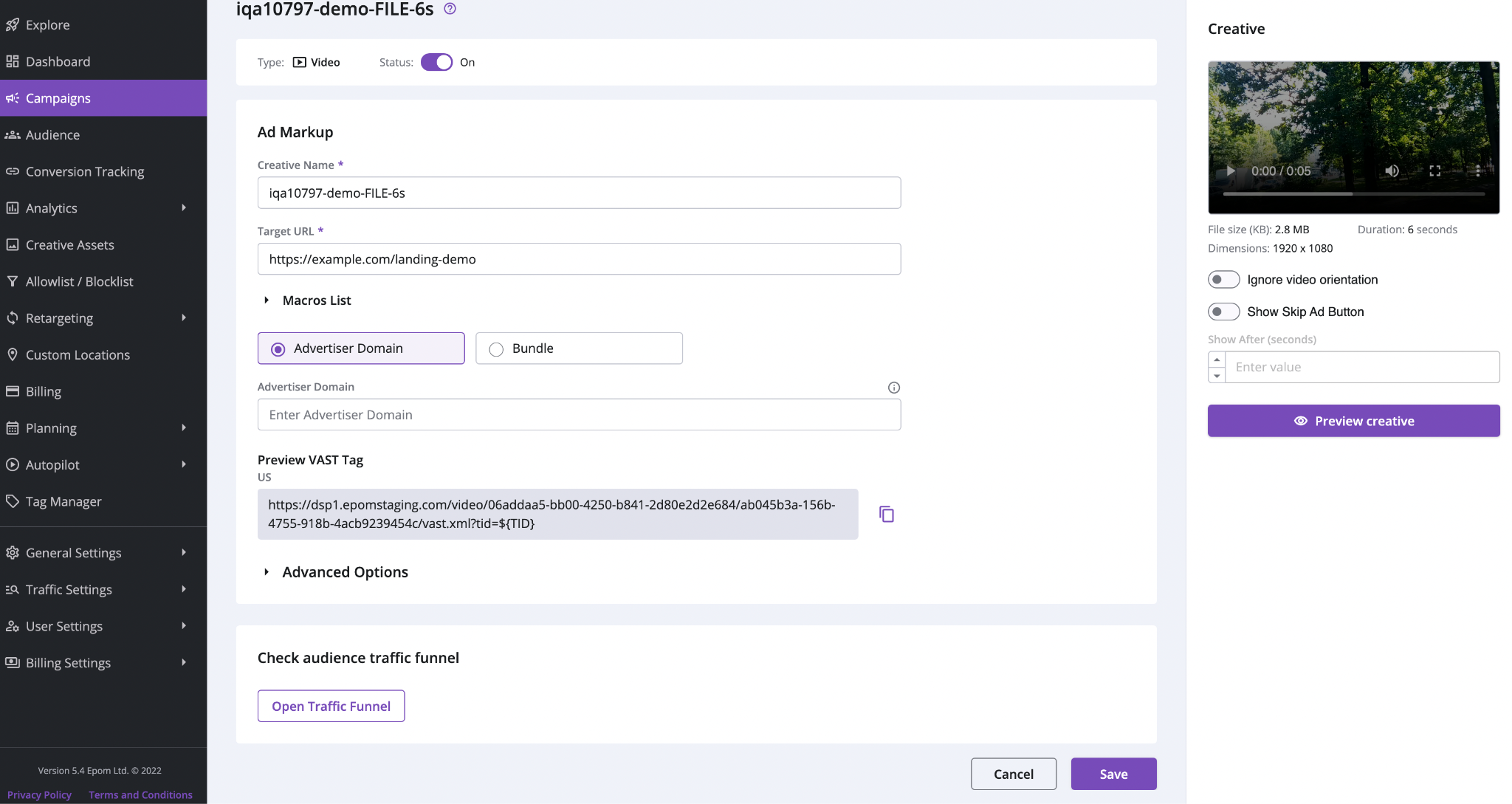
Instead, each request now gets the highest version Epom supports among those it declares — VAST 2.0, 3.0, 4.0, 4.1, or 4.2 — each validated against its own IAB schema. This first phase also adds the VAST 4.x essentials (AdServingId, UniversalAdId, IAB categories, and new standard macros), collects player error pings into a new "VAST errors" step in the Traffic Funnel, and ships version-negotiation metrics with a VAST Tracking Health dashboard.
H2: Lotame DMP Integration Retired
One heads-up for existing audiences. The Lotame DMP integration is retired in 9.2: Lotame segments are removed from the Campaign Wizard, audience summary, and Explore, and Lotame permissions (targeting, analytics filter, markup metric) are revoked for all roles, including Root and Super-Admin. The API also rejects new Lotame targeting.
For anything already using it, a one-time migration removes Lotame targeting from audiences, and the campaigns and creatives that relied on it are paused — with every change written to action history. Tenant data is backed up before the release, and the integration code remains in place, so it can be re-enabled later if needed.
H2: Put Epom DSP 9.2 To Work
Version 9.2 closes the loop between seeing and doing: spot a bad placement in a report and block it on the spot, measure reach that reflects real people, manage campaigns in bulk, and catch pacing problems while there's still time to fix them.