
TL;DR: What’s new in Epom Ad Platform 7.2.4?
- Pixalate post-bid optimization: Optimize campaigns after delivery using real viewability and supply-chain data.
- Team access levels for advertisers: Manager, Editor, and Viewer roles for scalable teamwork on your side.
- Improved conversion tracking: Enjoy unified and step-by-step setup for S2S postbacks and client-side tracking.
- New onboarding hub: Guided entry point with product documentation, setup guides, and updates.
- Audience page updates: New Summary block shows all audience logic at a glance.
We can’t guess media quality blindly — that’s too much at stake. That’s why Epom ad platform measures it after the ad is shown to keep your brand safe.
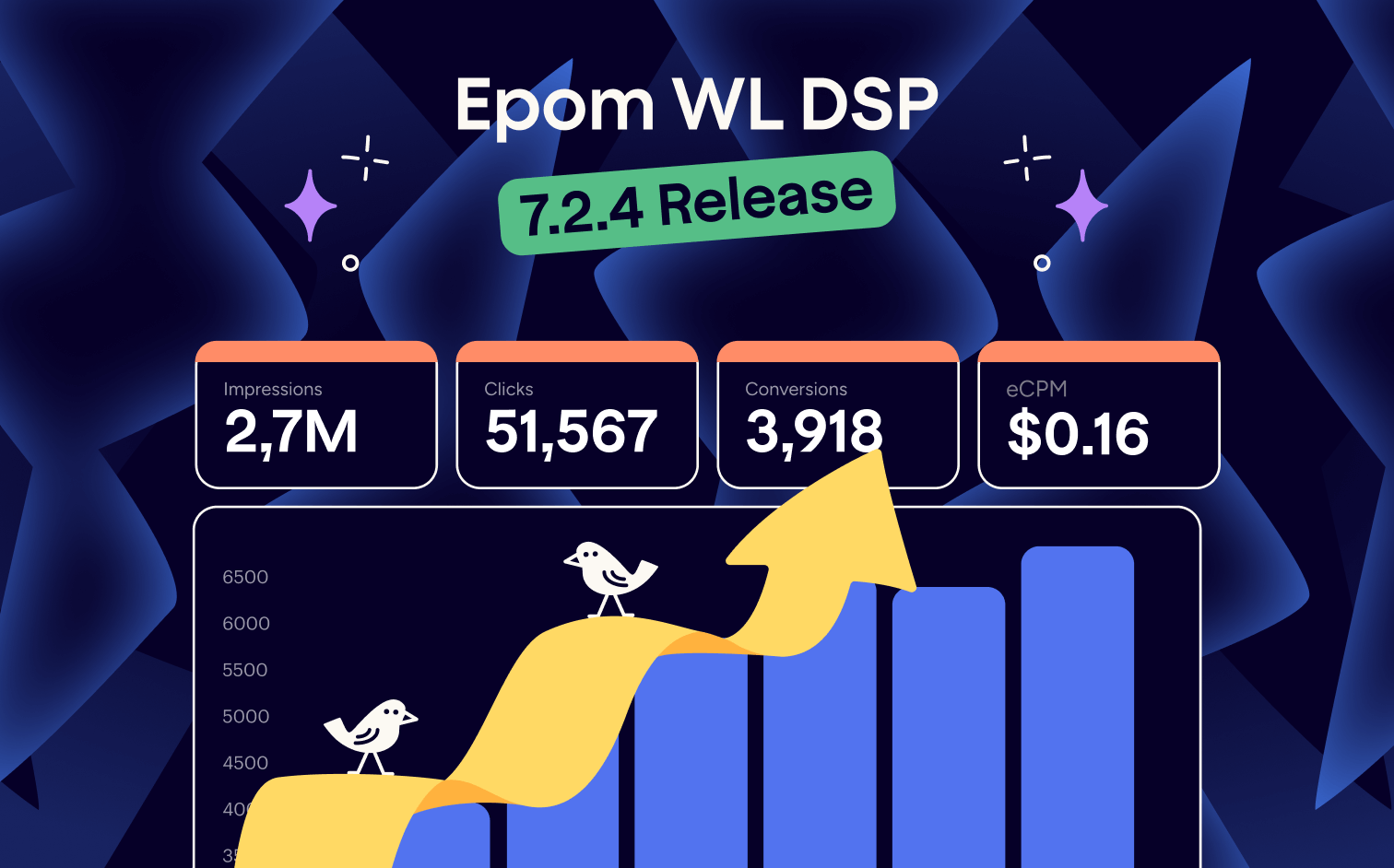
Epom Ad Platform 7.2.4 adds Pixalate-powered post-bid optimization and other tweaks to redefine your self-serve experience. Pre-bid filters introduced in the previous ad platform release keep doing their job. Post-bid data now closes the loop: after your ads are delivered, you can optimize placement based on viewability and supply chain complexity.
This release also makes audience setups easier to read at a glance. It places server-side and client-side tracking in a separate tab with a clear setup flow. Teams get clear access levels, while new users receive guidance from day one through a built-in onboarding flow.
Scroll on to see how post-bid optimization works in practice and how the rest of our new features will enrich your self-serve advertising experience.
Safer Bidding with Post-Bid Optimization from Pixalate
Pre-bid filters help you avoid obvious risk. But you can’t fully predict media quality of a specific placement before an impression is served — it must be measured after delivery.
With Epom DSP 7.2.4, post-bid optimization powered by Pixalate gets this covered. Under the Optimization tab, you can find a new Pixalate toggle along with anti-fraud filters. Each time you activate this toggle, a Pixalate tag is embedded in the creative, enabling post-delivery data collection once the ad is shown.
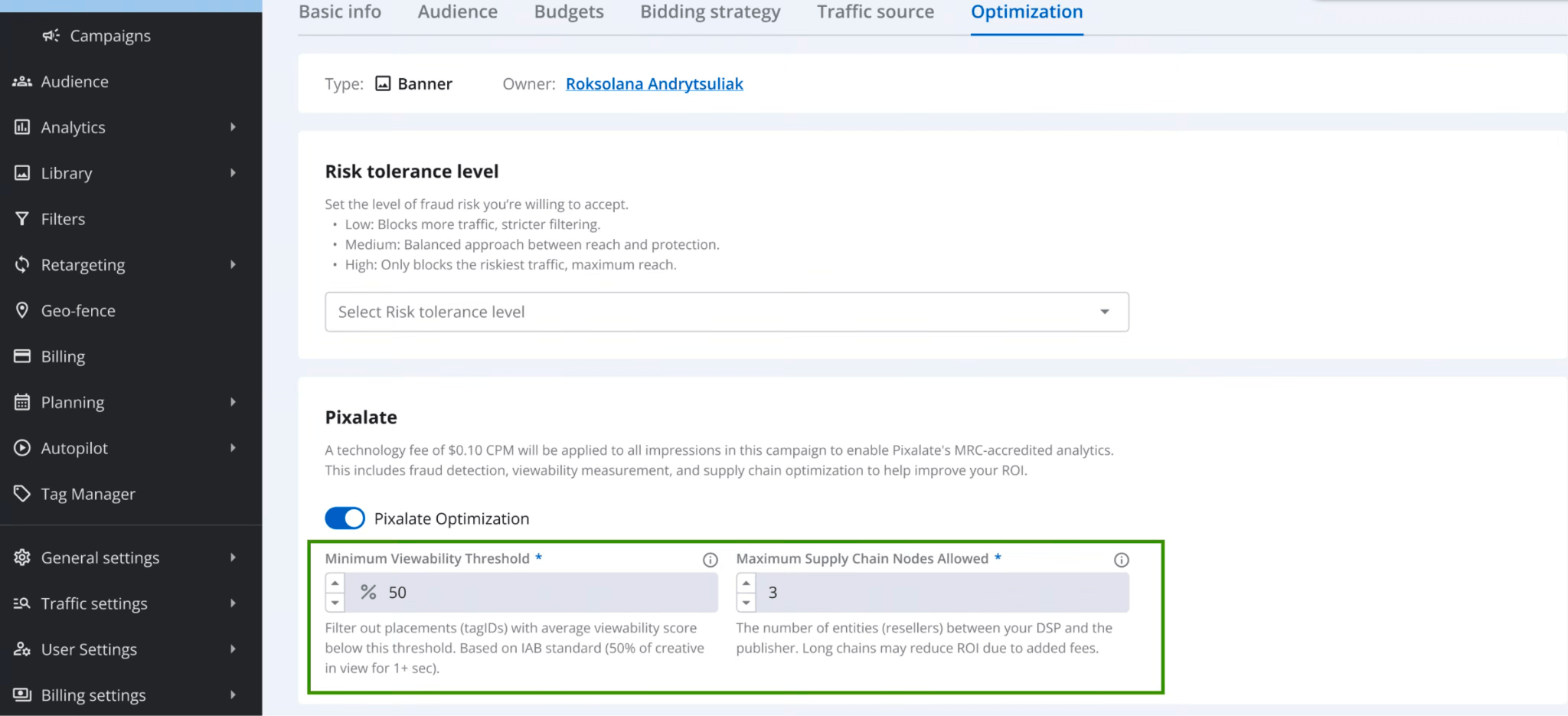
After delivery, Pixalate evaluates each impression using key quality signals, including:
- Viewability: Which % of the banner was actually visible to the user
- Supply Chain Length: How many intermediaries are there between the publisher and the final impression
- Fraud and compliance signals: Metrics accredited by MRC standards, which we will be adding in future releases.
This post-bid data helps you identify low-quality placements where the audience doesn’t see your ads or where there are many third parties between you and the website. The goal is simple: increase viewability, reduce waste, and limit excessive go-betweens that drive up bid prices.
You can enable post-bid optimization at the campaign level. You define minimum quality thresholds, and the system uses Pixalate data to guide optimization decisions.
Default thresholds are:
- Minimum Viewability: 50%
- Maximum Supply Chain Nodes: 3
These metrics are collected consistently across all users, giving campaigns a benchmark quality baseline.
In short, this update shifts quality control from “best guess” to measured reality and gives you more control over placement quality.
Pre-Bid vs. Post-Bid Optimization: How They Work Together
Epom also enables pre-bid optimization for your brand safety. After analyzing supply quality and fraud indicators, our platform filters inventory at the bidding stage. You decide how strict that filter should be:
- Low risk tolerance blocks more inventory for maximum safety.
- Medium balances reach and protection.
- High allows broader reach while blocking only the most problematic traffic.
Pre-bid optimization acts before the auction. It filters risky inventory based on existing fraud signals, already collected by Pixalate, helping you control exposure before spending a dime.
Post-bid optimization works after the ad is shown. It evaluates real outcomes, such as viewability and supply chain length, and then adjusts future deliveries toward higher-quality placements.
Invite Your Team With Access Levels for Self-Serve Advertisers
Self-serve advertisers can now invite teammates and define what each person can do, all without sharing logins. Every invite creates a child account under the advertiser, each with its own permissions. You can find this feature under the Access Management tab at the bottom of your dashboard.
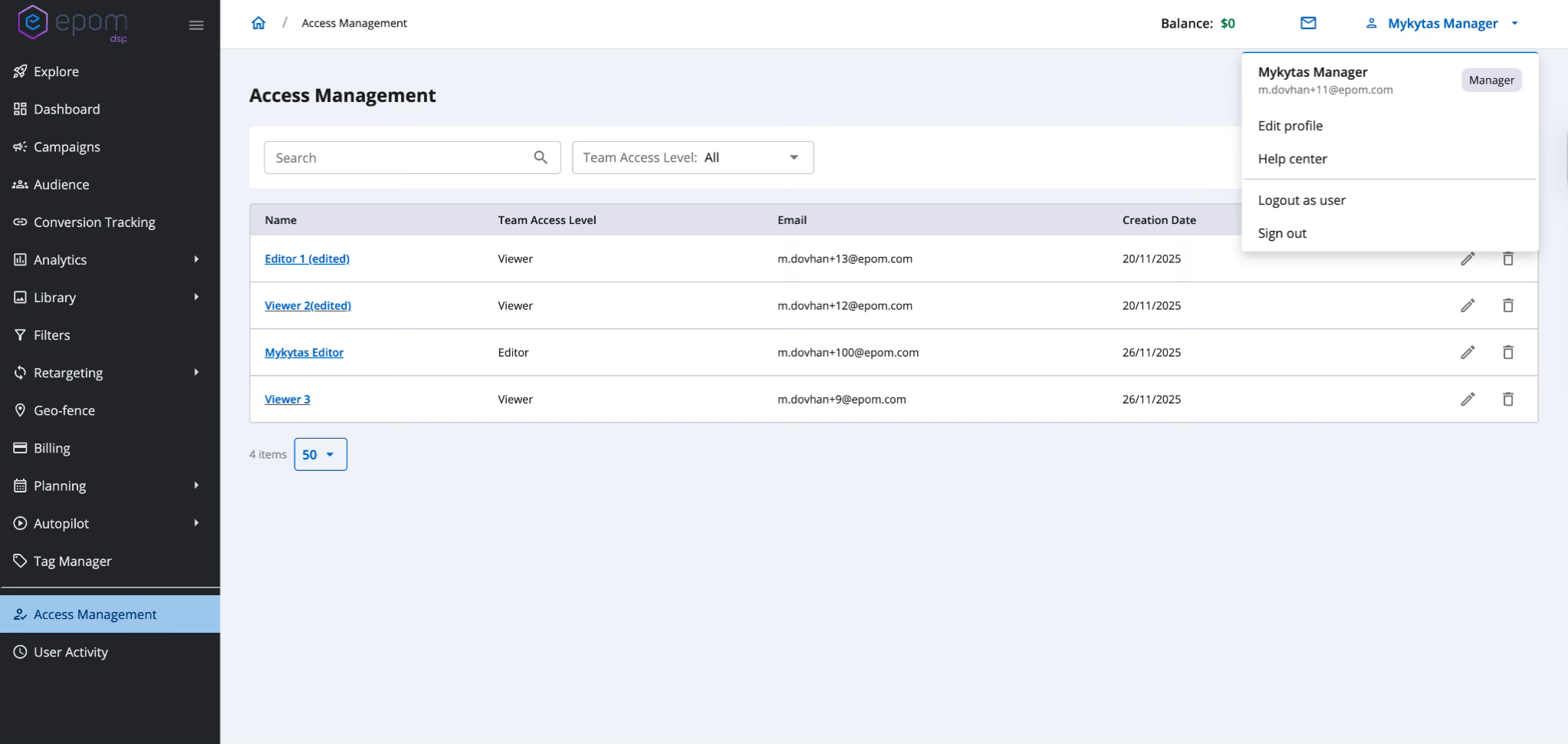
Currently, there are three possible access levels:
Manager (Account Owner)
The Manager owns the setup and stays in control. It’s the parent role inside the platform that can oversee the entire team. This role suits a business owner or the head of a media buying department. Here is what they do:
- Own all assets and settings within the account campaigns, audiences, budgets, and settings;
- Invite and manage editors and viewers;
- Access user activity logs to monitor actions performed by teammates.
Editor
Editors can create and run campaigns without owning them. This role is best suited for media buyers and operational positions at your organization. Here is their area of responsibility:
- They can create campaigns and edit all settings allowed by their permissions;
- But, cannot manage the team or invite new users.
Viewer
Viewers have full visibility into campaigns but can’t change anything. This role is best suited for team members outside media buying or marketing departments, or your agency clients who wish to review their campaign reports. Here are viewers’ permissions:
- Review and analyze campaigns, audiences, budgets, and reports
- But, cannot edit, create, or delete any items
💡 Key point: This feature is available only for self-serve advertisers. If you are a white-label DSP user, you operate under a root account and have access to more granular roles and permissions by design.
Audience Page Improvements: See the Full Setup at a Glance
Reviewing an audience no longer means clicking through multiple tabs to remember what’s configured. The Edit Audience page now includes a clear Summary block that shows the full setup at a glance.
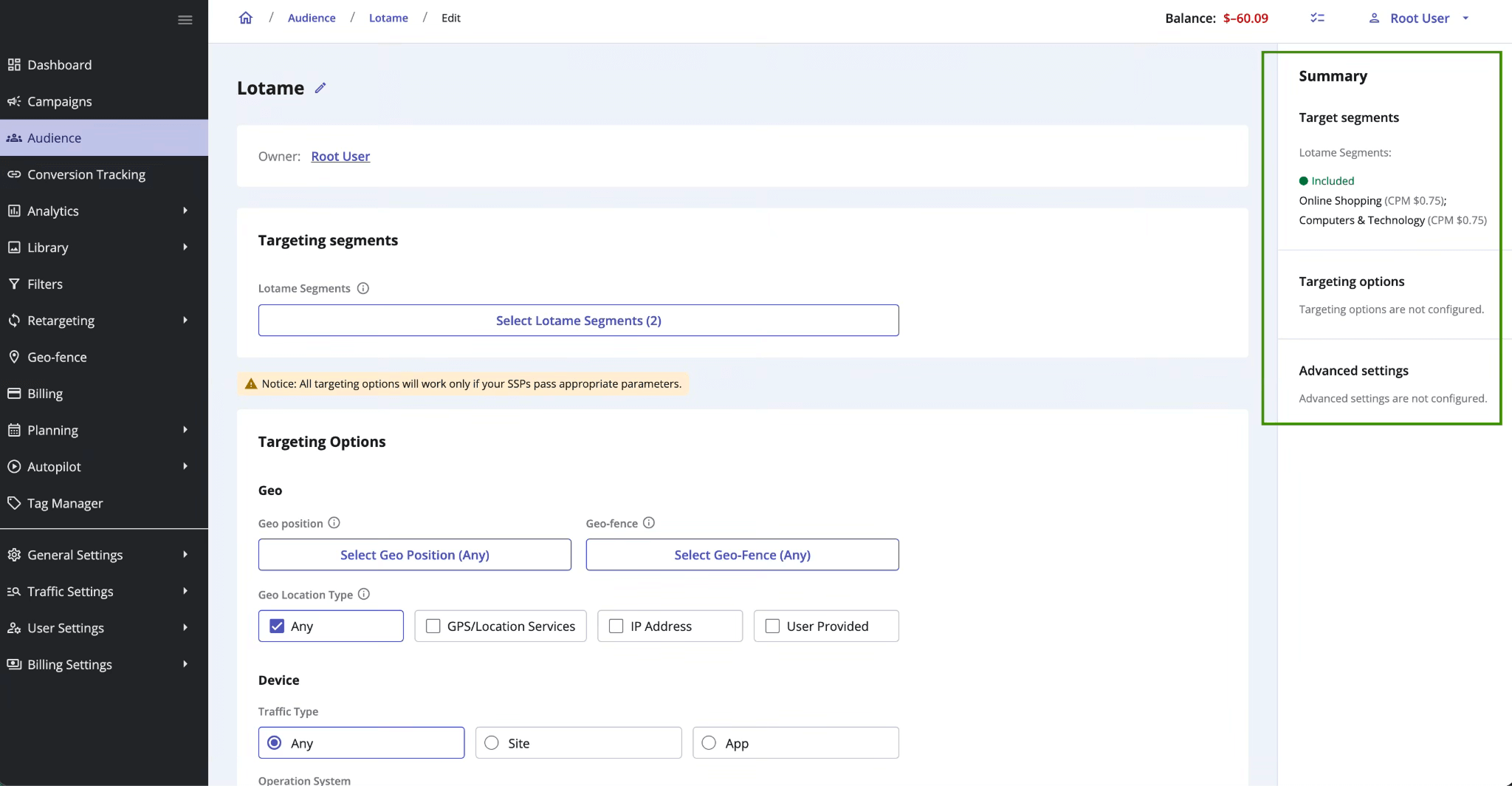
The summary has three sections:
- Target segments — Lotame-provided intent segments involved;
- Targeting options — geo, device, time, and other standard options;
- Advanced settings — everything extra that fine-tunes delivery.
You immediately see what this audience actually does, without manually opening every setting.
Conversion Tracking, Simplified: Client-Side + S2S
Conversion tracking now has its own dedicated tab, separating it cleanly from other campaign settings. No more hunting for postback fields or guessing where a configuration lives.
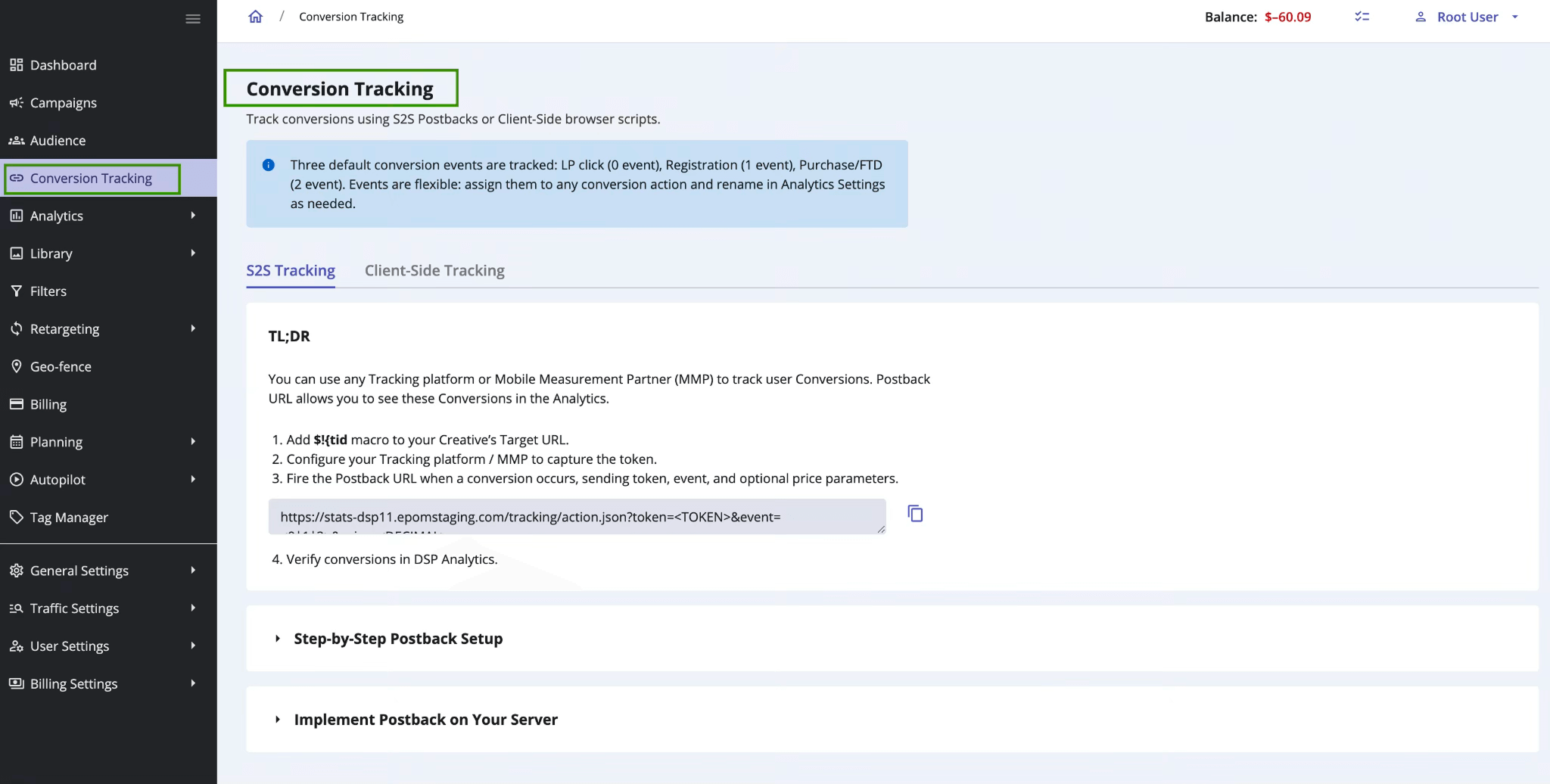
Inside the Conversion Tracking tab, you’ll find two clear sections:
- Server-to-Server (S2S) postbacks
- Client-Side JavaScript tracking
Both are configured side by side, with a unified setup guide that walks through each option step by step. This is especially important for client-side tracking, which was previously harder to set up correctly and easy to misconfigure.
For the client-side tracking, we also support Shopify integration and Google Tag Manager (GTM). The exact configurations for these tracking methods are also described in the new guide.
New Onboarding Page: One Entry Point to Set It Up Right
Getting started in the platform no longer means figuring things out piece by piece.
Epom ad platform now includes a built-in onboarding page. It’s a long-awaited quick start hub designed to guide new users through the core setup flow from day one. It lives in the Explore tab and acts as a practical checklist.
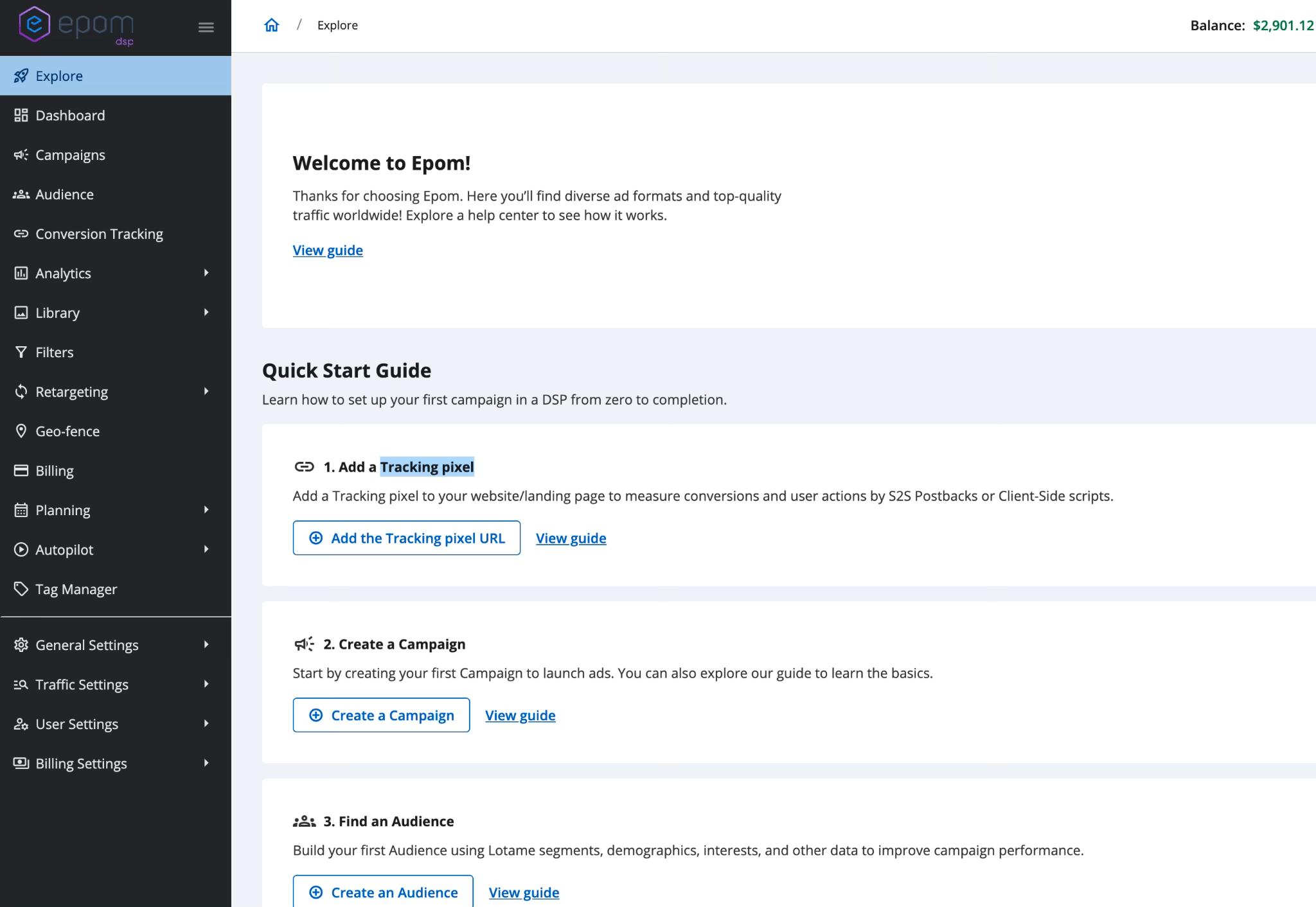
From one place, you can access:
- Campaign setup guidance
- Audience configuration
- Budget setup
- Creative upload basics
- Tracking pixel instructions
- A “What’s New” section for recent updates
Although it’s built primarily for new users, existing clients can also use it as a quick reference to revisit specific features or to guide their own self-serve advertisers.
Wrapping Up: More Control Where It Matters
Epom DSP 7.2.4 focuses on one clear idea: clarity is key to better buying decisions.
With Pixalate post-bid optimization, you’re no longer guessing which inventory performs well; you’re optimizing based on actual performance data. Combined with pre-bid fraud filters, this fully protects spend before the bid and helps reallocate budgets after.
At the same time, everyday workflows get easier. Audiences are simpler to review, conversion tracking is finally straightforward, teams can collaborate inside the platform, and new users get a built-in starting point instead of a blank interface.
No dramatic redesigns. Just an essential ad platform that gives you more visibility, more control, and fewer blind spots as you scale.
Run high-performing campaigns with pre- and post-bid optimization in Epom ad platform
Launch my campaign