
Native banners (Local Native and External Native)
Build a native creative from icon, image and video assets plus texts — and get the asset sizes right, because they have to match the placement exactly.
A native creative is not one file. It is a set of assets — icon, image, optionally video — plus texts the publisher’s own template arranges: title, subtitle, description, call to action. Local Native stores the assets on Epom; External Native points at URLs you host.
Both are created on native placements only.
The one thing to get right: the asset sizes you declare here must equal the sizes the native placement declares — exactly, for all three assets. They are not minimums. See Sizes are an exact match.
Who this is for
Advertisers and network managers running native demand. Read Sizes are an exact match before you upload the assets.
Native banners are off by default. If Add banner for Native Placement is missing from the menu, or the two native types from the combo, ask your network administrator to grant native banners to your role in Admin → Users & access → User roles & permissions.
Prerequisites
- A campaign you can edit.
- A native placement to serve on — read its asset sizes first, because yours must match them.
- The assets: an icon and an image (and a video if the placement asks for one).
Steps
-
On the campaign, Add new banner → Add banner for Native Placement. The form opens on Local Native; switch the Banner type to External Native if you host the assets.
-
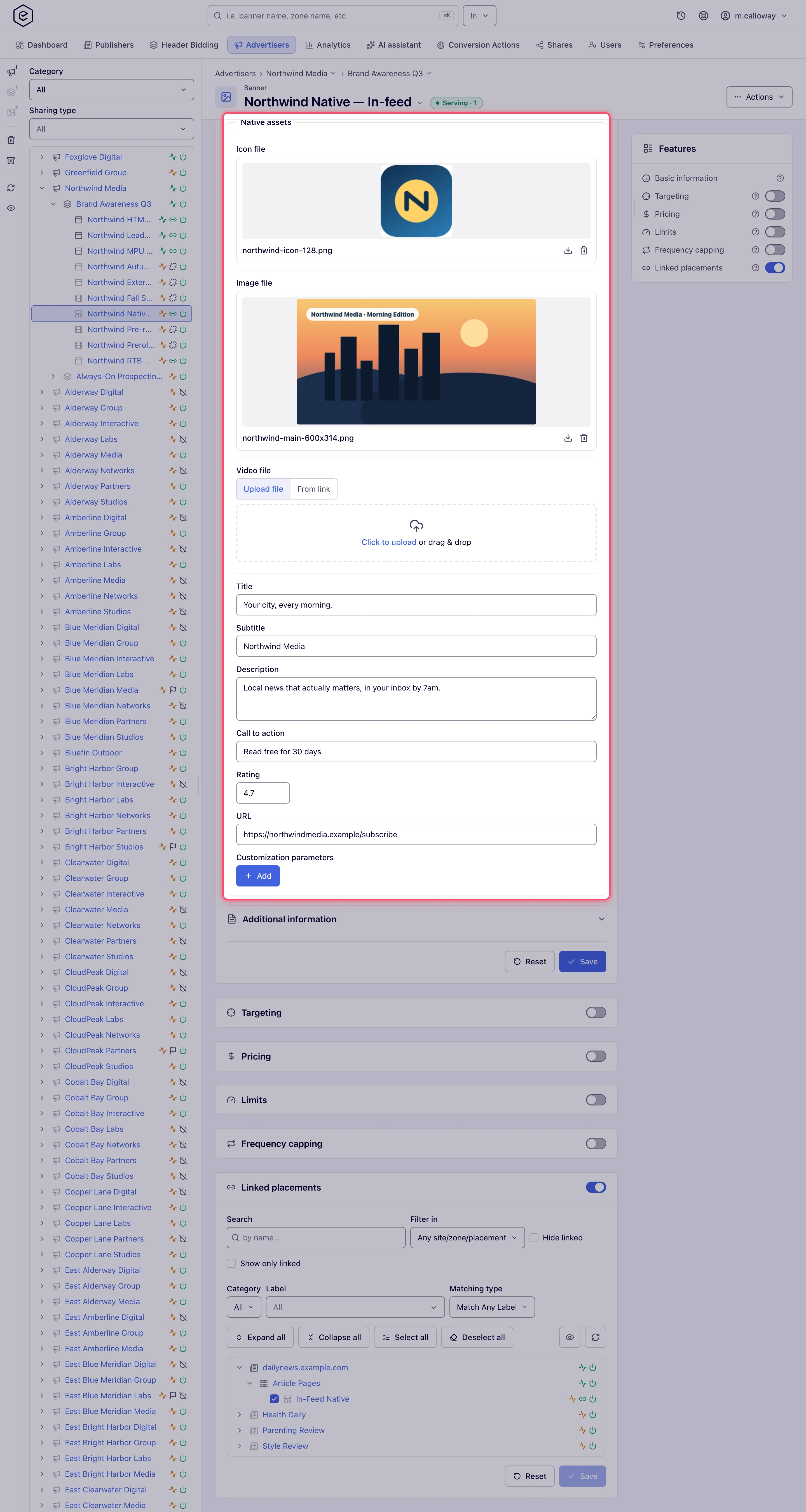
In Native assets, for each asset the placement expects:
- set its size — Icon size, Image size, Video size (width, then height).
- upload the file (Local Native) or paste the asset URL (External Native). A Local Native upload can instead be switched to From link, and the file is downloaded when you save. An External Native can tick Serve from our server under the assets: the URLs stay, and Epom’s copies of the files are served instead — downloaded on save, again when a URL changes, and on Refresh copy; images are held to the upload size limit.
-
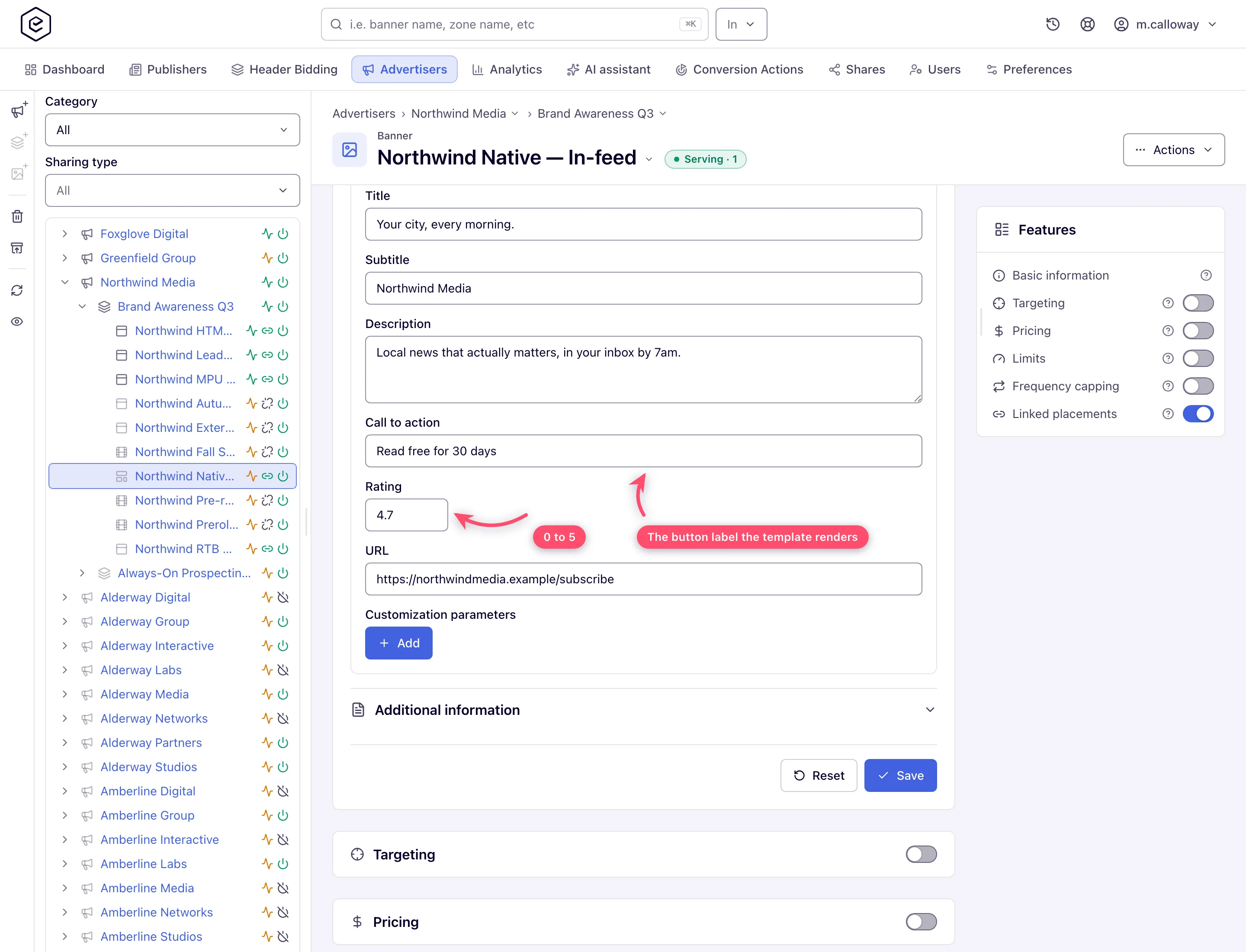
Fill the texts: Title, Subtitle, Description, Call to action.
-
Optionally set Rating (0–5) and the click URL.
-
Add Customization parameters (name/value rows) if the publisher’s template reads extra keys.
-
Save, then link the banner to the native placement.
There is no Preview for native banners — preview exists only for HTML Code, Local File, External File and Template creatives. What the ad looks like is decided by the publisher’s template, not by Epom.
Sizes are an exact match
Matching does not treat the sizes as a floor (older versions of the form labelled them min size). A native banner is offered to a native placement only when every declared asset size is identical to the placement’s — icon to icon, image to image, video to video — and an asset declared on one side must be declared on the other.
| Banner declares | Placement declares | Match? |
|---|---|---|
| icon 128×128, image 600×314 | icon 128×128, image 600×314 | ✓ |
| icon 128×128, image 600×314 | icon 128×128, image 1200×627 | ✗ — image differs |
| icon 128×128, image 600×314 | icon 128×128, image 600×314, video 640×480 | ✗ — video on one side only |
| icon 128×128, image 800×418 | icon 128×128, image 600×314 | ✗ — bigger is not better |
A mismatch is silent. The banner saves, the link request returns success, and the banner simply stays Not serving with no placement attached. If linking appears to do nothing, compare the two sets of numbers first.
Options and fields
Assets
| Field | Local Native | External Native | Rules |
|---|---|---|---|
| Icon size (W × H) | ✓ | ✓ | Must be non-zero once an icon is present, or the save fails with Invalid value on the offending input. Your role may hide these fields or show them read-only. |
| Icon file / Icon URL | upload | URL | See the format rules below. |
| Image size (W × H) | ✓ | ✓ | Same non-zero rule. |
| Image file / Image URL | upload | URL | |
| Video size (W × H) | ✓ | ✓ | Same non-zero rule, plus the orientation rule below. |
| Video file / Video URL | upload | URL |
Uploaded images must be .gif, .jpg/.jpeg, .png or .svg, the browser-reported type
must start with image/, the file’s real type must match its extension, and the file must be
within the network’s cap (200 KB by default). SVG files skip the binary checks and are
sanitised on the way in — embedded scripts and event handlers are stripped.
Uploaded video must be .mp4, within the video cap (20 MB by default), and readable —
Epom measures it and compares it against the declared size.
External Native URLs (and the native click URL) are checked for whitespace on every
network: an address with a space is rejected before the save. Whether a malformed address is
refused follows your network’s URL-validation switch — with it off, a URL needs a scheme and a
host under a registered top-level domain; with it on, the console form accepts any text without
whitespace and the API refuses only script and local-file schemes such as javascript: and
data:. Creative ad specs → Texts has the
details.
Texts
| Field | Limit | Notes |
|---|---|---|
| Title | 255 characters | Network-configurable. The form stops typing at the limit; over it through the API: Maximum number of symbols exceeded. |
| Subtitle | 255 characters | |
| Description | 32 000 characters | |
| Call to action | 255 characters | |
| Rating | 0–5 | Outside the range: Must be between 0 and 5. |
| URL | a URL without whitespace | The click-through. An address with a space is always refused. A malformed one — Invalid URL. — is refused only where your network’s URL-validation switch is off, or, through the API, when it uses a script or local-file scheme (see the note above). |
| Customization parameters | — | Free name/value rows passed to the publisher’s template. |
Corner cases and gotchas
Corner case: the three size rows are what a native placement matches against, so fill them in even when the assets you are uploading already carry sizes. A banner with no sizes set will not match a placement that asks for them.
Corner case: the icon and image file names must differ. Uploading
creative.pngas both fails with Names have to be unique on both fields. The video file name is not compared against either of them. A file given by From link never trips this: when its name is already taken it is stored under a distinct one (the image asimage-<name>).
Corner case (animated GIF): a GIF asset must match its declared size exactly — Animated GIF should match banner’s width and height. And once a GIF is in place you cannot change the declared size — Animated GIF width cannot be changed when creative is present (and the same for height). Delete the file, save, then resize.
Corner case (video orientation): declaring a portrait size (height greater than width) and uploading a landscape video fails with Vertical oriented video expected, and the reverse fails with Horizontal oriented video expected. A video smaller than its declared size is rejected too: Current video dimension is WxH should be more or equal to WxH (the file’s size, then the declared one).
Note: invisible characters are cleaned up for you on save. Text pasted out of a word processor or a chat can carry a character that displays as nothing — most often a line separator at the very end — which makes a URL unfetchable while looking perfectly correct. They are removed from the URL fields, the text fields and the customization parameters on save (a line separator becomes a real line break, so words are never run together). The invisible marks Hebrew, Arabic, Urdu and Persian are written with are not touched, and a visible mistake such as a space inside a URL is still reported rather than silently repaired.
Note: for programmatic native demand, use an OpenRTB banner on the native placement instead — OpenRTB is the third type the native combo offers.
Over the API
POST /rest-api/banner/create.do and …/{bannerId}/update.do take a native banner’s assets as
iconWidth/iconHeight, imageWidth/imageHeight and videoWidth/videoHeight, plus the texts
(title, subtitle, description, callToAction, rating, clickUrl).
- Local Native — multipart
nativeIconFile,nativeImageFileandnativeVideoFile; or, without multipart,nativeIconFileUrl,nativeImageFileUrlandnativeVideoFileUrl(public http/https addresses, downloaded once and stored as an upload is). On an update each replaces the stored file. - External Native — the asset addresses go in
iconUrl,imageUrlandvideoUrl; an empty value removes one, an omitted one keeps it.hostExternalFiles=trueis Serve from our server, andrefreshHostedFiles=true(update only) downloads every link again.
See Entities CRUD → creating each creative type without a file upload.
Per-role notes
- Can view share — uploads, URLs and texts are disabled and the card carries a Read-only pill; the stored assets stay visible and downloadable. Ask the owner for Can edit if you need to swap an asset.
Related
- Native placements — the supply side whose sizes yours must match
- Banner types — decision guide
- OpenRTB (DSP) banners
