
Server-side trackers
Fire tracker URLs from the ad server itself on ad request, impression or click — no client JavaScript — on a banner or a placement.
A server-side tracker is a URL the ad server itself requests when an ad event happens — an ad request, a validated impression, or a click. Nothing runs in the visitor’s browser: the ad server opens the connection from its own machines, so the tracker fires even where scripts, third-party pixels and cookies are blocked. Use it to tell an external system — a DSP, a verification vendor, your own logging endpoint — that the event happened.
It is not a conversion pixel. Server-side trackers fire on ad events; a piggyback fires on an attributed conversion.
Who this is for
Nobody, until an administrator says otherwise. The card lives on both banners and placements, and on a stock network it is switched off for every role — network manager, publisher and advertiser alike. The feature is deliberately opt-in: an administrator turns it on per role in Admin → Roles, separately for banners and for placements, and it is an on/off choice with no read-only middle setting. Once a role has it, the card appears for anyone in that role who can edit the entity.
Prerequisites
- A saved banner or placement. The card is not on the create form; the create form shows only Basic information. Save the entity, then reopen it to add trackers.
- Edit access to that entity — a Can view share is not enough.
- One or more
http:///https://tracker URLs.
Steps
- Open the entity that should carry the tracker:
- Account → Advertisers → advertiser → campaign → banner → Server-Side trackers — fires wherever this creative serves, on any placement.
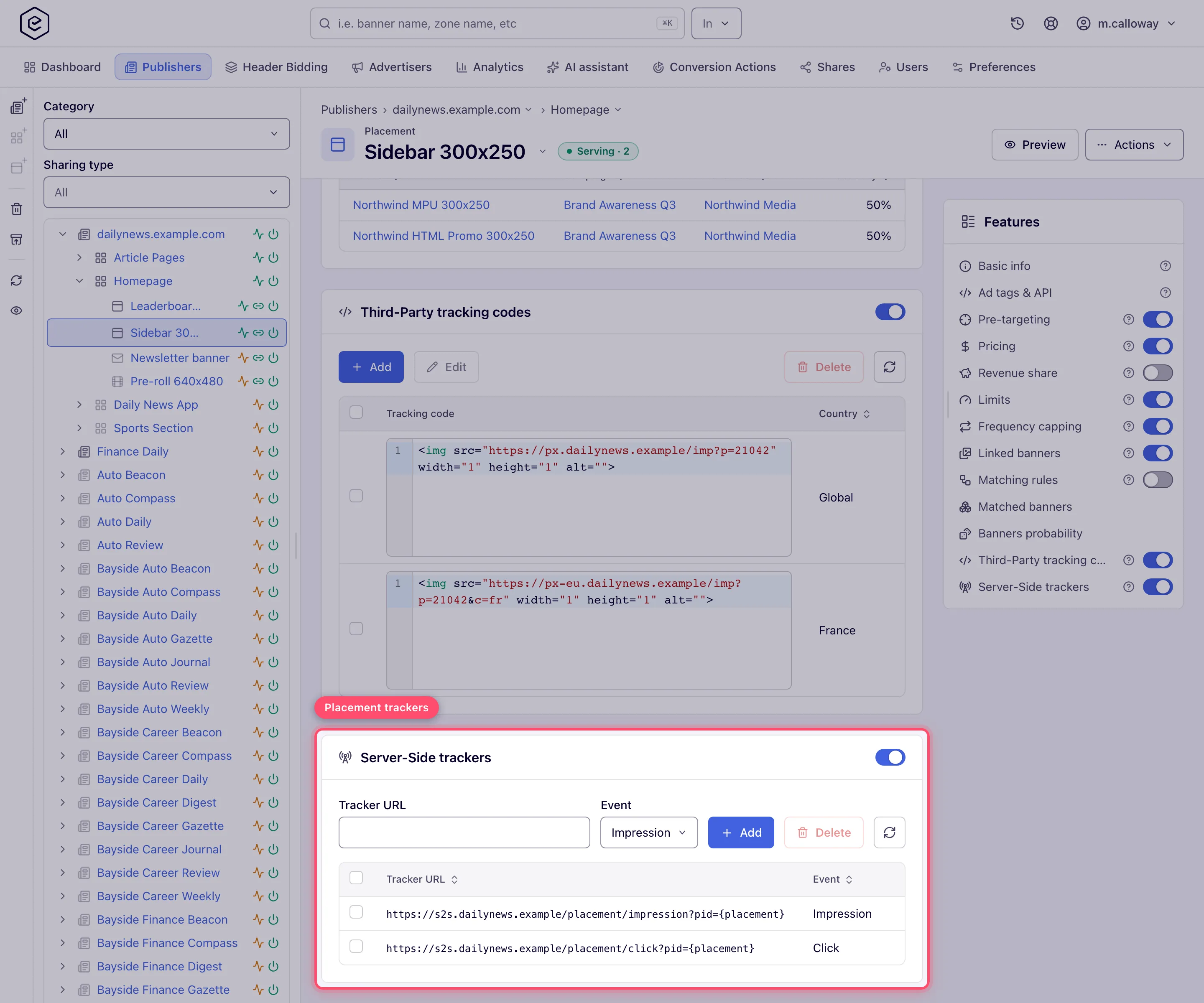
- Account → Publishers → site → zone → placement → Server-Side trackers — fires for everything this placement serves, from any advertiser.
- Switch the Server-Side trackers card on. The switch posts immediately and on its own — there is no page-level Save to press afterwards — and it flips back if the server rejects it. The card body exists only while the switch is on: with the switch off you see the card header and nothing under it.
- Paste a Tracker URL and pick the Event that should fire it — Impression,
Click or Ad request. Press Enter in the URL field, or click Add.
A rejected URL is reported as a red toast in the bottom-right corner — Required for an empty
field, Invalid Url for anything that is not a parseable absolute URL, The URL must start
with http:// or https:// for any other scheme — and nothing is stored.
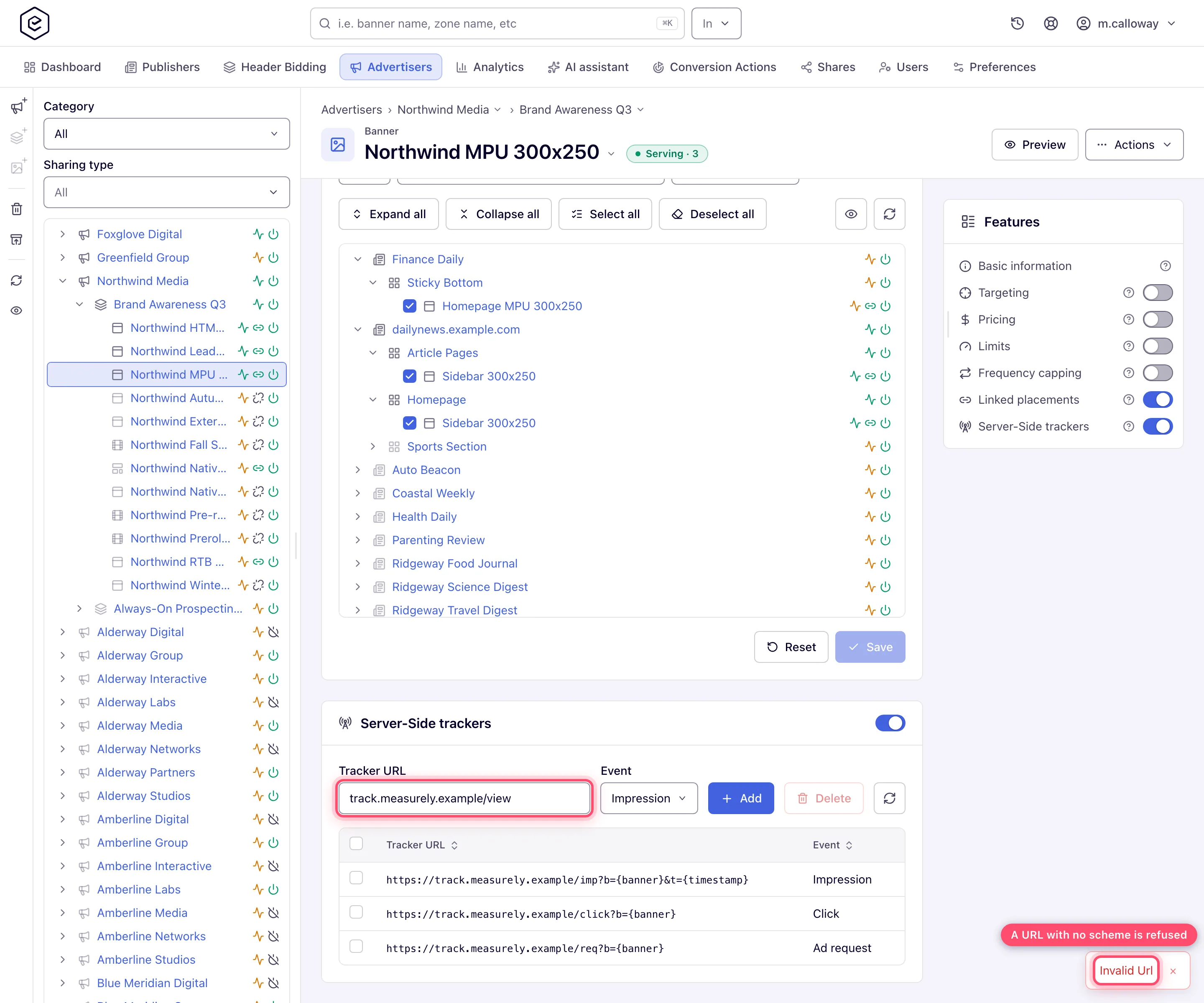
- The row appears in the grid with its URL and event. Repeat for each URL — you can add as many
trackers as you like per event and mix events freely.
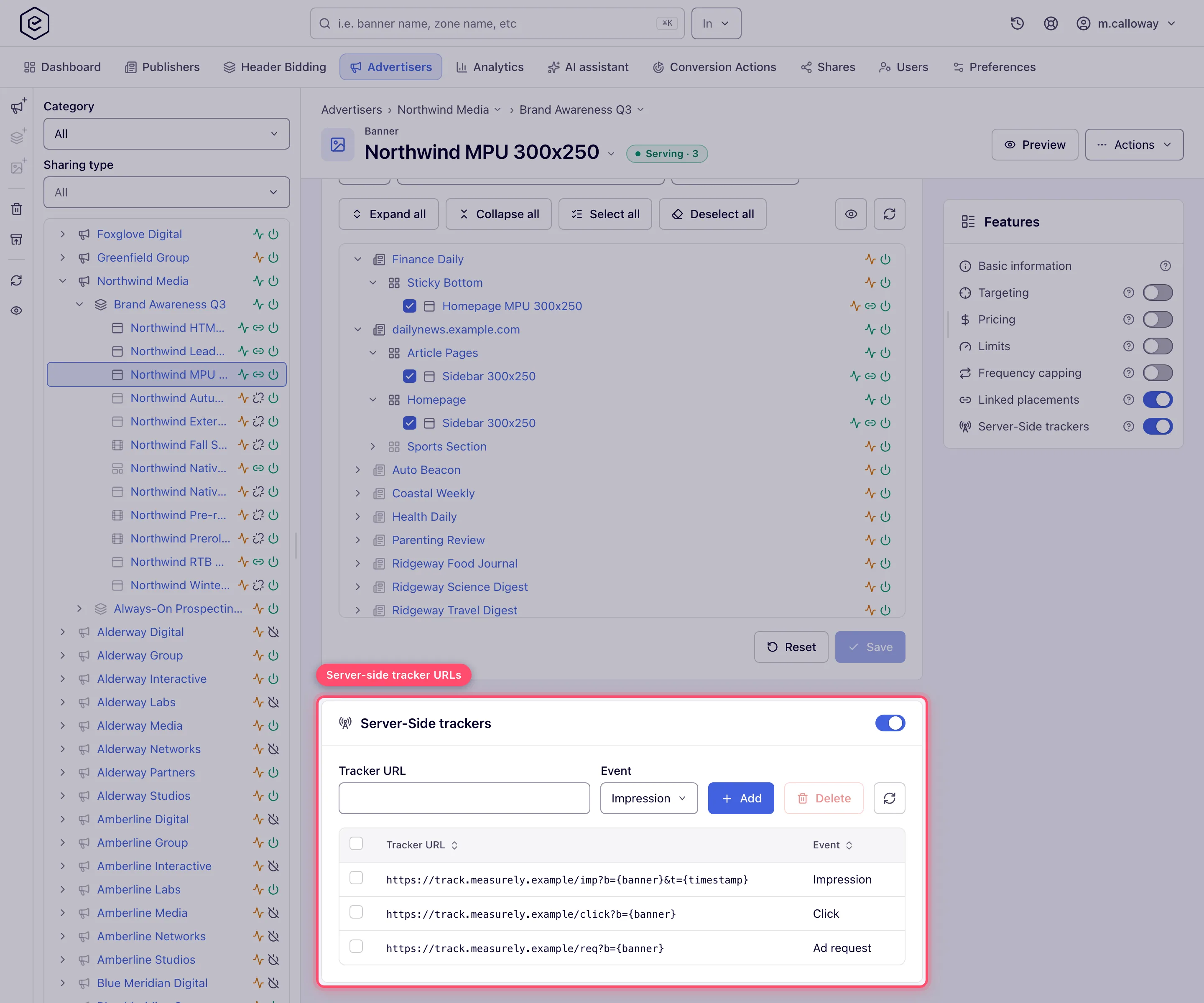
- To remove trackers, tick their checkboxes and click Delete (the button shows the count); confirm Delete tracker?. There is no inline edit — to change a URL, delete the row and add it again.
- Wait for the ad servers to pick the change up. They serve from an in-memory cache that reloads on a schedule — every ten minutes on the default configuration — so a tracker you add now is not firing yet.
The card is identical on the supply side. Only the editor around it changes: a placement’s trackers fire for every advertiser whose creative wins that placement.
Options and fields
Events
| Event (as the UI labels it) | Stored as | Fires when |
|---|---|---|
| Impression | IMPRESSION | The impression beacon comes back and passes validation — see the corner case below. One beacon that reports several aggregated impressions still fires the tracker once. |
| Click | CLICK | The click redirect is processed, immediately after the click is logged and before the visitor lands on the destination. |
| Ad request | REQUEST | The ad server assembles the creative’s markup, i.e. on the ad-serving request itself, before the response is written. Fires at most once per ad request, and never for a banner preview. |
The card
| Control | What it does |
|---|---|
| Card on/off switch | Master switch for this entity. Off = nothing fires and the configured rows are hidden (but kept). |
| Tracker URL | The URL to call. Free text, macros allowed, 512 characters maximum. |
| Event | Which of the three events fires it. Defaults to Impression. |
| Add | Stores the row. Enter in the URL field does the same. |
| Delete | Deletes every ticked row, after a confirmation. Enabled only once something is ticked. |
| Refresh (the circular-arrow icon) | Re-reads the grid from the server — useful when someone else is editing the same entity. |
| Grid columns | Tracker URL and Event, both sortable. The URL is shown exactly as stored, macros unexpanded. |
What the ad server actually sends
- A plain GET, no request body, and no cookies — the ad server is not the visitor’s browser, so a partner that identifies users by its own cookie cannot be served this way.
- Headers copied from the incoming request, so the receiving end sees the visitor’s context
rather than the ad server’s:
User-Agent,Accept-Language,Referer,Origin,X-Forwarded-For,X-Real-IP,X-Forwarded-Proto,DNT,Sec-GPC, and everySec-CH-*client hint the request carried. Nothing else is forwarded. - Macros expanded first. The URL goes through the same
$$…$$replacement chain as banner markup, resolved in the context of the event that fired it — so$$RANDOM$$gives you a cache buster,$$TRANSACTION_ID_STR$$ties the hit to the impression,$$COUNTRY$$and$$ZONE_ID$$resolve as usual. See the Macros reference. The ad-request context is the richest one; the impression and click contexts are rebuilt from what the beacon or the redirect URL carries, so a macro with nothing to resolve to there comes back empty rather than being left in the URL as literal text. - Banner and placement trackers are additive. When a banner with an Impression tracker serves into a placement that also has one, both fire — it is never either/or. The banner’s are dispatched first, but the calls are asynchronous, so do not rely on the order they arrive in.
Corner cases and gotchas
Corner case: an Impression tracker fires only for an impression the ad server accepts. A beacon from a known bot, from a blacklisted IP or user agent, or with a bad signature is recorded as a fraud impression instead and never reaches the tracker. That is usually what you want, but it means the partner sees only the impressions Epom itself counted, not every beacon that arrived.
Corner case: a Click tracker does not get the same filter. A click the ad server flags as fraudulent still fires the tracker, even though that click is deliberately kept out of the daily statistics and so never appears in your Clicks report. A partner counting your Click tracker can therefore come out ahead of the clicks you see in Analytics.
Corner case: a slow tracker endpoint cannot slow your ad serving. The GET is issued through a dedicated asynchronous HTTP client (its own connection pool — 200 connections, 50 per host — with a 1-second connect and 5-second read timeout) and the ad server never waits for the answer. What does happen on the serving thread is the macro expansion and, when a brand-new connection has to be opened, the DNS lookup for the tracker’s host — so point trackers at hostnames that resolve, and prefer a handful of hosts over hundreds.
Corner case: redirects are not followed. The ad server calls the URL you configured and stops there; if it answers
302, the location it points at is never requested. Configure the final URL, not a redirector.
Corner case: switching the card off does not delete the rows. The ad server stops firing them and the card body disappears from the editor, but everything is still stored and comes back unchanged when you switch the card on again.
Corner case: the URL check is deliberately loose so macros can pass. It requires an
http://orhttps://scheme and a parseable URL, nothing more.https://tracker.northwind.example/px?cb=$$RANDOM$$is accepted;tracker.northwind.example/px(no scheme) and a bare$$CUSTOM_PARAM(px)$$are both rejected as Invalid Url. Other schemes such asftp://are refused, because the ad server only ever issues an HTTP GET.
Corner case: the URL holds at most 512 characters; the field stops there, and the REST API refuses a longer one with Must be at most 512 characters. on
url. Macros expand after saving, so only the stored text counts against the 512.
Corner case: duplicates are allowed. Adding the same URL twice for the same event stores two rows and the ad server calls it twice per event. Check the grid before adding rather than re-adding a row you are not sure about.
Corner case: under GDPR anonymity the IP-revealing headers are dropped. When the network’s policy is Require IAB consent with a no-consent restriction of Do not use any cookies or server-side processing (or Do not serve ads) and the request carries no valid consent,
X-Forwarded-For,X-Real-IPand the high-entropy client hints (Sec-CH-UA-Model,Sec-CH-UA-Full-Version,Sec-CH-UA-Full-Version-List,Sec-CH-UA-Platform-Version,Sec-CH-UA-Arch,Sec-CH-UA-Bitness) are stripped before the call. A vendor that geolocates from the forwarded IP sees only the ad server’s own address for that traffic. See GDPR / TCF consent.
Corner case: there is no delivery report. The UI never shows how many times a tracker fired or whether it succeeded — verify from the receiving end. For a single request you can see the attempt: each fire writes
Server-side tracker [IMPRESSION] -> <url>into the ad-serving troubleshooting log, which you capture with a troubleshooting log task. Adding, deleting and switching trackers is recorded in the Actions log.
Per-role notes
- Network manager, publisher, advertiser — no card until an administrator turns the feature on for the role, separately for banners and placements. Until then add, delete and the switch answer permission denied, in the UI and over the REST API.
- Can view share — with the entity’s trackers on, the grid shows read-only, with no add row, checkboxes or Delete; with them off, the card is hidden.
