
Statistic user, campaigns and deletion: the advertiser header
What the saved advertiser's header offers — the campaign and banner counters, Add new campaign, Actions → Create user & share for a statistic login the client watches its stats with, and Actions → Delete this advertiser with the 90-day restore.
A saved advertiser’s header is where you jump to its campaigns and banners, start a new campaign, hand the client a statistic user — a login pre-shared to the advertiser as Can view — and delete the advertiser with everything under it. The form itself is on Create an advertiser; the settings an advertiser carries are on Create and edit an advertiser.
Example. Summit Ridge Outdoor wants to watch its 4 campaigns without touching them. From the
advertiser’s header, Actions → Create user & share with username summitridge, the contact
email already filled in and an advertiser role sends the client a set-password link; the login
sees the advertiser read-only, with every card but no Save.
Typical scenarios
| You want | Do | Where |
|---|---|---|
| A new client with one login to watch its own stats | Actions → Create user & share (the Email under Additional information pre-fills the dialog) | the saved advertiser’s header |
| Every banner of the advertiser in one grid | the (banners: N) counter in the title | the saved advertiser’s header |
| The advertiser and all its campaigns gone, with a way back | Actions → Delete this advertiser, then Recently deleted within 90 days | the header; the tree’s action rail |
Step by step
Header actions
The header appears only on a saved advertiser. Its title carries two linked counters: (campaigns: N) opens the advertiser’s campaigns, (banners: N) every banner across all of them (the full banners grid narrowed to this advertiser, without the Advertiser column and without Add banner — create banners from the campaign). Both counts exclude deleted entities.
Add new campaign jumps to the campaign create form (Campaigns). It needs the right to create campaigns and an advertiser you can edit; on a masked share it is visible but disabled.
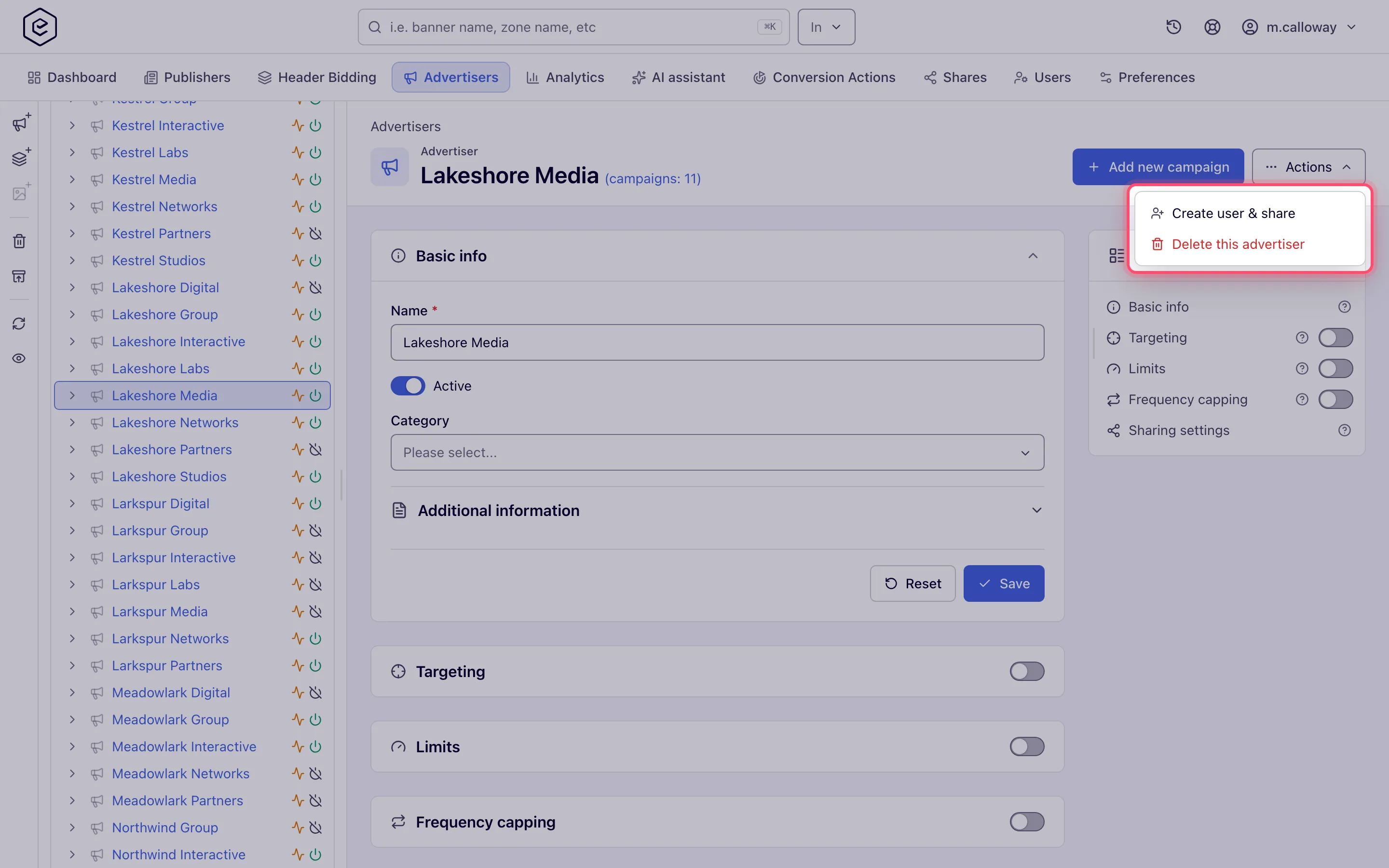
Actions → Create user & share creates a statistic user: a login pre-shared to this advertiser as Can view, so a client can watch their own stats.
-
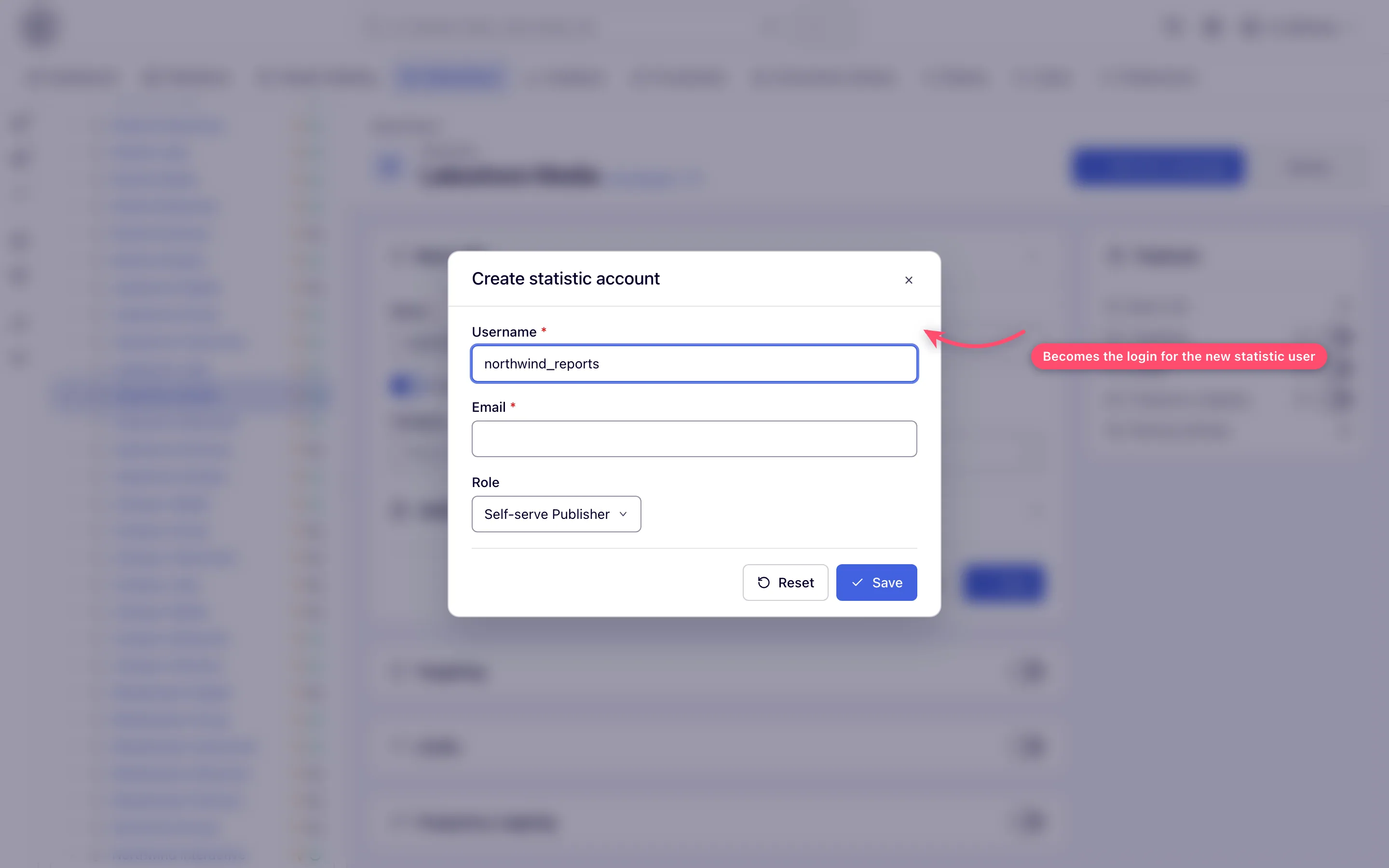
Open Actions → Create user & share (needs the right to share campaigns, at least one role you may assign, and edit rights on the advertiser). The dialog is titled Create statistic account.
-
Type a username (starts blank), check the email (pre-filled from the advertiser’s contact email) and set the role deliberately — the default is simply the first role you may assign, which on a stock network can be Self-serve Publisher.
-
Click Save. The toast reads Invitation to choose a password sent to the address — read it, because a taken username or email is rewritten rather than refused (see caveats). The invitation carries a set-password link, never a password.
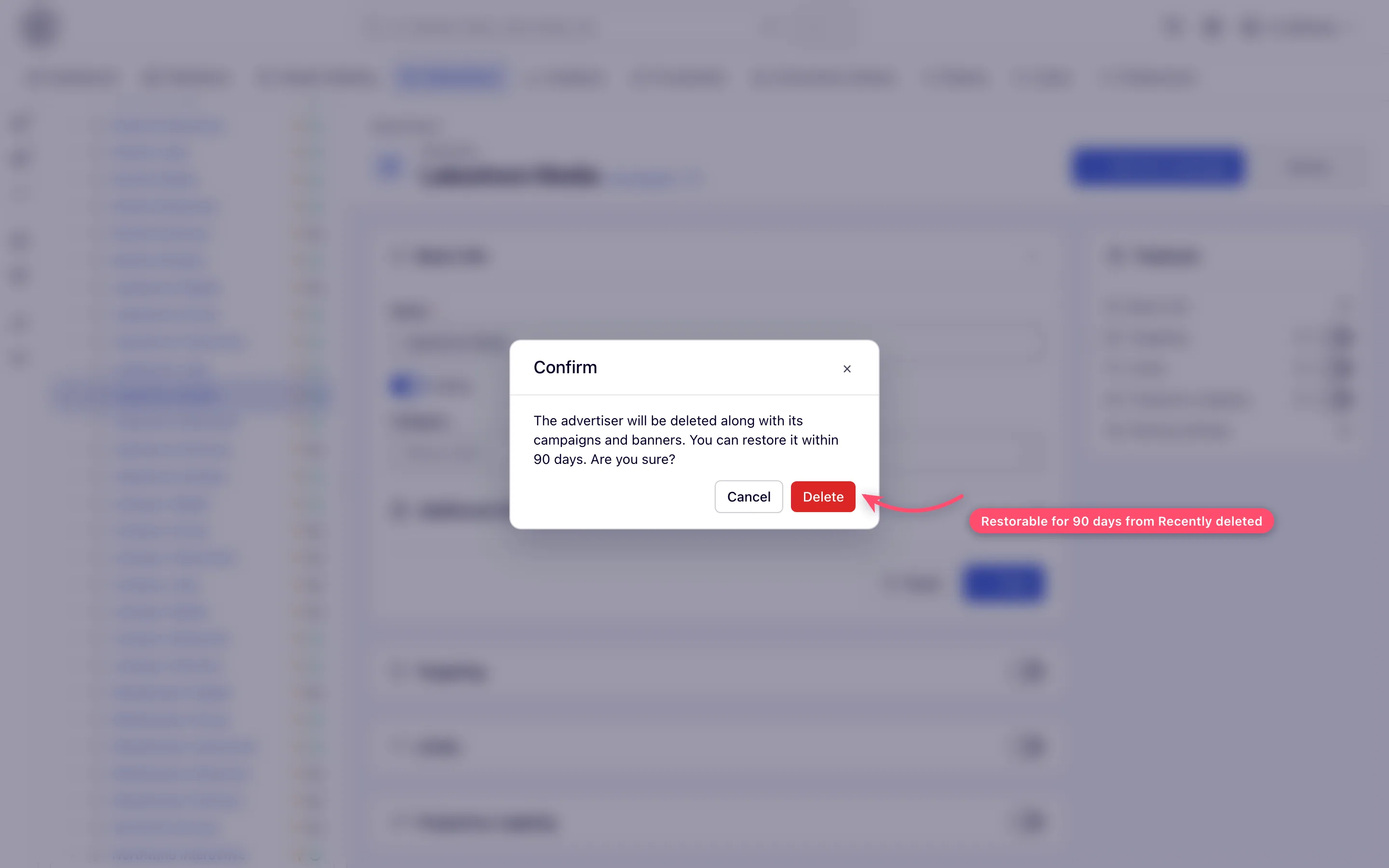
Actions → Delete this advertiser asks “The advertiser will be deleted along with its
campaigns and banners. You can restore it within 90 days. Are you sure?” On Delete the
advertiser and every campaign and banner under it are marked deleted, switched off and leave the
console. The success toast carries a Recently deleted link; that page (also the box-with-arrow
button in the tree’s action rail) or POST /rest-api/deleted-entities/{type}/{id}/restore brings
everything back for 90 days (Restore something you deleted).
Caveats and exceptions
Statistic user: taken names are rewritten, not refused. A taken username gets a number
appended (ops becomes ops1, ops2, …); a taken email gets +N, a random digit 1–9, before
the @. The invitation goes to the rewritten address and the toast names it. A blank username or
email answers “Required”, a malformed email “Invalid email”. If the advertiser’s own Email was
blank, creating the user backfills it with that user’s email.
Only the owner can delete. Deleting needs an Is owner share; with Can view, Delete still shows in the tree rail but the server refuses it. Deletion cascades to campaigns and banners, switches them off and unlinks banners from placements; a deleted advertiser answers 404 over the API, including for writes, until restored — and a restore brings back exactly those campaigns and banners with their on/off state and placement links.
The caveats that apply to every advertiser — who can do this, masked shares, the advertiser domain — are on Create and edit an advertiser.
Not working?
| Symptom | Check | Where |
|---|---|---|
| Add new campaign greyed out | Masked share, or no right to create campaigns | Ask the owner for Can edit |
| Delete refused | You hold Can view, not Is owner | Sharing settings of the advertiser |
| Statistic user invitation went to a strange address | The email was taken and rewritten with +N | Read the toast; fix the user under Users |
| The wrong role on the statistic user | The default is the first assignable role | Set it in the dialog before Save |
| An unknown contact email on Basic info | Backfilled from the statistic user you created | Expected |
| 404 from the API for an advertiser you can see in Recently deleted | It is deleted; writes fail until restored | POST /rest-api/deleted-entities/{type}/{id}/restore |
The rest of the list — the form’s fields and cards — is on Create and edit an advertiser.
Reference
The delete and restore calls are in Over the API; what a Can view share and a statistic account see is on Share sites and advertisers with users.
