
Install header bidding in an app with Prebid Mobile
For a publisher with an app — point Prebid Mobile at the Prebid Server address and account the network sent, use each slot id as the configId of one ad unit, start the units from the SDK's initialisation callback and declare the AD_ID permission on Android, with what to check when the app logs an unrecognised Config Id.
What it is and why
An app cannot run Prebid.js, so the auction runs on a Prebid Server: the network sends you its address, an account id and one slot id per ad unit, and Prebid Mobile in your app sends each ad request there. You install the values once; the slots and their demand are managed on the network’s side. The page setups are on Header bidding: what a publisher installs.
Example. A game app has an interstitial and a rewarded video. The network sends the Prebid
Server address, the account n1234 and two slot ids, n1234-26 and n1234-27. Each becomes the
configId of one ad unit; from then on the network’s campaigns bid on both positions on every
request the SDK makes.
Typical scenarios
| How your app serves ads today | What the network sends you | Where it goes |
|---|---|---|
| An app (Prebid Mobile), or a server-side auction | The Prebid Server address, an account id and one slot id per ad unit | Your app code |
| Your own Prebid Server | The address your server reads the slots from, or one document per slot | Your Prebid Server’s configuration — see Getting the adapter |
Step by step
-
Point the SDK at the Prebid Server address and account the network sent — a small-volume shared server or a dedicated one, as described under Which Prebid Server to use. For example on Android:
PrebidMobile.setPrebidServerAccountId("<networkId>");
PrebidMobile.setPrebidServerHost(Host.createCustomHost("https://<prebid-server>/openrtb2/auction"));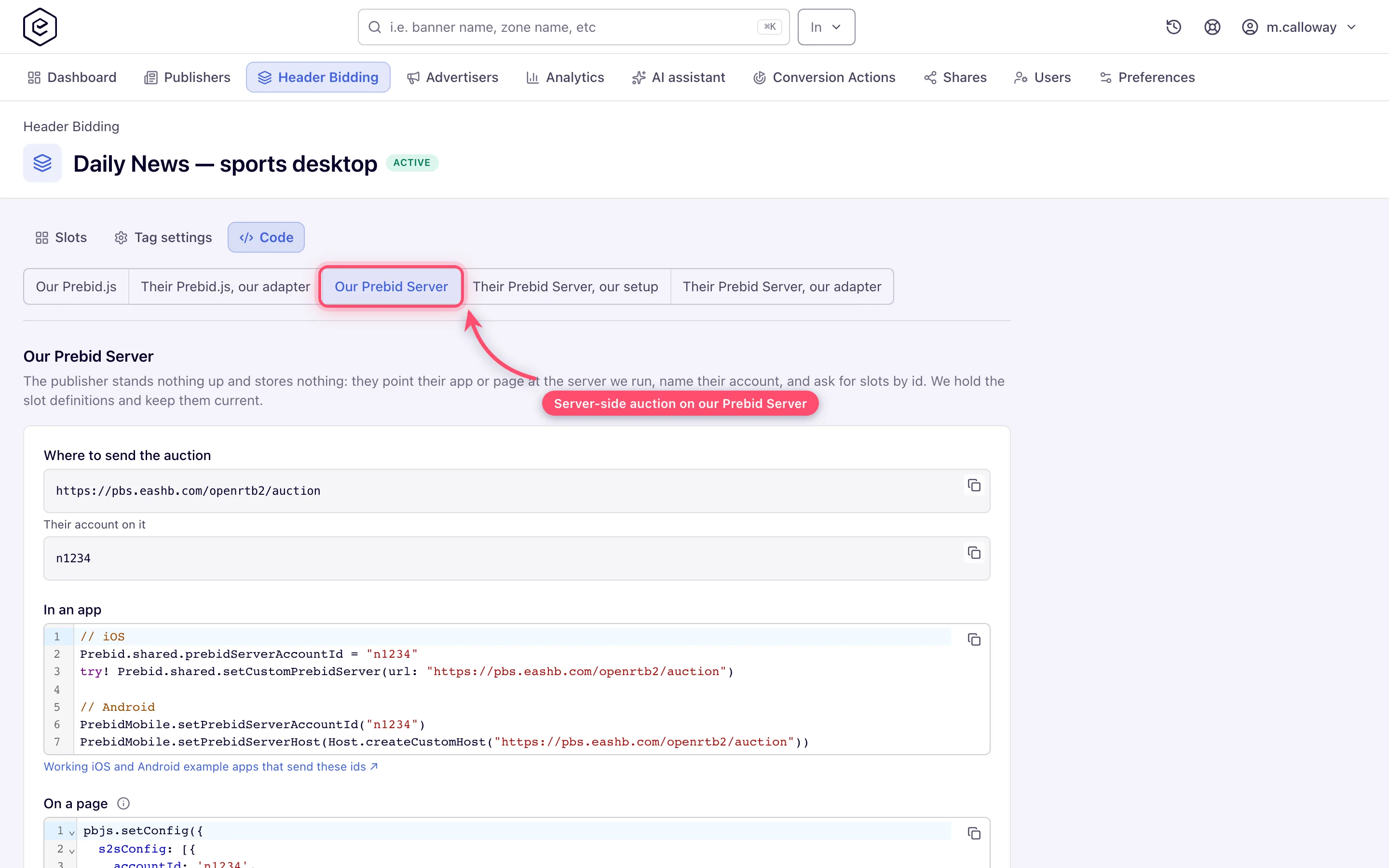
-
Use each slot id (it looks like
<networkId>-26) as theconfigIdof one ad unit. One id serves one kind of creative: a rewarded video and a rewarded playable are two ad units with two ids. -
Start the ad units from the SDK’s initialisation callback, so the first request is not lost.
-
On Android, declare the
AD_IDpermission; without it frequency caps cannot apply to your users.
The example apps for iOS and Android show each format end to end.
Caveats and exceptions
A slot id is fixed once created. If the network removes a slot and adds it again, it has a new id, and the app has to be updated with it.
The caveats that apply to every setup — who this is for, what you need before you start, the floors and consent you keep, how changes reach the page — are on Header bidding: what a publisher installs.
Not working?
- The app logs Prebid server does not recognize Config Id. Where: the
configIdagainst the slot list the network sent, character by character; a slot the network removed and re-added has a new id. Then When the app gets nothing. - Frequency caps do not apply in the Android app. Where: the
AD_IDpermission in the manifest. - The ad units in the app get nothing on the first request. Where: where the ad units are started — start them from the SDK’s initialisation callback.
The causes common to every setup (currency floors, the consent stub, the missing tab) are on Header bidding: what a publisher installs.
Reference
Which Prebid Server an app points at: Which Prebid Server to use. What the network sends per setup, and where it goes, is the table under Typical scenarios on the hub. The network’s side of this setup: Header bidding in an app with Prebid Mobile.
