
Create a statistic account for a client
Give a client read-only numbers for one site or advertiser in one step — Create user & share on the entity's edit page creates the login, adds a Can View share and e-mails a set-password link — with the uniqueness rules and who may do it.
When a client needs read-only statistics for one site or advertiser and has no login yet, Create user & share on that entity’s edit page creates the user, adds a Can View share on the entity and e-mails an invitation with a single-use link to choose a password — one step instead of a user and a share. Sharing with users who already exist is on Grant and revoke shares; what the account sees is on Share sites and advertisers with users.
Example. Harbour Publishing’s finance contact wants to watch one site’s revenue. On the
site’s edit page the network manager chooses Create user & share, types the username
harbour-finance, keeps the site’s contact e-mail and picks Statistics Account for Publisher:
the contact gets a set-password link and signs in to that site’s figures, with nothing editable.
Typical scenarios
| You want | Do | Where |
|---|---|---|
| A client with no login to get read-only numbers for one site | Site edit page → actions menu → Create user & share → username, e-mail, role → Save | The site’s edit page; the client gets a set-password link |
| The same for one advertiser | The same action on the advertiser’s edit page — it shares only that advertiser | The advertiser’s edit page |
| The client already has a login | Share the entity with that user instead — Grant and revoke shares | Account → Shares |
Step by step
Statistic accounts
When a client needs read-only statistics for one site or advertiser and has no login yet, create the account from that entity’s page instead of two separate steps.
-
On the site or advertiser edit page open the actions menu and choose Create user & share. The entry appears only when your role holds the Share permission for that entity type and may create users in at least one role. A publisher or advertiser with sharing granted may create users in the two Statistics Account roles.
-
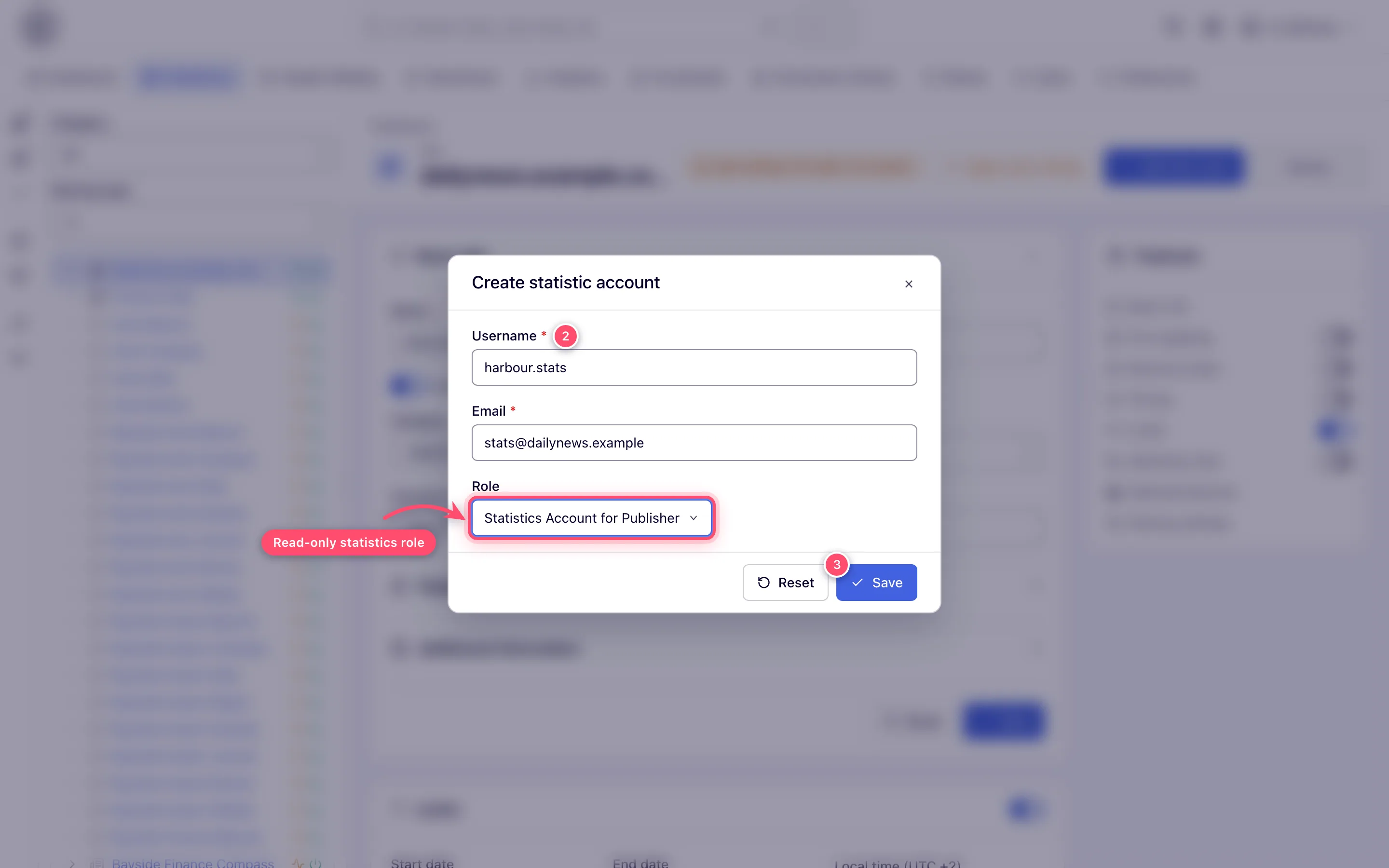
In the Create statistic account dialog fill Username and Email (both required) and pick the Role (the roles your role may create users in). The e-mail starts as the entity’s contact e-mail.
-
Click Save. The platform:
- creates the user — active at once, owned by you, with a random placeholder password nobody knows;
- adds a Can View share on the entity;
- e-mails an invitation to the address you entered with a single-use link to choose their own password. No password is ever sent. The link expires; if it has, the client uses Forgot password on the login page to get a fresh one.
The toast reads Invitation to choose a password sent to followed by the address.
You need edit rights on the entity, and the role must be one you may assign — an administrator role never is.
Caveats and exceptions
- Statistic account rules. The username and e-mail must both be free — an account already using either is refused with Username must be unique or Email must be unique, and nothing is created; pick another name, or share the entity with the existing user instead. Both fields take up to 64 characters and the e-mail must be a valid address. If the site or advertiser had no contact e-mail, the statistic account’s e-mail is written into that field, and a second toast says so. The entry is not offered on a site or advertiser you hold only as Can View — creating the account needs edit rights on the entity. The caveats that apply to every share — who has the page, who can be a recipient, what the recipient sees, the width bounds — are on Share sites and advertisers with users.
Not working?
| Symptom | Cause | Check |
|---|---|---|
| Create user & share is not in the actions menu | Your role lacks Share for that entity type, may not create users in any role, or holds the entity only as Can View | Role permissions; edit rights on the entity |
| Username must be unique / Email must be unique | Both are already taken by another account | Another name, or share with the existing user |
| The client got no invitation | Check the address; the link expires | They use Forgot password on the login page |
The rest of the list is on Share sites and advertisers with users.
Reference
The create-and-share REST call, which refuses a taken login or e-mail instead of adjusting it, is in Over the API; the tabs each stock statistics role gets are in What the statistics account sees.
