
Quick start for network managers: check analytics
Stage 5 of the network quick start — run a report grouped by Placement over Today and see the first impressions and the test click arrive, and why they appear only after the hour ends.
Tutorial network manager Account → Advertisers / Publishers
Goal: see the handful of impressions and the one click you generated on the test page land in a report against your placement — the end-to-end proof that the chain serves and counts. It is one stage of the network quick start, whose prerequisites, caveats and fix-it table apply here too.
Steps
Stage 5 — check analytics
- Go to Account → Analytics. In the filter form set Date range to Today, set
Group by to Placement (or Banner), and click Run report. A report tab opens.
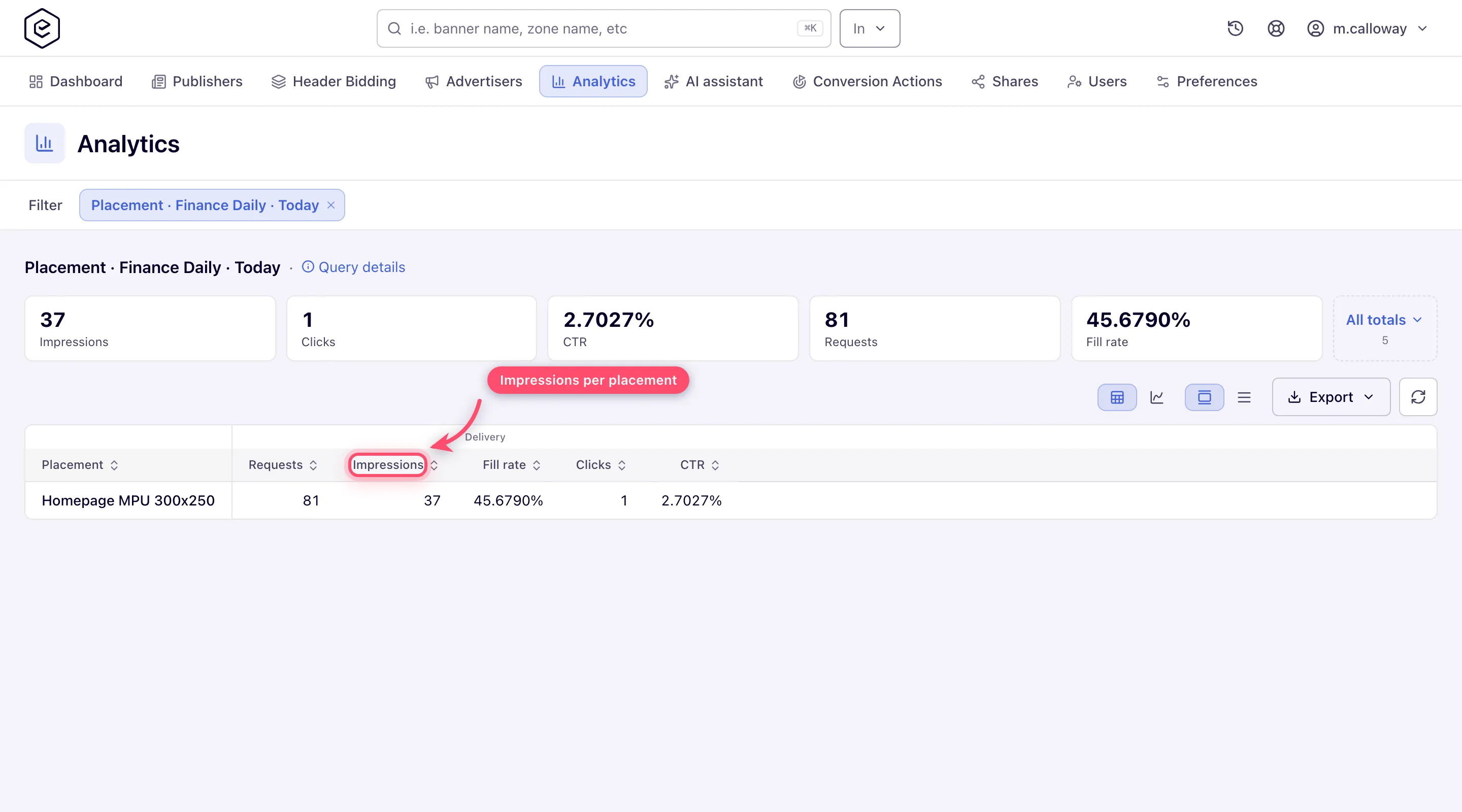
- Success: your placement appears with a non-zero Impressions count and your test click. Statistics arrive by the hour: an impression shows up shortly after its hour ends (one at 10:02 appears at about 11:01), so if the rows are still zero, re-run the report after the next full hour.
What next
- Quick start: serve your first ad as a network manager — the whole path, its caveats and fix-it table
- Go-live checklist — the ten-minute pass before real traffic
- Run a report
