
Tour of the interface: search, the command palette and recents
Stage 3 of the interface tour — global entity search with its In scope and the / shortcut, the ⌘K command palette with entity results and Go to commands, and the Recent history of the last 8 entities you opened.
Tutorial network manager publisher advertiser admin Account
Goal: get from anywhere to any campaign or placement in two keystrokes (/ or ⌘K and its name), and back to what you touched this morning in one click. This is one stage of the Tour of the interface; the tour needs no data and changes nothing.
Steps
- Global search. The search box in the top bar finds entities by name — advertisers, campaigns, banners, sites, zones and placements, limited to the side or sides you may see. Press / anywhere outside a text field to jump into it. The In selector next to it is a multi-select that narrows the search to specific entity types; leave it empty to search them all. Results appear after a short pause and show the entity name and its type; inactive entities are dimmed. Enter opens the highlighted result (the first, by default); picking one jumps straight to its edit page.
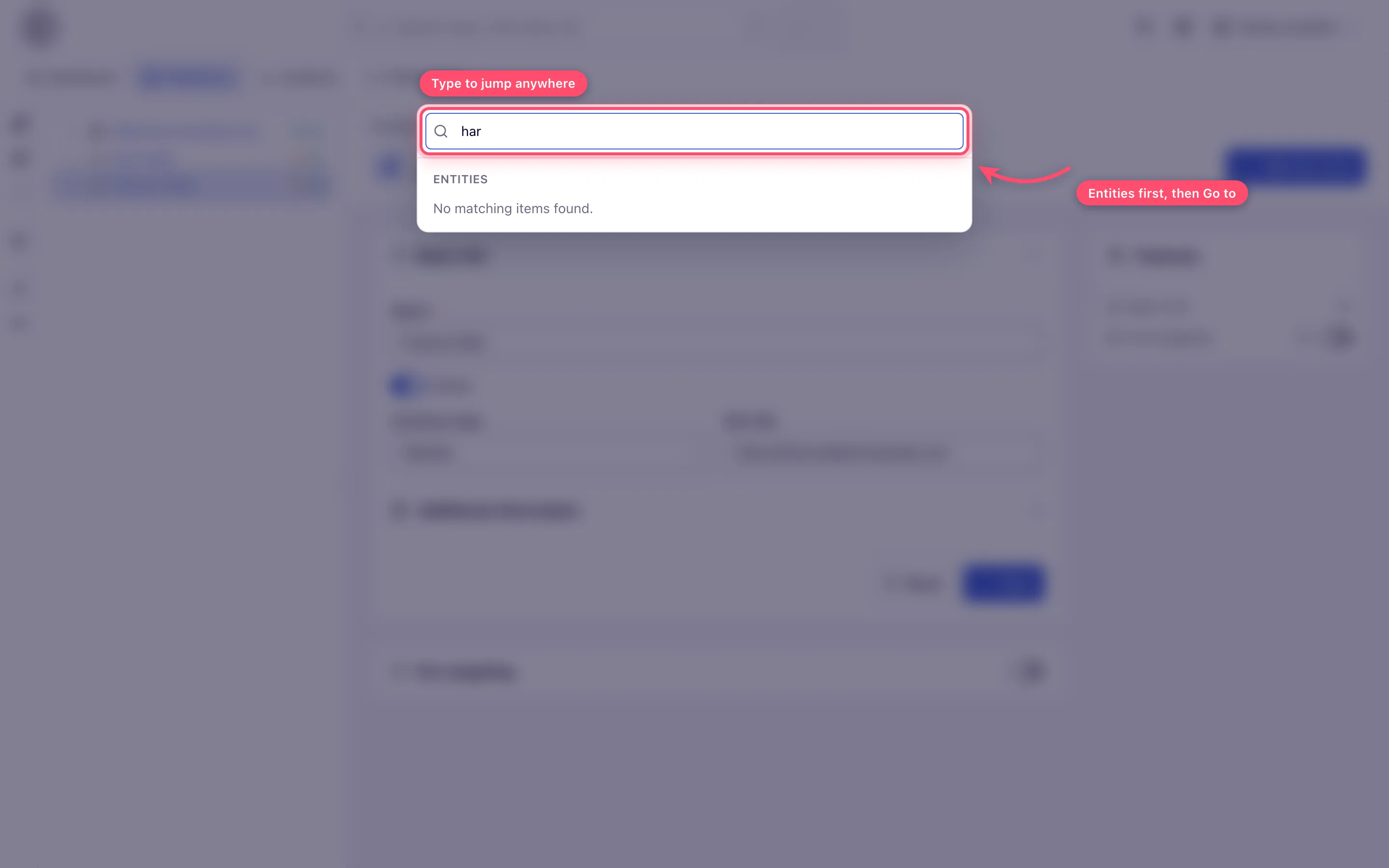
- Command palette. Press ⌘K (macOS) or Ctrl-K (Windows/Linux) anywhere in the
account area, or click the ⌘K chip inside the search box. One input gives you live
entity results (all entity types you may see — the In scope does not apply) under
Entities, and navigation commands under Go to: your tabs, filtered by what you
type. Arrow keys move through the list, Enter opens, Escape closes.
- Recent history. The Recent (history) icon in the top bar lists the last 8 entities you opened, with a short relative age (now, 5m, 3h, 2d) — the fastest way back to what you touched this morning. The history is stored in your browser, per user and per device.
What next
- Tour of the interface: notifications, notes and your settings — the last stage
- Tour of the interface — the whole tour and the gotchas
- UI navigation reference — every route and shortcut
